
What is SubtitleBee?
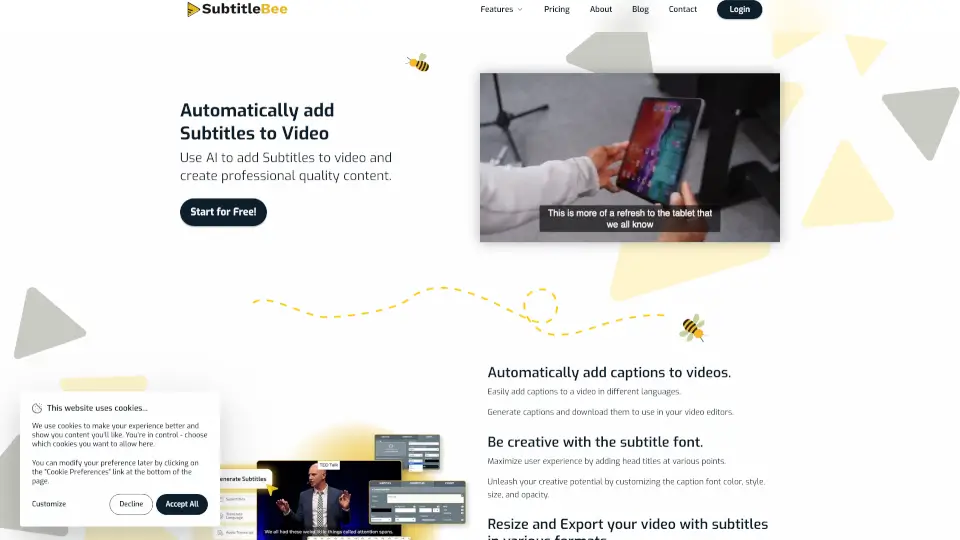
SubtitleBee is an AI subtitle generator for content creators, educators, and marketers that automatically adds captions to videos. Upload a video or paste a link (up to 1GB, supports MP4, MOV, AVI, Webm), and the AI generates synced subtitles. You can edit fonts, colors, and styles, then export with burned-in subtitles or separate .srt files. Translation into 120+ languages, audio transcription, and supertitles are also included. It’s designed for anyone who needs quick, accurate captions without manual timing.
What are the features of SubtitleBee?
- AI Subtitle Generation: Automatically generates and syncs subtitles from uploaded videos or audio files. Supports multiple formats and languages.
- Subtitle Translation: Translate subtitles into over 120 languages with high accuracy, making content accessible to global audiences.
- Audio Transcription: Convert audio files to accurate text for transcripts, captions, or notes. Download subtitle files before media export completes.
- Supertitles & Customization: Add and style overlay text (supertitles) with custom fonts, colors, sizes, opacity, and animations. Position text anywhere on the video.
- Progress Bar & Logo Overlay: Add a customizable progress bar to boost viewer engagement. Overlay your own logo on subtitled videos for branding.
- Video Cropping for Social Media: Crop videos for platforms like Instagram Stories, TikTok, and Snapchat while keeping subtitles visible. Do multiple crops at different timestamps.
What are the use cases of SubtitleBee?
- Influencers and vloggers adding captions to social media videos to increase watch time and engagement.
- Educators and professors creating accessible course content with subtitles and multi-language translation for diverse students.
- Marketers and sales teams translating product videos into 120+ languages for global campaigns and brand consistency.
- Podcasters transcribing audio episodes into text for show notes, blog posts, or repurposing on different platforms.
- Content teams adding custom logos and progress bars to branded videos exported directly to social media.
How to use SubtitleBee?
- Upload your video file (up to 1GB) or paste a link. SubtitleBee supports MP4, MOV, WMV, AVI, Webm, and more.
- Edit the auto-generated subtitles: adjust font, color, size, opacity, and timing. Make any necessary corrections.
- Translate subtitles into any of over 120 languages by clicking the "Translate Subtitles" button.
- Export the video with burned-in subtitles, or download subtitle files separately in .srt, .ass, .vtt, or .txt formats.
- Optionally crop, resize, or add a progress bar and logo before exporting for specific social media platforms.