
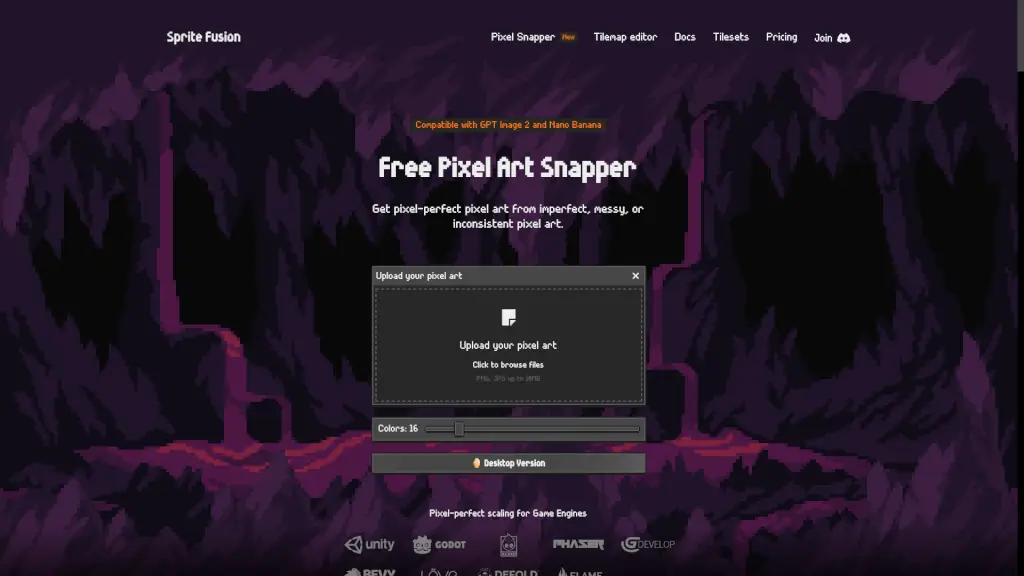
What is Pixel Snapper?
Tired of AI-generated pixel art that looks blurry, messy, or just off? Sprite Fusion Pixel Snapper is your go-to fix. This smart, free tool automatically snaps inconsistent or “mixel”-filled pixels back onto a clean, crisp grid—turning rough outputs from AI models like Nano Banana or GPT Image 2 into true pixel art ready for games or projects.
Whether you're an indie dev, student, or hobbyist, Pixel Snapper saves you hours of manual cleanup. It preserves fine details like dithering and subtle curves while enforcing pixel-perfect alignment—no more guessing which pixels belong where. Best of all? It’s free, open source, and works right in your browser with no sign-up needed.
What are the features of Pixel Snapper?
- AI Pixel Cleanup: Automatically fixes blurry or off-grid pixels from AI-generated art
- Detail Preservation: Keeps dithering, anti-aliasing, and fine curves intact—no over-smoothing
- Web & Desktop Versions: Use the free web app or upgrade to the Collector Edition desktop app for offline, batch processing
- Cross-Platform Support: Works on Windows, Mac, and Linux
- Open Source: Full source code available on GitHub—transparent, trustworthy, and community-driven
- Commercial-Friendly: Free to use in both hobby and professional projects—no hidden fees
- One-Time Purchase (Desktop): Pay $7.99 (limited time) for lifetime access, free updates, and ultra-fast batch processing
What are the use cases of Pixel Snapper?
- Cleaning up pixel art generated by Nano Banana or GPT Image 2 for game sprites
- Preparing AI-made assets for retro-style games in engines like Godot or Unity
- Fixing hand-drawn pixel sketches that got slightly blurred during scanning or editing
- Batch-processing entire sprite sheets for indie game development
- Teaching pixel art fundamentals in university courses using consistent, grid-aligned results
- Restoring vintage-style visuals without losing artistic detail
How to use Pixel Snapper?
- Upload your PNG or JPG file (up to 10MB) via drag-and-drop or click-to-browse
- Pixel Snapper instantly analyzes and snaps stray pixels to a perfect grid
- Download your cleaned image—ready to use in Aseprite, Photoshop, or game engines
- For best results, start with images that are already close to pixel art (not photorealistic)
- Use the desktop Collector Edition for faster processing of multiple files offline
- Always double-check output in a pixel editor like Aseprite for final polish—Pixel Snapper helps, but isn’t magic!