
What is Sketchflow AI?
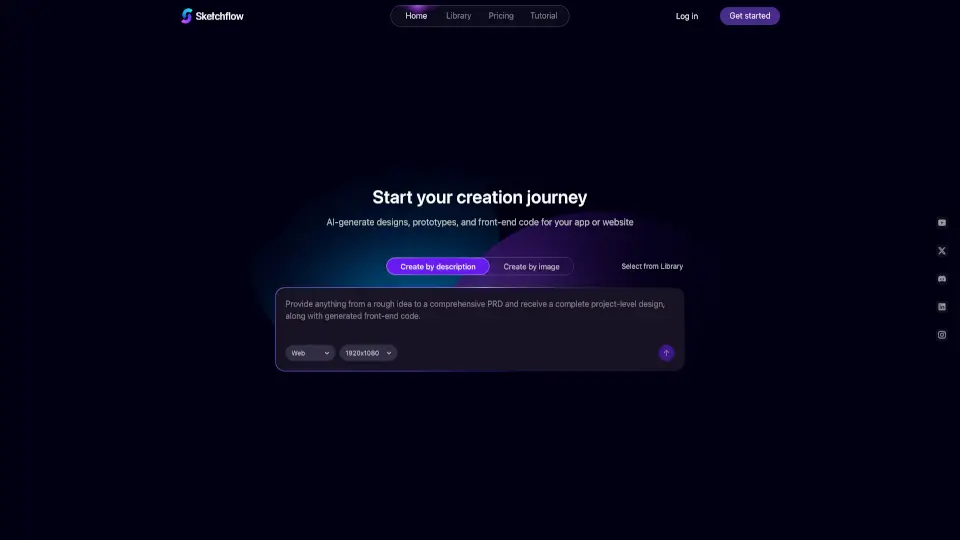
Imagine turning your creative ideas into fully functional web and mobile apps in just a few minutes. That's exactly what Sketchflow does! With the power of AI, Sketchflow helps you go from concept to a live product with stunning designs, interactive prototypes, and production-ready code. Whether you're a seasoned developer or just starting out, Sketchflow makes it easy to bring your vision to life without any coding knowledge. Just describe your idea, choose your platform, and let the AI do the heavy lifting.
What are the features of Sketchflow AI?
- AI-Generated Designs: Instantly create beautiful, high-quality designs for your web and mobile projects.
- Interactive Prototypes: Generate and refine interactive prototypes that help you visualize and test your app’s main journeys.
- Front-End Code Export: One-click generation of front-end code in multiple formats, including React.js, Android (Java), and iOS (Swift).
- Flexible Workflow: Tailored workflows that are editable and designed to fit your specific features.
- Rich Functionality: Supercharge your design journey with advanced AI-powered interface prototyping.
- Multi-Screen Support: Design for every screen—web, mobile, tablet, and desktop—all in one tool.
- Template Library: Access a diverse collection of popular styles and templates, ready to use.
What are the use cases of Sketchflow AI?
- Startup Founders: Quickly prototype and launch MVPs to get feedback and iterate faster.
- Designers: Create and refine UI/UX designs without the need for coding.
- Developers: Save time by generating production-ready code for both web and mobile platforms.
- Product Managers: Visualize and communicate product ideas more effectively with interactive demos.
- Small Businesses: Build professional-looking websites and apps without hiring a full development team.
- Educators: Teach design and development concepts with hands-on, real-world examples.
How to use Sketchflow AI?
- Describe Your Idea: Start by describing your product or project. Include details about the features and style you want.
- Select Your Platform: Choose the platform you want to build for—web, iOS, or Android.
- Generate Designs: Let the AI generate the initial designs based on your description.
- Refine and Edit: Use the built-in tools to refine and customize the designs to your liking.
- Export Code: Once you’re satisfied, export the front-end code in the format you need.
- Simulate and Test: Run and test your code in a simulated environment to ensure everything works as expected.