
What is Opera One Browser?
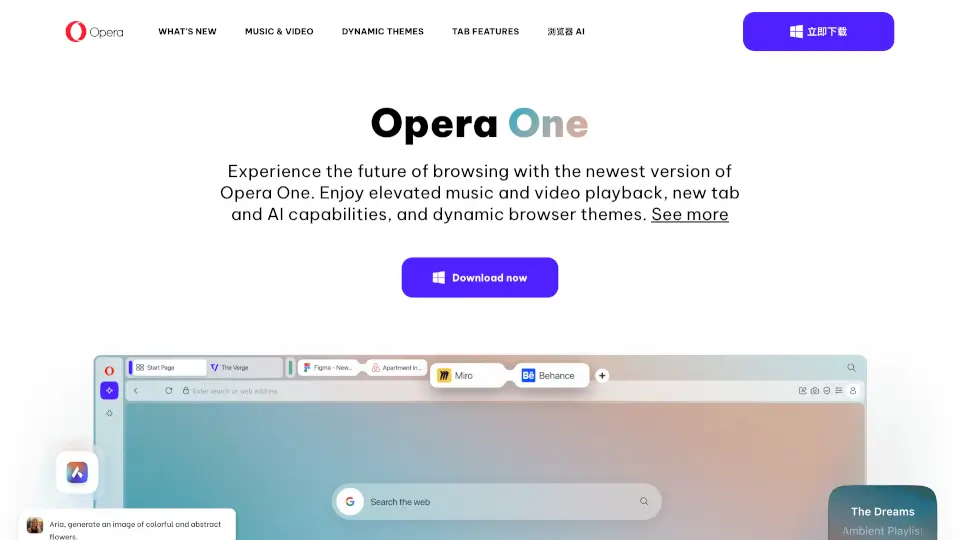
Opera One just got even better with its R3 update, delivering smarter browsing through evolved tab management, faster AI, and a more flexible interface. Designed for users who juggle multiple tasks online, Opera One helps you stay organized without slowing down—whether you're researching, streaming, or multitasking across apps.
This latest version builds on Opera’s signature modular design, now enhanced with customizable Tab Islands, a revamped Sidebar, and an upgraded AI engine that understands your full browsing context. Best of all? These powerful features remain completely free, making Opera One a standout choice for productivity-focused users who value both speed and simplicity.
What are the features of Opera One Browser?
- Tab Islands Customization: Name your tab groups and assign custom handle colors to visually distinguish projects or topics at a glance.
- Faster, Smarter AI: Powered by an agentic-based 2.0 engine, Opera AI delivers quicker, higher-quality responses with optional awareness of your current tab or entire Tab Island.
- Dynamic Sidebar: Access messengers, music players, and now Google Calendar and Gmail directly from the sidebar—autohides to save space and pops out when needed.
- Enhanced Split Screen: View up to four pages simultaneously in horizontal or vertical layouts, now streamlined with a single address bar and tab for less clutter.
- Immersive Themes: Transform your browser’s look and feel with mood-boosting themes like Radiance, Orbit, or Midsommar—including customizable sounds and background music.
- Built-in Privacy Tools: Includes free ad blocker and VPN for safer, smoother browsing without extra extensions.
What are the use cases of Opera One Browser?
- Managing research for school or work by grouping related tabs into named Tab Islands (e.g., “Project Alpha” or “Travel Plans”).
- Using Split Screen to compare product reviews on one side while checking prices or specs on another.
- Staying connected during remote work by keeping Slack, WhatsApp, or Gmail open in the Sidebar without switching windows.
- Getting instant AI help while reading articles—just highlight text and use Opera AI for summaries or explanations.
- Reducing digital fatigue with immersive themes and soothing browser sounds during long browsing sessions.
- Browsing securely on public Wi-Fi thanks to the built-in free VPN and tracker-blocking ad blocker.
How to use Opera One Browser?
- To create a Tab Island, drag a tab slightly away from the main group—then right-click the island handle to name it or change its color.
- Add Google Calendar or Gmail to your Sidebar by clicking the three-dot menu at the bottom of the sidebar and selecting the service.
- Activate Split Screen by dragging any tab to the left or right edge of the window—now supports up to four panes with cleaner controls.
- Access Opera AI from the right-side panel while using other sidebar apps on the left for true multitasking.
- Try immersive themes by going to Settings > Appearance > Themes and previewing options like Ethereal or Metamorphic.
- Enable AI page context in AI settings so responses reflect what you’re currently viewing—even across entire Tab Islands.