
O que é Ulaa?
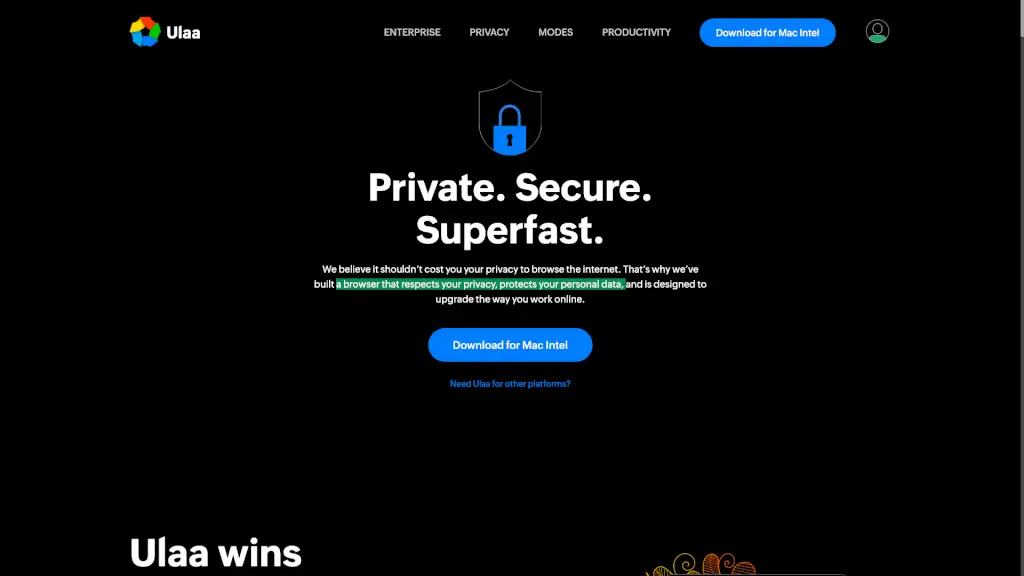
O Ulaa Browser é um navegador feito para quem valoriza privacidade, segurança e produtividade. Desenvolvido pela Zoho Corp, ele foi criado com o objetivo de proteger seus dados pessoais enquanto você navega, sem vender suas informações ou rastrear seus hábitos online. Ideal tanto para uso pessoal quanto profissional, o Ulaa oferece uma experiência mais limpa, rápida e focada — sem os olhos curiosos de anunciantes e plataformas de terceiros.
Além de ser o primeiro navegador indiano a vencer o Indian Web Browser Development Challenge (IWBDC), patrocinado pelo Ministério da Eletrônica e Tecnologia da Informação da Índia, o Ulaa traz funcionalidades inteligentes que vão além da navegação básica. Com modos especializados, integrações com ferramentas Zoho e recursos avançados de segurança, ele ajuda você a trabalhar melhor, proteger sua família online e manter o controle total sobre seus dados.
Quais são as características de Ulaa?
- Modos de Navegação Especializados: Escolha entre Work Mode (foco no trabalho), Developer Mode (para programadores), Personal Mode (privacidade diária), Kids Mode (seguro para crianças) e Open Season Mode (sem bloqueios).
- Proteção Avançada de Privacidade: Bloqueia rastreadores, anúncios invasivos e evita coleta de dados por terceiros — sem enviar seu histórico, localização ou comportamento para servidores externos.
- Atualizações Automáticas de Segurança: Política de correção de vulnerabilidades em até 24 horas, garantindo que você sempre use uma versão segura.
- Integração com Zoho e Zia AI: Acesso rápido a aplicativos Zoho com login único (SSO) e busca inteligente com a assistente Zia.
- Zero Coleta de Dados Sensíveis: Sem sensores de movimento, API serial, pré-busca DNS, relatórios de métricas ou sugestões baseadas em URLs parecidas.
- Sincronização Multi-Dispositivo: Mantenha abas, senhas, notas e capturas de tela sincronizadas entre seus dispositivos.
- Estatísticas Anonimizadas Opcionais: Você decide se quer compartilhar dados de uso — e pode desativar isso a qualquer momento.
Quais são os casos de uso de Ulaa?
- Profissionais que precisam se concentrar no trabalho sem distrações de redes sociais ou notícias.
- Desenvolvedores web que querem um ambiente limpo com extensões recomendadas e ferramentas integradas.
- Pais que buscam um navegador seguro para os filhos navegarem na internet sem conteúdo inapropriado.
- Pessoas preocupadas com privacidade que não querem ser rastreadas por anunciantes ou grandes plataformas.
- Equipes corporativas que usam o ecossistema Zoho e desejam login único e produtividade integrada.
- Usuários que acessam sites sensíveis (como bancos ou saúde) e precisam de máxima proteção contra ameaças cibernéticas.
Como usar Ulaa?
- Baixe o Ulaa para sua plataforma (Windows, macOS, Linux, Android ou iOS) diretamente do site oficial.
- Após instalar, escolha o modo de navegação ideal para sua atividade atual (ex: Work Mode para produtividade).
- Ative ou desative o recurso "Estatísticas Anonimizadas" nas configurações, conforme sua preferência de privacidade.
- Use o Gerenciador de Abas e Notas embutido para organizar pesquisas e ideias sem sair do navegador.
- Sincronize seus dados entre dispositivos fazendo login com sua conta Zoho (opcional).
- Mantenha o navegador sempre atualizado — as atualizações automáticas são ativadas por padrão para sua segurança.