
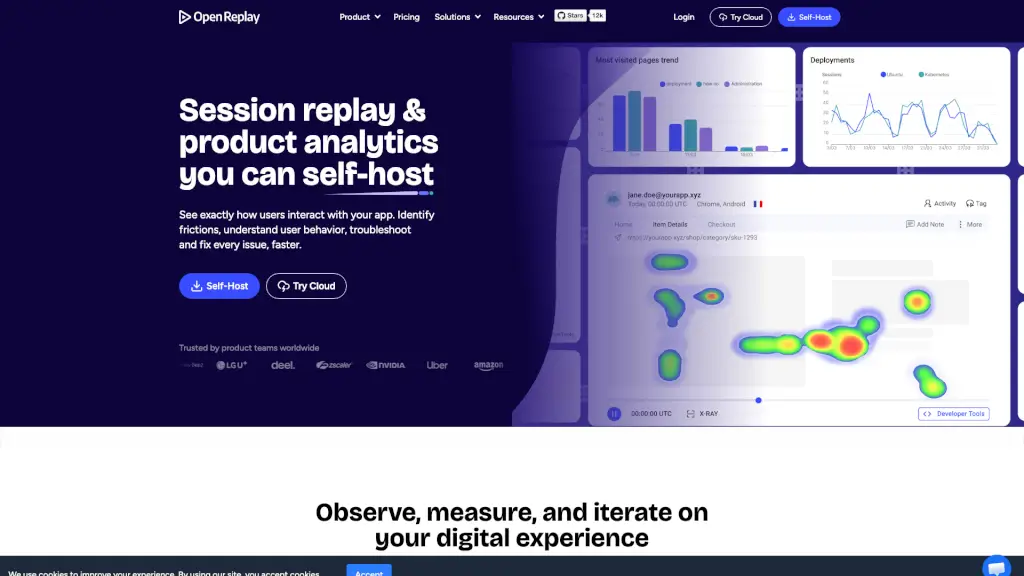
What is OpenReplay?
OpenReplay is an open-source, self-hosted session replay and product analytics platform that lets you see exactly how users interact with your web or mobile app—without sending sensitive data to third parties. Built for teams who prioritize data privacy, security, and full control, it captures every click, scroll, error, and network request so you can understand real user behavior.
Unlike cloud-only tools like FullStory or Hotjar, OpenReplay runs entirely on your infrastructure. This makes it ideal for enterprises in regulated industries (like finance, healthcare, or HR tech) where compliance (GDPR, HIPAA, SOC 2) is non-negotiable. You get deep insights without compromising user trust.
What are the features of OpenReplay?
- Session Replay: Watch pixel-perfect replays of user sessions, including console logs, network activity, and JavaScript errors.
- Product Analytics: Track funnels, user journeys, retention, and heatmaps—all linked directly to session recordings for context.
- DevTools Integration: Debug issues faster with built-in browser dev tools that sync with replays to inspect DOM, network calls, and performance.
- Co-browsing: Join live user sessions to assist customers in real time—no downloads or meeting links needed.
- AI-Powered Insights (kAI): Automatically surface bugs, rage clicks, dead clicks, and performance bottlenecks.
- Mobile Support: Capture and replay sessions from iOS and Android apps.
- Self-Hosting: Deploy on your own servers or cloud (AWS, GCP, etc.) with full data ownership and no external dependencies.
What are the use cases of OpenReplay?
- Engineering teams reproduce and fix frontend bugs in minutes instead of hours by replaying exact user sessions.
- Product managers validate feature impact by analyzing funnel drop-offs backed by real session evidence.
- Customer support agents resolve issues faster by co-browsing with users and seeing their screen in real time.
- UX researchers uncover usability flaws by watching how real people navigate the app—no surveys needed.
- Compliance officers meet strict data residency requirements by keeping all analytics data on-premises.
- Startups scaling securely avoid vendor lock-in and unpredictable pricing by using open-source analytics.
How to use OpenReplay?
- Deploy OpenReplay using Docker or Kubernetes on your preferred cloud or on-prem server (follow official docs).
- Install the lightweight SDK in your web or mobile app with just a few lines of code.
- Start recording sessions—all user interactions are captured automatically (you can exclude sensitive fields).
- Explore replays and analytics in the intuitive dashboard to find bugs, friction points, or engagement trends.
- Use co-browsing by generating a shareable link during a live session to assist users instantly.
- Set up alerts for errors, slow pages, or custom events to stay proactive about user experience issues.