What is Veo 3.1 AI Video Generator?
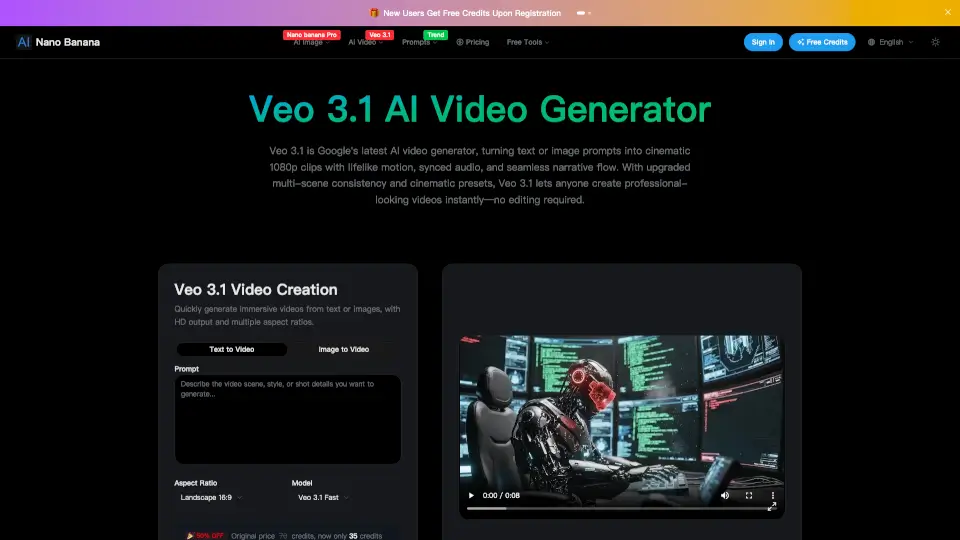
Veo 3.1 is Google's latest AI video generator that turns text or images into cinematic HD videos with lifelike motion and perfectly synced audio. With easy-to-use controls and professional presets, Veo 3.1 lets anyone create stunning, story-driven clips—no editing skills required.
What are the features of Veo 3.1 AI Video Generator?
- Text & Image to Video: Quickly transform your ideas or pictures into immersive 1080p videos.
- Audio Sync: Generates realistic dialogue, ambient sounds, and music that match the visuals.
- Cinematic Presets: Choose camera moves, lighting moods, and styles for a Hollywood look.
- Multi-Scene Storytelling: Seamlessly connect scenes with consistent characters and props.
- Frame Control: Set the first and last frames for precise video transitions.
- Reference Images: Guide your video’s style using up to three images.
- Scene Extension: Expand existing clips for longer, continuous stories.
- Cloud-Based Processing: No special hardware needed—just your browser.
What are the use cases of Veo 3.1 AI Video Generator?
- Social Media Content: Make eye-catching short videos for TikTok, Instagram, or YouTube.
- School Projects: Create engaging video presentations or visual stories.
- Marketing: Produce professional ads and promos without a video team.
- Personal Creativity: Turn your ideas into cinematic clips for fun or sharing.
- Storytelling: Build multi-scene narratives with smooth transitions and consistent style.
How to use Veo 3.1 AI Video Generator?
- Step 1: Upload an image or choose a starting frame.
- Step 2: Type your prompt describing the action, mood, or style.
- Step 3: Click “Generate” to create your video (up to 8 seconds) with synced audio.
- Step 4: Use scene extension to make longer videos by adding more frames.
- Step 5: Apply cinematic presets for camera moves, lighting, and style.