What is Moda?
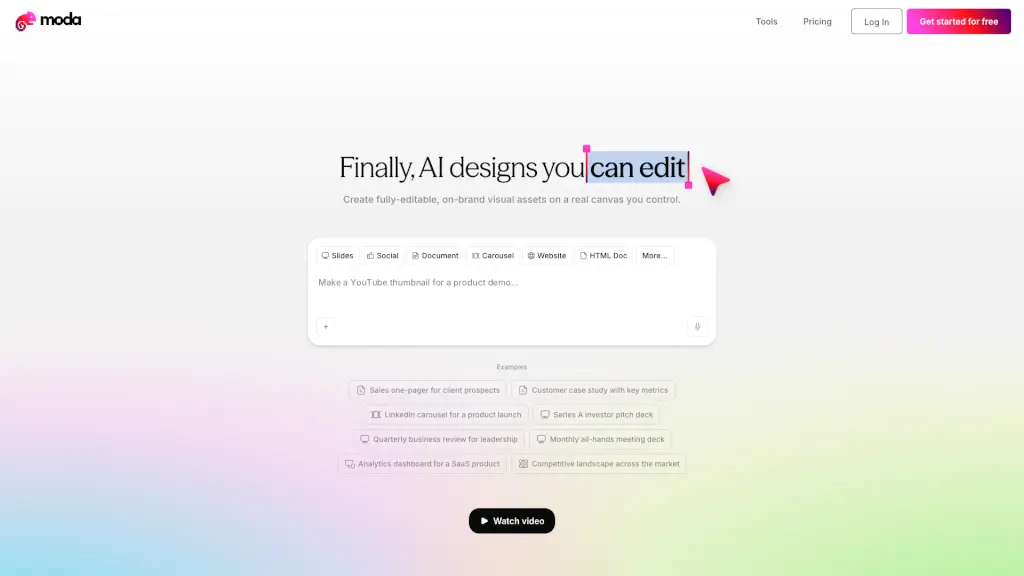
Tired of AI design tools that spit out pretty but uneditable images? Meet Moda—an AI-powered design platform that gives you full control over every element on a real, flexible canvas. Unlike static generators, Moda lets you tweak text, colors, layouts, and graphics after AI creates them, so your slides, social posts, PDFs, and diagrams always stay on-brand and truly yours.
Whether you're pitching to investors, announcing a product launch, or creating internal reports, Moda speeds up your workflow without sacrificing quality or customization. It’s built for teams who need professional visuals fast—but still want the freedom to edit like a designer.
What are the features of Moda?
- Fully Editable AI DesignsEvery element—text, shapes, icons, charts—is editable on a real canvas, not locked in an image.
- On-Brand Asset CreationAutomatically applies your brand colors, fonts, and style across all content types.
- Multi-Format OutputCreate slides, social media carousels, PDFs, documents, websites, and diagrams in one place.
- Remix TemplatesStart from real-world examples like pitch decks, case studies, or hiring posters and customize them instantly.
- Real-Time CollaborationWork with teammates directly on the same canvas (implied by team-focused testimonials).
- No Design Skills NeededIntuitive interface lets marketers, founders, and ops folks create polished visuals in minutes.
What are the use cases of Moda?
- Build a Series A investor pitch deck with consistent branding and editable financial charts
- Design a LinkedIn carousel for a product launch that matches your visual identity
- Create a customer case study with key metrics presented clearly and professionally
- Generate employee-facing documents like badges or offer letters that look designed, not generic
- Produce a quarterly business review for leadership with live-updatable data visuals
- Announce company events across multiple social channels using coordinated, branded templates
How to use Moda?
- Sign up for a free account at Moda’s website
- Choose a template (like “Fundraising Announcement” or “Sales One-Pager”) or start from scratch
- Use AI to generate your first draft—just describe what you need
- Edit any part of the design: move elements, change colors, update text, resize images
- Export or share directly as slides, PDFs, social posts, or HTML
- Save your brand settings once to auto-apply them to future projects