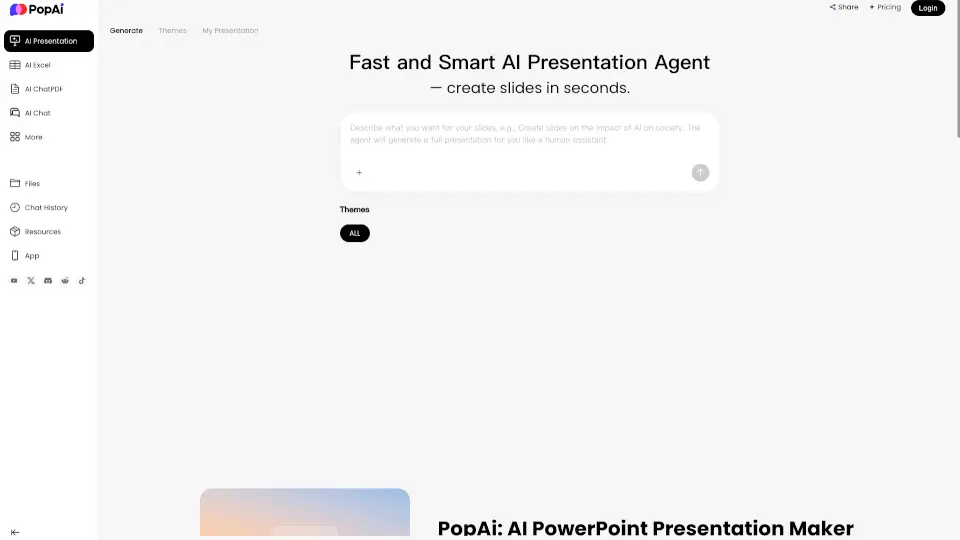
What is PopAi?
Need to put together a presentation quickly but hate staring at a blank slide screen? PopAi is your AI presentation maker that turns rough notes, dense reports, or simple prompts into polished decks in seconds. Instead of spending hours aligning text boxes and picking fonts, you simply upload a file or type what you need, and the AI extracts the key points, organizes them logically, and applies clean layouts automatically. It’s like having a junior designer who actually understands how to structure information.
Beyond slides, PopAi doubles as a lightweight AI productivity hub. You can chat directly with PDFs to pull out summaries, generate smart spreadsheets, or even create supporting images—all without jumping between different apps. Whether you’re prepping for a class assignment, building a client proposal, or organizing training materials, this workspace cuts your prep time down to minutes while keeping everything looking sharp and professional.
What are the features of PopAi?
- Instant Slide Generation: Upload a PDF, Word doc, or paste a prompt, and the AI structures it into a coherent deck without manual outlining. Unlike basic generators that just dump text, PopAi intelligently groups related ideas and adds visual hierarchy.
- Smart Template Library: Browse dozens of clean, industry-specific designs. Pick a minimal theme for lectures, a bold layout for pitches, or a corporate style for internal reports, and let the AI adapt your content to fit perfectly.
- Browser-Based Canvas Editor: Tweak wording, swap images, and reposition elements directly on the web interface. No need to install heavy desktop software or worry about compatibility crashes.
- Native PPTX & PDF Export: Download your finished work in fully editable PowerPoint format. This keeps your text and shapes movable, unlike some AI tools that lock everything into flat images upon export.
- One-Click Link Sharing: Generate a quick web link for instant distribution. Perfect for remote collaboration or sending to busy managers who need a preview before committing to a meeting.
- Multilingual Translation Support: Feed in content in one language and get back a finished presentation in another. The AI handles terminology swaps smoothly, making it reliable for classrooms or global teams.
- Private Data Handling: Your uploaded files are processed securely and never used to train public AI models, giving you peace of mind for sensitive school projects or business data.
What are the use cases of PopAi?
- Startup Pitch Decks: Convert messy business notes and market research into investor-ready slides that clearly highlight your problem, solution, and traction.
- Classroom Lesson Plans: Break down thick textbooks or training manuals into bite-sized, visually balanced slides that help students retain information better.
- Sales & Marketing Reports: Turn campaign metrics and strategy outlines into high-impact visuals that guide decision-makers through your numbers effortlessly.
- College Group Projects: Paste your shared outline, select a theme, and collaborate in real-time without anyone fighting over design software or lost edits.
- HR Onboarding Guides: Quickly draft professional welcome packets and policy breakdowns for new hires, replacing days of manual formatting with a few clicks.
How to use PopAi?
- Start by entering a topic or uploading your source file (PDF, DOCX, or PPTX) to give the AI your raw material.
- Scan the template gallery and choose a layout that matches your audience—stick to neutral tones for formal reviews, and brighter palettes for creative or educational topics.
- Use the built-in canvas to tighten bullet points, replace generic stock photos, or move sections around until the flow feels natural to you.
- Export as PPTX if you need to edit later, or choose PDF for a fixed, print-ready version. Then use the share link to send it to reviewers or collaborators instantly.