
GitKraken logo

GitKraken

0
5.0
(0 Reviews)
United States16.52%

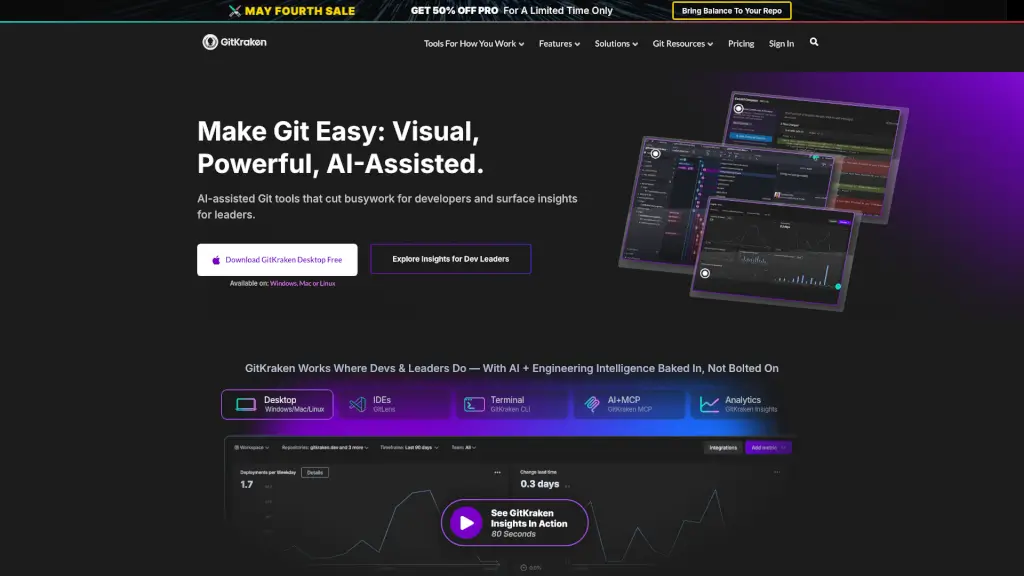
GitKraken delivers visual, AI-assisted Git tools that simplify version control, boost developer focus, and provide actionable insights for engineering teams.

Verified by SeekTool
Social Media:
GitKraken

GitKraken Product Information

What is GitKraken?

GitKraken is a suite of developer-friendly Git tools designed to simplify version control for both individuals and teams. Whether you're a solo coder or part of a large engineering organization, GitKraken helps you visualize complex Git histories, resolve merge conflicts faster, and stay focused with AI-assisted features—all while integrating seamlessly into your existing workflow.

Built by developers for developers, GitKraken combines powerful graphical interfaces (like its flagship Desktop app) with lightweight CLI and IDE extensions (such as GitLens for VS Code). It’s not just about making Git easier—it’s about boosting productivity, reducing distractions, and giving engineering leaders real-time insights into team performance and code health.

What are the features of GitKraken?

  • Commit Graph: Visualize your entire Git history across branches and teammates in seconds—available in Desktop, CLI, and GitLens.
  • AI-Powered Merge Tool: Resolve conflicts faster with intuitive, side-by-side visual comparisons and smart suggestions.
  • Workspaces: Manage multiple repos together, onboard new developers quickly, and keep distributed teams aligned.
  • GitLens for IDEs: See rich Git blame, file history, and line annotations directly inside VS Code, Cursor, Windsurf, and more.
  • GitKraken Insights: Track DORA metrics, code quality, AI impact, and developer sentiment—80% cheaper than other engineering intelligence platforms.
  • Launchpad: Reduce distractions by centralizing open pull requests, issues, and tasks so you can stay in flow state.
  • Jira Integration: Link commits, branches, and PRs directly to Jira tickets for seamless planning and tracking.
  • Cross-Platform Sync: Changes made in Desktop, CLI, or GitLens update in real time across all tools.

What are the use cases of GitKraken?

  • A solo developer uses GitKraken Desktop to untangle a messy rebase with the interactive graph instead of wrestling with terminal commands.
  • An engineering manager leverages GitKraken Insights to identify bottlenecks in PR review cycles and improve team velocity.
  • A distributed team uses Workspaces to share dozens of repos and ensure everyone—from new hires to senior devs—is working from the same context.
  • A frontend engineer uses GitLens in VS Code to hover over any line of code and instantly see who changed it, when, and why—without leaving their editor.
  • A DevOps lead enforces security controls and audit trails across the organization using GitKraken’s enterprise-grade admin features.
  • A startup integrates GitKraken with Jira to automatically link sprint tasks to Git activity, improving sprint planning accuracy.

How to use GitKraken?

  • Download GitKraken Desktop for free on Windows, Mac, or Linux to start visualizing your repos immediately.
  • Install GitLens from the VS Code marketplace (or compatible IDEs like Cursor) for inline Git intelligence.
  • Sign up for a free 30-day Pro trial to test team features like Workspaces and Insights—no credit card required.
  • Connect your GitHub, GitLab, Bitbucket, or Azure DevOps account in one click to import all your repos.
  • Use Launchpad to track open PRs and issues without switching between apps or getting distracted.
  • Explore GitKraken Labs to preview upcoming AI-powered features and provide feedback to the dev team.
Do you like this tool?

Upvote to help others discover it!

GitKraken Alternatives

JetBrains AI

JetBrains provides a suite of intelligent development tools, including IntelliJ IDEA, PyCharm, and WebStorm, along with powerful team collaboration and project management solutions like TeamCity and YouTrack, to enhance productivity and code quality.

US
14.22%
|
5.8M
|
5.0
Sourcegraph

Sourcegraph is a game-changer for software development, using AI to automate tasks and improve efficiency in large codebases. It’s trusted by top companies worldwide to accelerate innovation.

US
40.11%
|
235.9K
|
5.0
Refact.ai

Refact.ai is an open-source, secure AI coding assistant that helps you write better code faster. With 20+ LLMs, in-IDE chat, and on-premise deployment, it’s the ultimate tool for developers.

US
12.28%
|
71.2K
|
5.0
Claude Code

Claude Code is an AI-powered coding assistant that integrates seamlessly with your terminal, IDE, and other tools, making coding, debugging, and refactoring faster and more efficient.

US
22.56%
|
13.8M
|
5.0
Gitlab Code Suggestions

GitLab’s AI-assisted Code Suggestions boosts productivity by offering smart, secure coding help in multiple languages and IDEs.

IN
19.43%
|
1.7M
|
5.0
CodeGPT

CodeGPT is the ultimate AI-powered development platform, offering specialized AI agents, deep codebase understanding, and enterprise-ready security to supercharge your software development process.

IN
6.15%
|
214.6K
|
5.0
Logic Sage

LogicSage is a free, open-source AI app for developers, offering chat, code assistance, and Git repo downloads. Perfect for coding on the go!

US
27.47%
|
143.2M
|
5.0
OpenCode

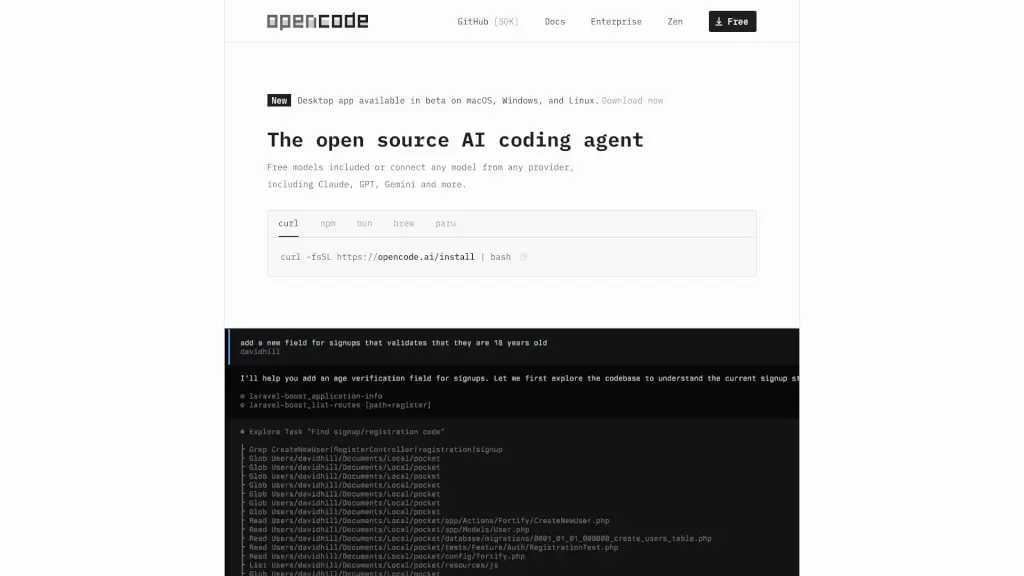
OpenCode is a free, open-source AI coding agent that supports LSP, multi-sessions, and integrates with over 75 LLM providers, making coding more efficient and collaborative.

CN
24.31%
|
10.9M
|
5.0

GitKraken Related Other Categories

GitKraken Traffic Analysis

💡 Insights

Medium Scale
100K-1M monthly visits. Growing tool with active development.
➡️
Stable
Traffic remains stable, indicating a mature product.
👍
Good Experience
Bounce rate of 49%. Users are willing to explore features.
🌐
Global Reach
Balanced user distribution worldwide.
  • Monthly Visits

    575.18K

  • Bounce Rate

    49.31%

  • Pages Per Visit

    1.82

  • Visit Duration

    00:01:04

  • Global Rank

    100189

  • Country Rank

    107923

Visits Over Time

Traffic Sources

Direct29.25%
SearchOrganic27.49%
Referrals14.10%
SearchPaid9.94%
SocialPaid8.52%
SocialOrganic4.10%
Mail2.31%
DisplayAds2.22%
GenAi1.27%
Affiliate0.81%

Top Keywords

1
gitkraken
CPC$2.92
40.50KTraffic
2
github desktop
CPC$1.65
6.03KTraffic
3
github
CPC$1.54
4.55KTraffic
4
git kraken
CPC$4.18
3.49KTraffic
5
git
CPC$1.03
2.01KTraffic

Top Regions

RegionPercentage
United States
United States
16.52%
India
India
5.34%
Mexico
Mexico
3.71%
Germany
Germany
3.65%
United Kingdom
United Kingdom
3.63%
Low
High

Powered by SimilarWeb

GitKraken FAQ

Is GitKraken free to use?

Yes! GitKraken offers a free tier for individual developers, including GitKraken Desktop, GitLens, and CLI. Pro and Business plans unlock team collaboration, advanced security, and Insights.

Does GitKraken work with GitHub, GitLab, and Bitbucket?

Absolutely. GitKraken integrates natively with all major Git hosting platforms—including GitHub, GitLab, Bitbucket, and Azure DevOps—so you can connect your existing repos in seconds.

Can I use GitKraken on Windows, Mac, and Linux?

Yes! GitKraken Desktop is available for all three operating systems, and GitKraken CLI works in any terminal environment.

What is GitLens, and how is it different from GitKraken Desktop?

GitLens is a free extension for IDEs like VS Code that brings Git blame, history, and navigation right into your editor. GitKraken Desktop is a standalone app with a full visual Git client, merge tool, and team features. They sync in real time and complement each other.

How does GitKraken help distributed teams collaborate?

With Workspaces, teams can group multiple repos, share them with members, and get a unified view of activity—making onboarding faster and reducing “works on my machine” issues across time zones.

Does GitKraken offer analytics for engineering leaders?

Yes! GitKraken Insights delivers engineering intelligence on DORA metrics, code quality, AI usage, and developer sentiment—at a fraction of the cost of other SEI tools.

Is there a free trial for teams?

Yes! You can add teammates and start a 100% free 30-day Business trial—no credit card needed—to test collaboration features like Workspaces and shared repos.

GitKraken Reviews

0

0

0 Reviews
Sign Into leave a review

Recent Reviews

No reviews yet

GitKraken Embed

Use website badges to drive community support for SeekTool.ai. They are easy to embed in your homepage or footer.

Light
Dark
GitKraken - Featured on SeekTool.aiGitKraken - Featured on SeekTool.ai
How to install?

Looking for GitKraken Alternatives?

Compare top AI tools similar to GitKraken. Find the best option for your needs.

View Alternatives

Reviews

0.0

Share your experience with this tool...

Category Rankings

Ranked by monthly traffic

Trending

Featured

Subscribe to our AI Newsletter

Get the top AI stories delivered to your inbox weekly.