
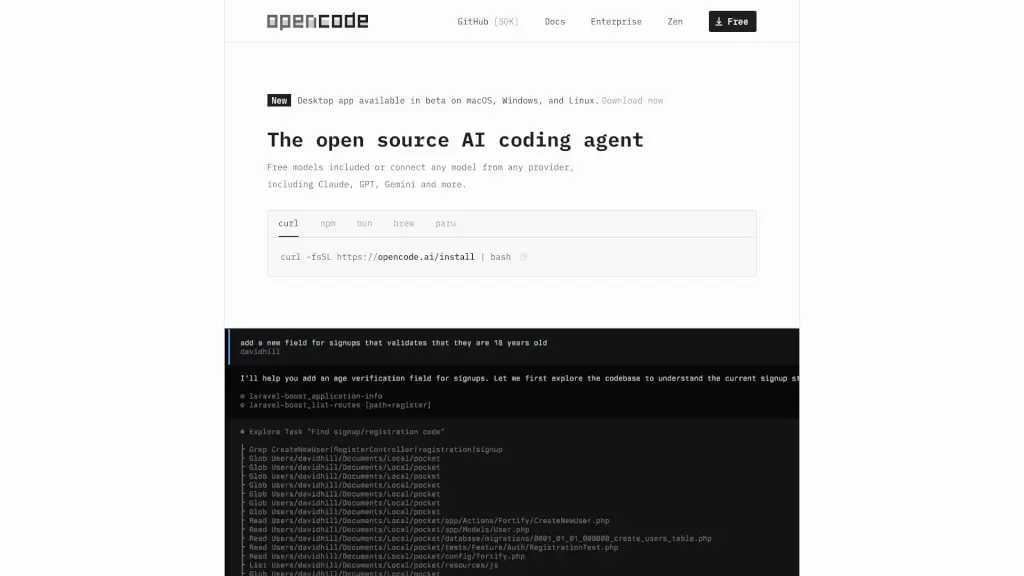
What is OpenCode?
Meet OpenCode, your new coding buddy! This open-source AI coding agent is designed to help you write code more efficiently, whether you're working in a terminal, IDE, or desktop. With over 50,000 GitHub stars and 500 contributors, OpenCode is trusted by more than 650,000 developers every month. It's built with privacy in mind, so you can use it without worrying about your data being stored. Whether you're a beginner or a seasoned developer, OpenCode has got your back.
What are the features of OpenCode?
- LSP Enabled: Automatically loads the right Language Server Protocols (LSPs) for the language model, making coding smoother.
- Multi-Session: Start multiple agents in parallel on the same project, allowing you to work on different parts of your code simultaneously.
- Share Links: Share a link to any session for reference or to debug, making collaboration and troubleshooting a breeze.
- Claude Pro Integration: Log in with Anthropic to use your Claude Pro or Max account, giving you access to advanced AI capabilities.
- Any Model: Connect to over 75 LLM providers through Models.dev, including local models, so you can use the AI that best suits your needs.
- Any Editor: Available as a terminal interface, desktop app, and IDE extension, making it versatile for any coding environment.
What are the use cases of OpenCode?
- Collaborative Coding: Work with a team and share sessions for real-time feedback and debugging.
- Learning and Development: Get help with coding tutorials and projects, making it easier to learn and grow.
- Project Management: Manage multiple coding tasks and sessions, keeping your projects organized and on track.
- Remote Work: Use the desktop app or terminal interface to code from anywhere, making remote work seamless.
- Customization: Tailor the AI models and settings to fit your specific coding needs and preferences.
How to use OpenCode?
- Install OpenCode using the command:
curl -fsSL https://opencode.ai/install | bash - Launch the desktop app or integrate it into your IDE.
- Start a new session and choose the language and model you want to use.
- Use the multi-session feature to work on different parts of your project simultaneously.
- Share links to your sessions for collaboration or debugging.
- Explore the documentation for more advanced features and tips.