

Roo Code logo

Roo Code

0
5.0
(0 Reviews)
United States16.70%

Roo Code is a powerful, open-source AI coding assistant that boosts developer productivity with model-agnostic flexibility, role-specific agents, and secure, private workflows in VS Code.

Added on: 2026.05.09 · Updated on: 2026.05.09
Social Media:
Visit Site
View Alternatives
Roo Code

Roo Code Product Information

What is Roo Code?

Roo Code is an open-source AI coding assistant that works right inside your VS Code editor—like having a full dev team at your fingertips. Unlike basic autocomplete tools, Roo understands your entire project, makes smart multi-file changes, and stays focused with specialized roles like Architect, Debug, and Test modes.

Built for real developers who ship serious code, Roo Code gives you full control, total privacy, and the freedom to use any AI model you prefer—whether it’s GPT-4o, Claude 3.5, Gemini, or even a local LLM. No lock-in, no hidden costs, and no surprises.

What are the features of Roo Code?

  • Model-Agnostic Design: Use OpenAI, Anthropic, Google, local models, or any provider via API—no vendor lock-in.
  • Specialized Modes: Role-specific agents (Architect, Code, Debug, Test, Ask) stay on-task and know when to hand off work.
  • Granular Auto-Approval: Choose how much autonomy Roo has—from approving every action to letting it run freely as you gain confidence.
  • Large Task Coordination: Orchestrator mode manages complex, multi-hour workflows across files and tools.
  • Secure & Private by Default: Client-only architecture means your code never leaves your machine unless you allow it; SOC 2 Type II compliant.
  • Highly Customizable: Tweak shortcuts, context settings, slash commands, and more—globally or per project.
  • Open Source & Transparent: Fully auditable codebase on GitHub; no training on your data.

What are the use cases of Roo Code?

  • Refactoring a legacy codebase across dozens of files without breaking dependencies
  • Debugging tricky runtime errors by tracing logs and suggesting targeted fixes
  • Generating comprehensive unit and integration tests that match your existing style
  • Planning major feature additions with the Architect mode before writing a single line
  • Onboarding new team members by using Ask mode to explain complex system behavior
  • Rapidly prototyping ideas during “vibe coding” sessions with minimal setup
  • Running automated test suites or build commands after AI-generated changes (with your approval)

How to use Roo Code?

  • Install the Roo Code extension from the VS Code Marketplace
  • Add your preferred AI provider API key in settings (or use free/local models)
  • Open the Roo panel (rocket icon) and type a plain-English request like “Refactor this auth module”
  • Select the appropriate mode (e.g., Debug for errors, Test for coverage)
  • Review and approve file changes or terminal commands before execution
  • Customize behavior via .rooignore, keyboard shortcuts, or repo-level config files

Do you like this tool?

Upvote to help others discover it!

Roo Code Alternatives

Refact.ai

Refact.ai is an open-source, secure AI coding assistant that helps you write better code faster. With 20+ LLMs, in-IDE chat, and on-premise deployment, it’s the ultimate tool for developers.

US
16.82%
|
88.8K
|
5.0
OpenCode

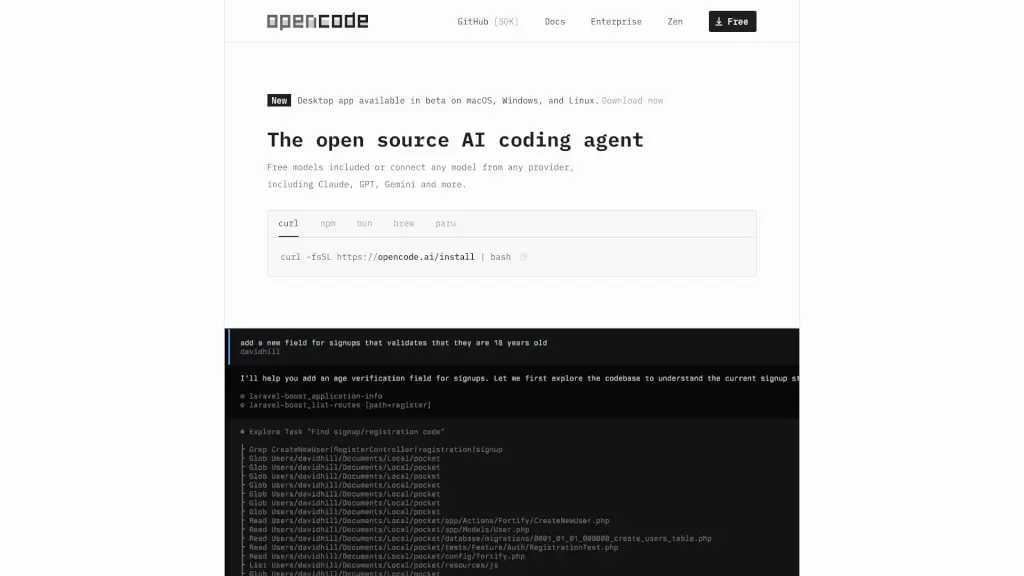
OpenCode is a free, open-source AI coding agent that supports LSP, multi-sessions, and integrates with over 75 LLM providers, making coding more efficient and collaborative.

CN
32.43%
|
6.0M
|
5.0
Kilo Code

Kilo Code = AI coding assistant for VS Code. Free, open-source, and packed with smart features to cut your grunt work.

NG
14.92%
|
33.5K
|
4.0
Claude Code

Claude Code is an AI-powered coding assistant that integrates seamlessly with your terminal, IDE, and other tools, making coding, debugging, and refactoring faster and more efficient.

US
23.49%
|
25.1M
|
5.0
Codeium

Codeium is the ultimate AI coding assistant, trusted by millions for its speed, accuracy, and ease of use. Free for individuals and packed with features, it’s the perfect tool to boost your productivity.

NG
25.31%
|
25.4K
|
4.0
PearAI

PearAI is the ultimate AI code editor, integrating the best AI tools for seamless development. From coding to debugging, it’s designed to make your workflow faster and smarter.

US
35.57%
|
43.1K
|
4.0
Continue

Continue is an open-source AI code assistant that enhances development by offering autocompletion, code referencing, and natural language editing.

CN
11.97%
|
543.1K
|
5.0
Cursor - The AI-first Code Editor

Cursor is the ultimate AI code editor that enhances your coding experience and productivity.

CN
19.68%
|
21.8M
|
5.0
Roo Code Related Other Categories

Roo Code Traffic Analysis

💡 Insights

Medium Scale
100K-1M monthly visits. Growing tool with active development.
➡️
Stable
Traffic remains stable, indicating a mature product.
👍
Good Experience
Bounce rate of 43%. Users are willing to explore features.
🎯
Strong Brand
54% direct traffic. High user loyalty.
  • Monthly Visits

    384.40K

  • Bounce Rate

    42.86%

  • Pages Per Visit

    3.11

  • Visit Duration

    00:01:36

  • Global Rank

    113056

  • Country Rank

    108818

Visits Over Time

Traffic Sources

Direct54.20%
Search32.03%
Referrals9.23%
Social2.67%
Mail0.42%
Paid0.08%

Top Keywords

1
roo code
CPC$3.20
35.05KTraffic
2
roocode
CPC$3.61
10.27KTraffic
3
roo
CPC$3.72
1.82KTraffic
4
roo code cloud
600Traffic
5
roomote
520Traffic

Top Regions

RegionPercentage
United States
United States
16.70%
China
China
9.06%
India
India
7.36%
Russia
Russia
7.26%
Brazil
Brazil
3.33%
Low
High

Roo Code FAQ

What exactly is Roo Code?

How does Roo Code differ from Copilot, Cursor, or Windsurf?

Is Roo Code really free?

Will my code stay private?

Which AI models does Roo Code support?

Does Roo Code support my programming language?

Can it handle large, enterprise-scale projects?

Is it safe for enterprise use?

Roo Code Reviews

0

0

0 Reviews
Sign Into leave a review

Recent Reviews

No reviews yet

Roo Code Embed

Use website badges to drive community support for SeekTool.ai. They are easy to embed in your homepage or footer.

Light
Dark
Roo Code - Featured on SeekTool.aiRoo Code - Featured on SeekTool.ai
How to install?

Looking for Roo Code Alternatives?

Compare top AI tools similar to Roo Code. Find the best option for your needs.

View Alternatives

Reviews

0.0

Share your experience with this tool...

Trending

Featured

Subscribe to our AI Newsletter

Get the top AI stories delivered to your inbox weekly.