
What is Descript?
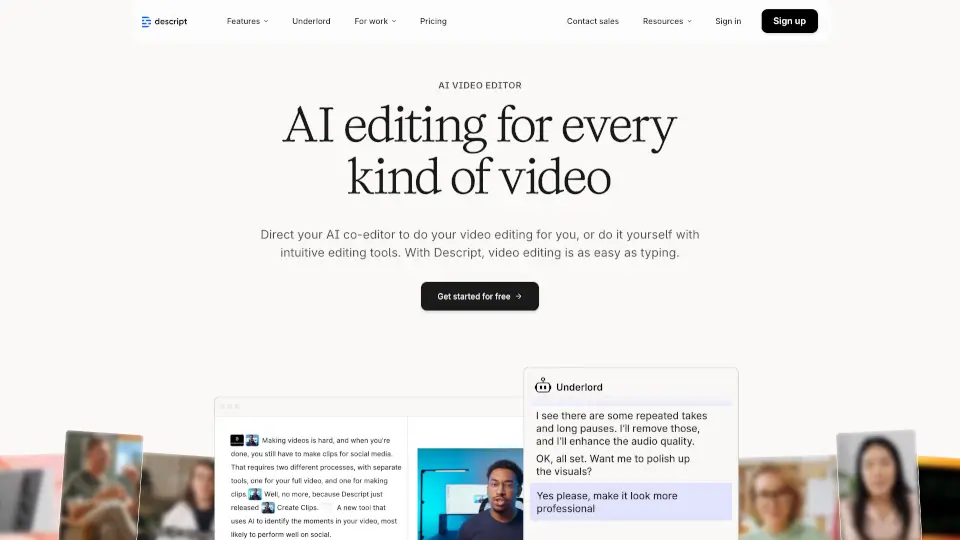
Descript is a free, online AI-powered video and podcast editor that lets you edit audio and video by simply editing text—just like working in a document. Whether you're recording a podcast, creating a YouTube tutorial, or producing social media clips, Descript handles transcription, editing, captioning, and publishing all in one place. Its smart AI tools, like filler word removal, studio-quality sound enhancement, and automatic captions, save creators hours of tedious work.
Built for solo creators, marketing teams, educators, and customer support pros alike, Descript removes the technical barriers to high-quality video production. You don’t need fancy gear or editing experience—just your voice and ideas. With features like AI avatars, green screen replacement, and eye contact correction, it’s never been easier to look and sound professional without a film crew.
What are the features of Descript?
- Text-Based Editing: Edit video and audio by editing the auto-generated transcript—delete words, rearrange sentences, or cut pauses with a few keystrokes.
- AI Voice & Speech Tools: Create realistic voice clones, remove filler words (“um,” “like”), or regenerate speech with perfect lip-sync using AI.
- Underlord AI Assistant: Your agentic co-editor that can write scripts, design videos, generate B-roll, or apply branding based on simple prompts.
- Automatic Captions & Translation: Add accurate, stylized subtitles in one click and translate content into multiple languages for global reach.
- Studio Sound & Green Screen: Clean up background noise and replace messy backgrounds instantly—no mic or lighting setup needed.
- Screen & Remote Recording: Capture your screen or record high-quality video calls with guests anywhere using Descript Rooms.
- AI Avatars & Generative Video: Use stock avatars or upload your photo to create talking-head videos from text—ideal for staying off-camera.
What are the use cases of Descript?
- Marketing Teams: Rapidly produce product demos, social clips, and campaign videos without waiting for a video team.
- Podcasters: Record, edit multi-track audio, publish episodes, and auto-generate promo clips—all in one workflow.
- Educators & Trainers: Create engaging tutorial or onboarding videos with clear audio, captions, and visual aids in minutes.
- Sales Enablement: Turn interview recordings into 10+ short clips for outreach, training, or case studies.
- Customer Support: Build helpful FAQ or troubleshooting videos that reduce ticket volume and improve user satisfaction.
- Content Creators: Repurpose long-form videos (like webinars) into TikTok, Instagram, or YouTube Shorts with AI-selected highlights.
How to use Descript?
- Start by recording or uploading a video/audio file—Descript instantly transcribes it with industry-leading accuracy.
- Edit by deleting or rewriting text in the transcript; changes automatically update your video timeline.
- Use AI tools like “Remove Filler Words” or “Studio Sound” to polish audio with one click.
- Add captions, translate, or apply green screen effects under the “Look Good” and “Sound Good” menus.
- Generate B-roll or avatars using the “Generate Media” feature by describing what you want in a prompt.
- Export in 720p (Free) or up to 4K (paid plans), then share directly or publish to your platform of choice.