
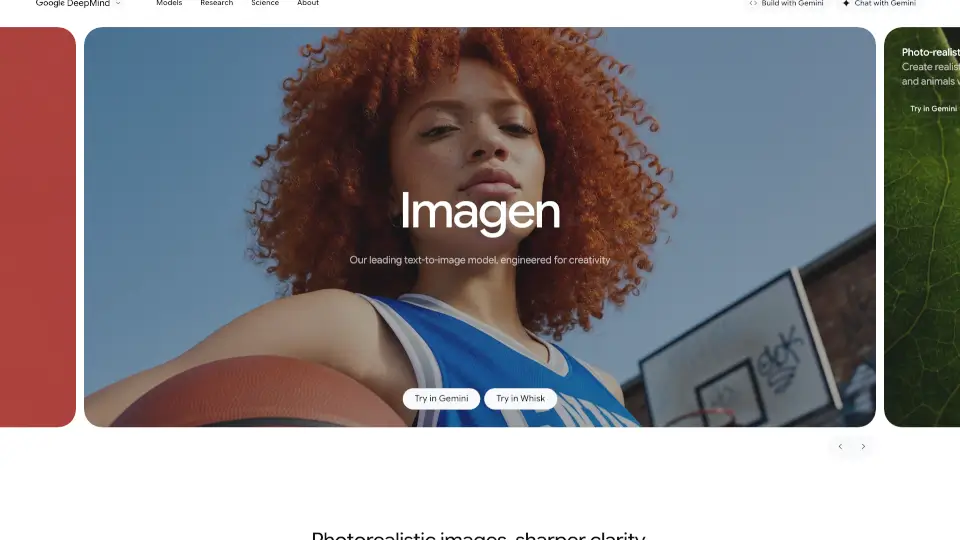
What is Google Imagen 3?
Google DeepMind's Imagen 4 is the latest breakthrough in AI-powered image generation, designed to turn your wildest ideas into stunning visuals—fast. Whether you're an artist, designer, marketer, or just someone with a creative spark, Imagen 4 delivers photorealistic quality, sharper clarity, and near real-time speed to bring imagination to life like never before.
Built with advanced diffusion technology, Imagen 4 excels at rendering fine details, diverse art styles (from impressionism to hyperrealism), and even complex text within images—making it ideal for everything from social media content to professional design mockups. With improved spelling, typography, and safety features like SynthID watermarking, it’s both powerful and responsible.
What are the features of Google Imagen 3?
- Photorealistic Image Generation: Creates lifelike images of people, animals, landscapes, and objects with true-to-life textures and lighting.
- Near Real-Time Speed: Offers an ultra-fast mode up to 10x quicker than previous versions for rapid ideation and iteration.
- Enhanced Detail & Clarity: Generates images up to 2K resolution with richer colors, gradients, and extreme close-up fidelity.
- Diverse Art Styles: Accurately renders styles ranging from watercolor and oil painting to comic book, pixel art, and abstract illustration.
- Advanced Text Rendering: Improved spelling and layout support for packaging, comics, logos, and other text-heavy designs.
- Safety & Responsibility: Includes SynthID invisible watermarking and robust content filters to prevent harmful outputs.
What are the use cases of Google Imagen 3?
- Creating high-quality marketing visuals for social media or e-commerce without hiring a photographer
- Generating concept art for games, films, or animations in multiple artistic styles
- Designing custom stickers, logos, or packaging with accurate typography and branding
- Producing educational or scientific illustrations (e.g., botanical studies, wildlife macro shots)
- Visualizing architectural or fashion concepts with photorealistic materials and lighting
- Rapid prototyping of product ideas using detailed, editable image prompts
How to use Google Imagen 3?
- Access Imagen 4 through Google AI Studio, Gemini, or Whisk for seamless integration into your workflow.
- Write clear, descriptive prompts that specify style, lighting, composition, and key details (e.g., “cinematic golden hour portrait of a woman with pink hair in a cluttered 90s bedroom”).
- Use the ultra-fast mode to test dozens of variations quickly before refining your favorite.
- For best results with text, include exact wording and specify font style or context (e.g., “vintage flour bag with 'ALL-PURPOSE FLOUR' in bold red serif”).
- Leverage image-to-image editing in Whisk to modify existing visuals using text prompts.
- Always review outputs for accuracy—especially with faces, small objects, or complex scenes—as diffusion models may occasionally produce artifacts.