
What is CGDream?
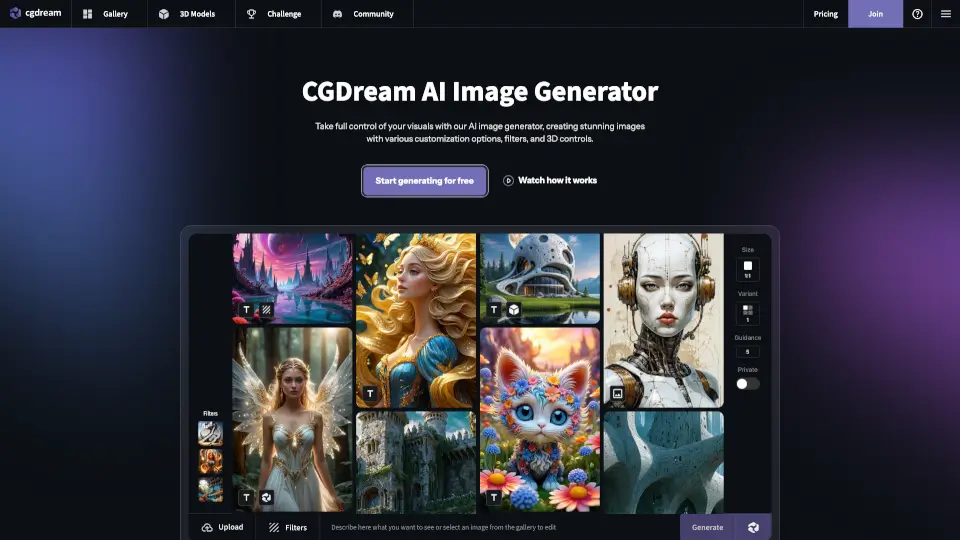
CGDream is a free AI image generator that turns your ideas into stunning visuals—no design skills needed. Whether you start with a simple text prompt, an existing photo, or even a 3D model, CGDream uses cutting-edge AI to create high-quality, original images tailored to your vision. It’s built for everyone: artists, marketers, game developers, and curious beginners alike.
What sets CGDream apart is its powerful mix of creative control and ease of use. With tools like inpainting, AI upscaling, LoRA style integration, and 3D-to-image rendering, you can refine every detail without leaving your browser. Plus, it’s completely online—no downloads or expensive software required.
What are the features of CGDream?
- Text-to-Image Generation: Turn simple descriptions into beautiful, detailed artwork in seconds.
- Image-to-Image Editing: Transform existing photos with new styles, effects, or enhancements using AI.
- 3D Model Integration: Generate or upload 3D models and render them into photorealistic or stylized 2D images from any angle.
- AI Inpainting: Edit or replace parts of an image seamlessly—fix flaws or add new elements with precision.
- Image Upscaler: Boost resolution and recover fine details for print-ready or high-definition results.
- 300+ LoRA Styles: Apply unique artistic filters and character styles to customize your output.
- Free Access: Start creating immediately with a generous free plan that includes core AI features.
What are the use cases of CGDream?
- Create eye-catching social media graphics or marketing visuals without hiring a designer.
- Generate concept art for games, animations, or indie film projects using text or rough sketches.
- Turn product photos into stylized ads or lifestyle mockups for e-commerce stores.
- Design NFT collections with unique, AI-generated artwork ready for blockchain platforms.
- Enhance old or low-res photos by upscaling and applying artistic filters.
- Prototype 3D assets from text prompts for architecture, fashion, or industrial design.
- Produce custom character designs or headshots for books, avatars, or digital storytelling.
How to use CGDream?
- Sign up for free at CGDream and log in to access the web-based app.
- Choose your input method: type a text prompt, upload an image, or load a 3D model.
- Select a LoRA style or filter to define the artistic look (e.g., anime, oil painting, cyberpunk).
- Use the 3D viewer to adjust angles, lighting, or proportions if working with 3D inputs.
- Refine your result with inpainting (to edit specific areas) or upscaling (for higher quality).
- Download your final image and use it commercially if you’re on a paid plan—or share it in the CGDream community!