
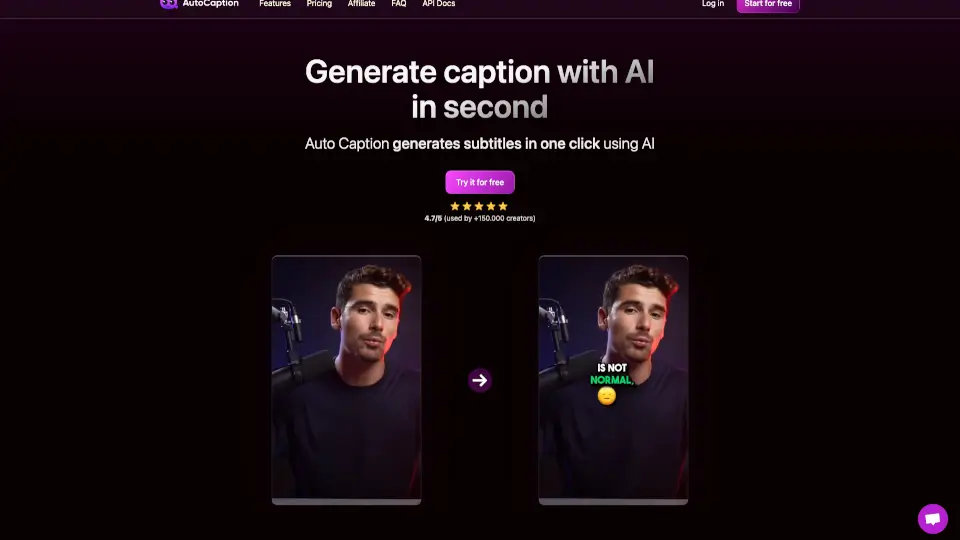
What is AutoCaption?
AutoCaption is an AI-powered caption generator that helps creators add stylish, animated captions to their videos in seconds. Whether you're posting on TikTok, Instagram Reels, or YouTube Shorts, AutoCaption automatically transcribes your audio, lets you customize fonts, colors, and animations, and even translates captions into over 100 languages — all without any editing experience. Trusted by 300,000+ creators, it turns raw footage into ready-to-publish, engaging content with just a few clicks.
What are the features of AutoCaption?
- AI Caption Generation: Auto-transcribe and style captions for any video in under 10 seconds — just upload and go.
- Animated Caption Styles: Dynamic word-by-word animations with emphasis, emojis, and customizable fonts/colors to keep viewers watching.
- Multi-Platform Auto-Resize: One-click resize for TikTok (9:16), Instagram Reels (9:16), YouTube Shorts (9:16), and LinkedIn (1:1 or 16:9).
- Edit Subtitles & Timing: Fine-tune every word and adjust timing in a simple timeline editor.
- 100+ Language Support: Transcription and translation in languages including English, Spanish, French, Arabic, Hindi, Japanese, and more.
- Reusable Templates: Save your branded caption presets (fonts, colors, animations) and apply them instantly to future videos.
- Direct Export & Publishing: Download in any format or publish directly to TikTok, Reels, or Shorts without leaving the tool.
- Team Collaboration & API: Manage projects, collaborate with your team, and automate workflows with API access (paid plans).
What are the use cases of AutoCaption?
- Social media creators who need viral-ready captions for TikTok, Reels, or Shorts in vertical 9:16 format.
- Businesses and marketers looking to add branded, subtitled videos to LinkedIn or Instagram without hiring an editor.
- Multilingual content teams that want to translate their video captions quickly into 100+ languages for global audiences.
- Educators and course creators who need accurate subtitles for long-form instructional videos or tutorials.
- Freelancers and agencies managing multiple client projects — use templates and team collaboration for consistent, fast output.
How to use AutoCaption?
- Upload your video: Drag and drop any video file (MP4, MOV, AVI, MKV, WebM) up to 4K resolution into AutoCaption.
- Customize your captions: Pick a caption style, adjust fonts, colors, animations, and timing — or apply a saved template.
- Export & publish: Download in any format or publish directly to TikTok, Instagram Reels, or YouTube Shorts with one click.