
What is Artlist?
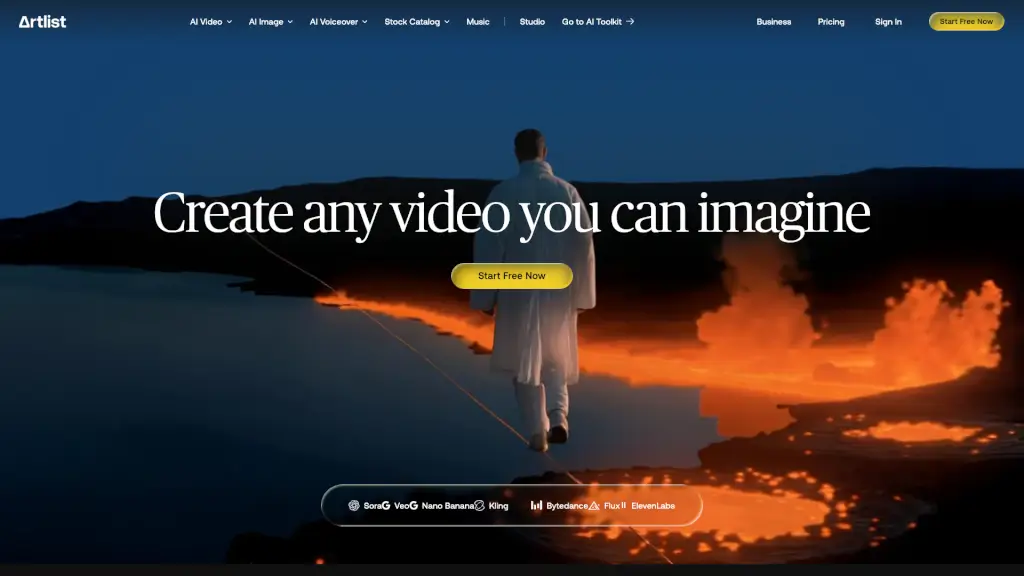
Artlist is a one-stop platform for creators, blending premium digital assets with cutting-edge generative AI tools. Whether you're a video editor, filmmaker, or content creator, Artlist offers everything you need to bring your ideas to life. From high-quality music and sound effects to stock footage and AI-generated videos and images, Artlist empowers you to create stunning, professional content with ease.
What are the features of Artlist?
- AI Video Generation: Create cinematic videos using advanced AI models like Sora 2, VEO 3.1, and Kling 2.5.
- AI Image Generation: Turn your ideas into standout visuals in seconds with powerful AI image generators.
- AI Voiceover: Get studio-quality voiceovers in every major language, perfect for adding narration to your projects.
- High-Quality Stock Catalog: Access over 900K+ royalty-free music tracks, sound effects, stock footage, and templates.
- AI Toolkit: A comprehensive suite of AI tools designed specifically for creators, including the latest AI models.
- Royalty-Free Assets: Use all assets without worrying about licensing fees or royalties.
What are the use cases of Artlist?
- Video Editing: Enhance your videos with royalty-free music, sound effects, and AI-generated visuals.
- Social Media Content: Create engaging social media posts with AI-generated images and voiceovers.
- Corporate Presentations: Add a professional touch to presentations with high-quality stock footage and AI-generated graphics.
- Educational Videos: Produce educational content with clear, studio-quality voiceovers and engaging visuals.
- Film Production: Elevate your film projects with cinema-grade visuals and high-fidelity audio.
- Marketing Campaigns: Develop compelling marketing campaigns with AI-generated videos and images.
How to use Artlist?
- Choose Your Tool: Select the AI tool that best fits your project, such as AI Video, AI Image, or AI Voiceover.
- Input Your Prompt: Enter a detailed prompt or upload an image to guide the AI generation process.
- Customize Settings: Adjust settings to fine-tune the output, such as style, motion, and audio.
- Generate Content: Click the generate button and wait for the AI to create your content.
- Review and Edit: Review the generated content and make any necessary edits.
- Download and Use: Download the final product and use it in your project.