What is Artta AI?
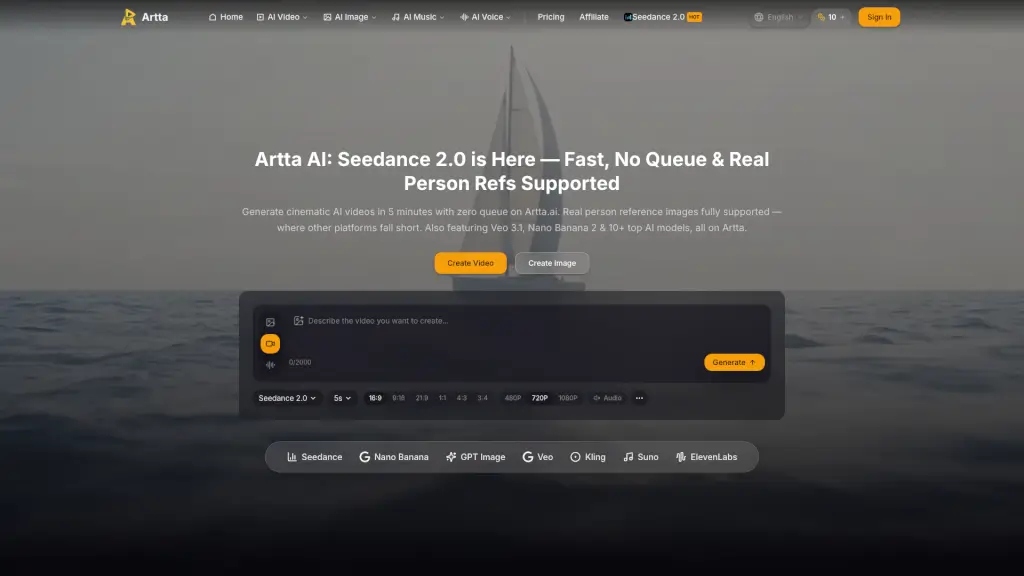
Artta AI is an all-in-one AI creative platform for generating videos, images, music, and voice using a single subscription. It brings together 10+ leading AI models — including Sora 2, Veo 3.1, Kling 2.6, Seedance 2.0, Flux Kontext, Nano Banana 2, Suno V5, and ElevenLabs — so users don’t need separate accounts or API keys. The platform is built for creators, marketers, filmmakers, and brands (over 50,000 users) who need commercial-ready 4K video, photorealistic images, original music, and synthetic voices from one workspace. Generation is fast: videos in 30–60 seconds, images in 5–15 seconds, with priority processing on paid plans. All paid content comes with full commercial usage rights.
What are the features of Artta AI?
- Multi-Model Video GenerationChoose from Sora 2, Veo 3.1, Kling 2.6, Seedance 2.0, Wan 2.6, and more to turn text prompts, images, or video clips into cinematic clips up to 15 seconds with synchronized audio. Supports 7 aspect ratios and up to 4K resolution.
- Seedance 2.0 with Real Person ReferenceUpload real person images (up to 9) as reference — a feature other platforms often block. Generate in 5–8 minutes with no queue, combining text, images, audio, and video inputs. Supports web search for real-time context.
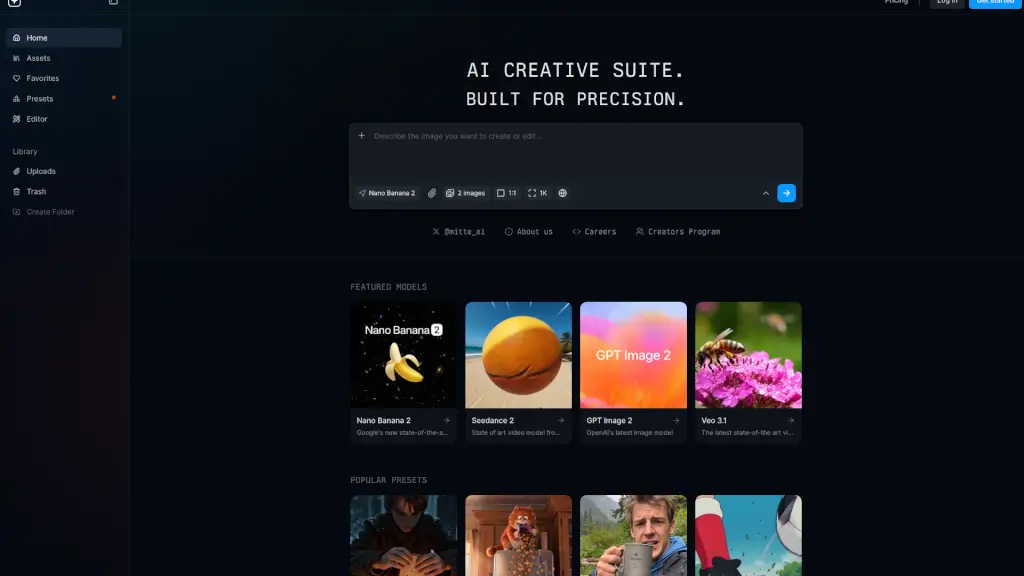
- AI Image GenerationUse Flux Kontext, Nano Banana 2, Seedream 5, or Seedream 4.5 to create photorealistic images, artistic illustrations, or styled edits from text prompts. Supports 7 aspect ratios, upscaling, and up to 2048px output.
- AI Music & Voice SynthesisCompose original music tracks with Suno V5 or generate natural-sounding voices in 29+ languages with ElevenLabs. Ideal for video soundtracks, podcast intros, and voiceovers — all without external audio tools.
- Instant Model Switching & ComparisonGenerate with one model, then switch to another in one click to compare results across Sora 2, Veo 3.1, Kling 2.6, and Seedance 2.0 — helping you find the best output for your project.
- Commercial Usage Rights on Paid PlansEvery video, image, music track, and voice generated on a paid subscription is yours to use in advertising, client deliverables, branded content, YouTube videos, and resale. No hidden licensing fees.
What are the use cases of Artta AI?
- Marketers creating ad campaignsGenerate a 15-second product video with a real person reference (e.g., a model wearing the product) using Seedance 2.0, then add a Suno V5 background track and ElevenLabs voiceover — all in one platform.
- Filmmakers prototyping scenesUse Sora 2 or Veo 3.1 to turn a text script into a 4K cinematic clip, adjust camera movements, and test different aspect ratios (16:9, 21:9) before final production.
- Social media content creatorsProduce short-form videos for TikTok or Instagram Reels by uploading a reference image, adding a text prompt, and generating a 9:16 video with synchronized audio in under a minute.
- E-commerce product photographyCreate multiple product images with Flux Kontext or Nano Banana 2, using different backgrounds and lighting descriptions, then download at 2048px for listing pages.
- Podcasters and YouTubersGenerate a custom intro music track with Suno V5, then produce an AI voiceover in 29+ languages for international versions — all without hiring a composer or voice actor.
- Agency clients needing quick iterationsCompare outputs from Kling 2.6 and Seedance 2.0 side by side, pick the best style, and deliver a commercial-ready asset within minutes — no separate model subscriptions required.
How to use Artta AI?
- Start with a free trialClaim your daily free credit from the Artta website (no credit card needed) to test video and image generation before subscribing.
- Choose your AI modelOn the creation page, select from the model dropdown — for example, pick Seedance 2.0 for multi-modal generation with real person references, or Sora 2 for cinematic video.
- Describe your projectEnter a text prompt (up to 2500 characters), optionally upload up to 9 reference images, 3 video clips (each 2–15s, max 50MB), or 3 audio clips (each 2–15s, max 15MB). Use the @ syntax to reference uploaded assets (e.g., "@Image1 imitate @Video1's motion").
- Set output parametersChoose aspect ratio (16:9, 9:16, 21:9, 1:1, 4:3, 3:4), duration (5s or 15s), resolution (480p, 720p, 1080p, 4K), and toggle web search or audio syncing.
- Generate and reviewClick “Generate” — credits are deducted (e.g., 40 credits for Seedance 2.0). Videos appear in 30–60 seconds; images in 5–15 seconds. Download or share directly. If errors occur, review your prompt and asset constraints.
- Upgrade for more creditsIf you need higher volume or priority processing, choose a monthly plan (Basic, Pro, Max, or Pro Max) that credits are issued once per month. Unused credits roll over within the billing period.