
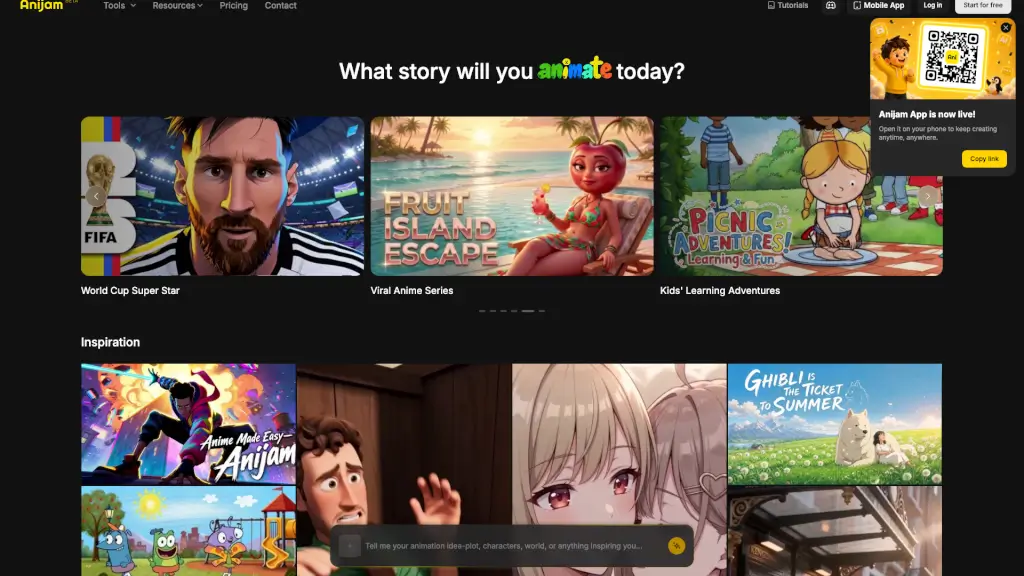
What is Anijam?
Tired of spending hours learning complex animation software? Meet Anijam—the AI-powered animation platform that turns your ideas into polished videos in minutes, not days. Whether you’re typing a simple prompt, uploading a script, or bringing a still image to life, Anijam’s smart AI agent handles everything: from character design and scene creation to perfect lip sync and timeline editing.
Designed for creators of all skill levels, Anijam removes the technical barriers so you can focus on storytelling. No drawing skills? No problem. Just describe what you want, pick a style like Ghibli, Cartoon, or 3D Cinematic, and let Anijam do the heavy lifting. It’s like having a full animation studio in your pocket—ready whenever inspiration strikes.
What are the features of Anijam?
- Text to Animation: Type a short prompt and instantly generate a complete animated video.
- Script to Animation: Upload or paste a full script, and Anijam automatically breaks it into scenes with consistent characters and timing.
- Image to Animation: Bring any static image—your sketch, photo, or concept art—to life with motion and expression.
- Audio to Animation: Sync animation to voiceovers, music, or sound clips with automatic lip-sync accuracy.
- AI Character Animation: Create custom, reusable AI characters that stay visually consistent across all your projects.
- Multiple Animation Styles: Choose from Ghibli, Minecraft, 3D Cinematic, or classic 2D Cartoon styles to match your vision.
- Advanced Scene Editor: Fine-tune every frame, adjust timing, and tweak expressions directly in the timeline.
- AI Voice Generator: Generate natural-sounding voiceovers in over 30 languages without recording a single word.
What are the use cases of Anijam?
- Create engaging YouTube intros, explainers, or Shorts without hiring animators.
- Produce eye-catching marketing ads, promos, or brand content for social media or websites.
- Make fun, scroll-stopping TikTok, Instagram Reels, or Stories using trending audio or original scripts.
- Develop clear educational lessons or explainer videos for students or online courses.
- Design professional business presentations or employee onboarding animations.
- Craft personalized holiday greetings for birthdays, Christmas, or special occasions.
- Build episodic content like kids’ learning adventures or viral anime series with recurring characters.
How to use Anijam?
- Start by choosing your input method: text prompt, script, image, or audio.
- Select your preferred animation style (e.g., Ghibli, 3D Cinematic, Cartoon) to set the visual tone.
- If creating a character, use the AI Character Generator to design someone unique and save them for future use.
- Let Anijam auto-generate your animation, then open the Scene Editor to adjust timing, expressions, or transitions.
- Add an AI voiceover using the Voice Generator if you don’t have audio, or upload your own.
- Export your video or share it directly to social platforms—or continue editing on the Anijam mobile app.