What is Krikey AI Animation Maker?
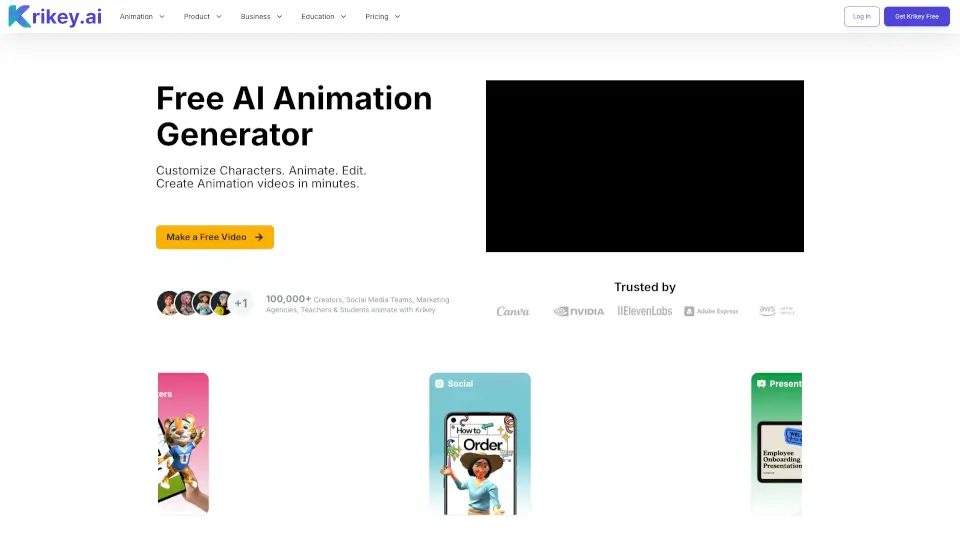
Krikey AI is a browser-based AI animation maker that lets you create professional 3D animations in minutes. No rigging, no keyframing, and no technical skills required. Just type a text prompt, upload a video, or snap a photo, and the tool generates a talking avatar or cartoon character with full body motion, lip sync, and voiceovers in over 20 languages. It’s designed for creators, educators, marketers, and small businesses who want high-quality animated videos without the complexity or cost of traditional animation software.
What are the features of Krikey AI Animation Maker?
- AI Character Creator: Upload a photo and turn it into a custom 3D avatar in minutes. Choose from styles like mini me, anime, or cartoon.
- Text to Animation: Type a prompt like “jumping jacks” and generate a full-body 3D animation instantly. Perfect for explainer videos, tutorials, and social media clips.
- AI Music Video Generator: Pick a music genre and lyric topic to create a music video with a singing 3D character. Great for invites, marketing jingles, and birthday cards.
- AI Podcast Video Generator: Drop in a text prompt, blog post link, or audio file to turn it into an animated podcast clip with a talking avatar.
- Canva Integration: Add talking cartoon characters directly to Canva presentations, slides, and flyers via the Krikey AI Canva App.
- Image to 3D Character: Convert a static photo into a fully rigged 3D model with automatic animation and lip sync support.
- Voiceover & Translation: Use AI text-to-speech in 20+ languages to narrate your videos, with subtitles included.
- Browser-Based Editor: No downloads needed – edit camera angles, backgrounds, graphics, and avatars directly in your web browser.
What are the use cases of Krikey AI Animation Maker?
- Social Media Content: Create viral reels, TikToks, and YouTube shorts using 3D animated avatars – no animation experience needed.
- Classroom Lessons: Bring complex topics to life with animated explainer videos that boost student engagement and retention.
- Product Demos & Ads: Generate high-converting product demos and ad creatives in minutes instead of weeks.
- Real Estate Tours: Build immersive 3D property walkthroughs and agent introductions that close deals faster.
- Internal Communications: Produce training materials and corporate updates with consistent brand characters.
- Gaming & Storyboarding: Rapidly prototype character concepts, animatics, and cutscenes for game engines like Unity and Unreal.
- Podcast Marketing: Clip audio highlights and pair them with a custom anime avatar for visually engaging social posts.
How to use Krikey AI Animation Maker?
- Open the Krikey AI video editor on your browser (no download required).
- Choose a custom avatar from the gallery or upload a photo to generate a 3D character.
- Select an animation style (e.g., talking, jumping, dancing) or type a text prompt.
- Enter your script or upload audio for the voiceover, then pick a language (20+ available).
- Click “Generate” – in seconds you get a fully animated 3D video.
- Customize further by changing camera angles, background images, or adding subtitles and graphics.
- Export as MP4, GIF, FBX, or PNG and share directly to social media.