What is Slack?
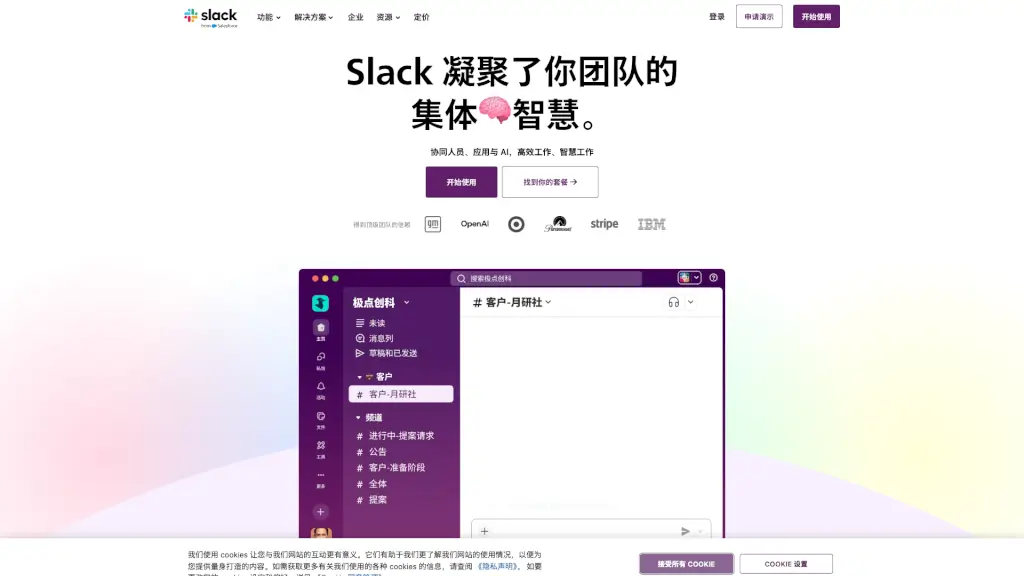
Slack is a powerful AI-driven work platform designed to help teams collaborate, automate workflows, and stay connected. It's like having a super-smart assistant that can help you manage projects, chat with your team, and even hold video meetings. Whether you're working on a big project or just need to stay in touch, Slack makes it easy to get things done and save time. Plus, it integrates with all the tools you already use, making it a one-stop shop for all your work needs.
What are the features of Slack?
- Channels: Organize your team and work into channels, making it easy to find what you need and keep conversations focused.
- Slack Connect: Collaborate with external partners as if they were part of your team, without the hassle of email.
- Huddles: Hold audio and video meetings right within Slack, complete with AI-generated notes.
- Workflows: Automate repetitive tasks and processes, so you can focus on more important work.
- AI-Powered Search: Find any file, message, or piece of information quickly and easily, thanks to AI-driven search.
- Integrations: Connect all your favorite tools, from Google Drive to Salesforce, right inside Slack.
- Agentforce: Use AI-powered agents to handle customer data and support, making your team more efficient.
What are the use cases of Slack?
- Project Management: Keep track of tasks, deadlines, and progress in real-time, with everyone on the same page.
- Customer Support: Quickly respond to customer inquiries and resolve issues by integrating your CRM and support tools.
- Team Collaboration: Stay connected with your team, share files, and brainstorm ideas, no matter where you are.
- External Partnerships: Work seamlessly with clients, vendors, and other external partners, just like they're part of your team.
- Remote Work: Make remote work feel like you're in the same room, with video calls, screen sharing, and real-time collaboration.
How to use Slack?
- Create channels for different projects or teams to keep conversations organized.
- Use Slack Connect to invite external partners and collaborate with them directly in Slack.
- Set up workflows to automate routine tasks, such as approvals or notifications.
- Join huddles for quick, informal meetings and let AI take notes for you.
- Integrate your favorite tools, like Google Drive or Trello, to streamline your workflow.
- Use AI-powered search to find any information, file, or message quickly.