
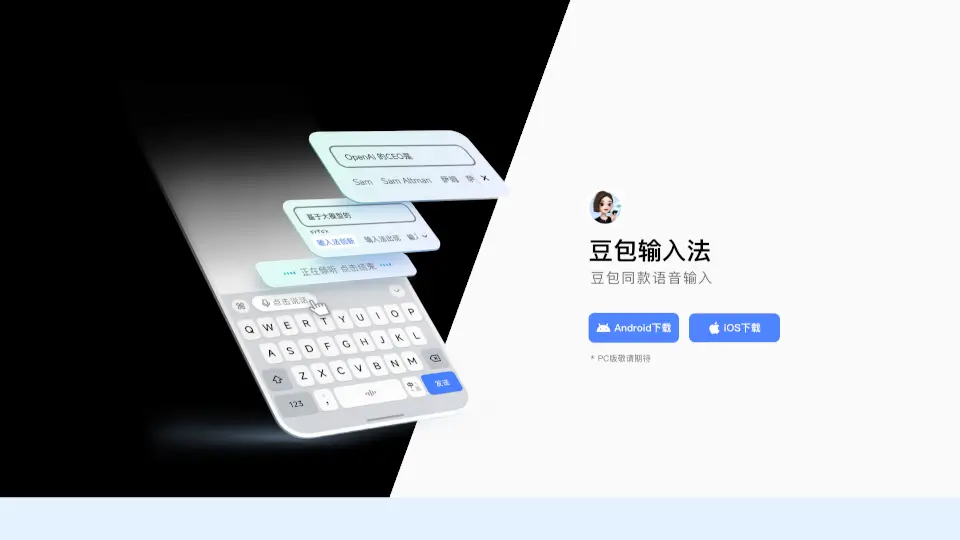
What is 豆包语音输入法?
Doubao Input Method is a cutting-edge voice and keyboard input tool developed by ByteDance, designed to make typing faster, more accurate, and more intuitive. Whether you're chatting with friends, writing an essay, or just jotting down notes, Doubao Input Method's advanced voice recognition and smart keyboard features will make your life easier. With support for multiple dialects, intelligent corrections, and context-aware suggestions, it’s like having a personal assistant for all your typing needs.
What are the features of 豆包语音输入法?
- Voice Input: Fast and accurate voice recognition that supports various dialects, including the ability to understand whispers and maintain punctuation without frequent interruptions.
- Smart Keyboard: Offers powerful autocorrect, long text input capabilities, and context-aware word suggestions, making typing a breeze.
- Efficient Voice Recognition on iOS: Specifically optimized for iOS, allowing users to hold down to speak and release to stop, ensuring a seamless experience.
- Contextual Understanding: The input method understands the context of your conversation, providing more relevant and accurate suggestions.
- Lightweight and Easy to Use: Designed to be user-friendly, with a simple interface and minimal setup required.
What are the use cases of 豆包语音输入法?
- Daily Messaging: Quickly type out messages to friends and family using voice or keyboard, with minimal errors.
- Writing Essays and Reports: Use the smart keyboard to write long documents, with automatic corrections and context-aware suggestions.
- Note-Taking: Easily take notes during meetings or lectures, using voice input to capture every detail.
- Multilingual Communication: Type in different dialects and languages, making it perfect for multilingual users.
- Social Media Posting: Write posts, comments, and captions quickly and accurately, with the help of smart suggestions.
How to use 豆包语音输入法?
- Download and install the Doubao Input Method app from the App Store or Google Play.
- Open the app and follow the on-screen instructions to set up the input method.
- Switch to the Doubao Input Method in your device's settings.
- For voice input, tap and hold the microphone icon, speak clearly, and release to stop.
- For keyboard input, start typing, and the app will automatically suggest and correct as you go.