
What is MakeUGC?
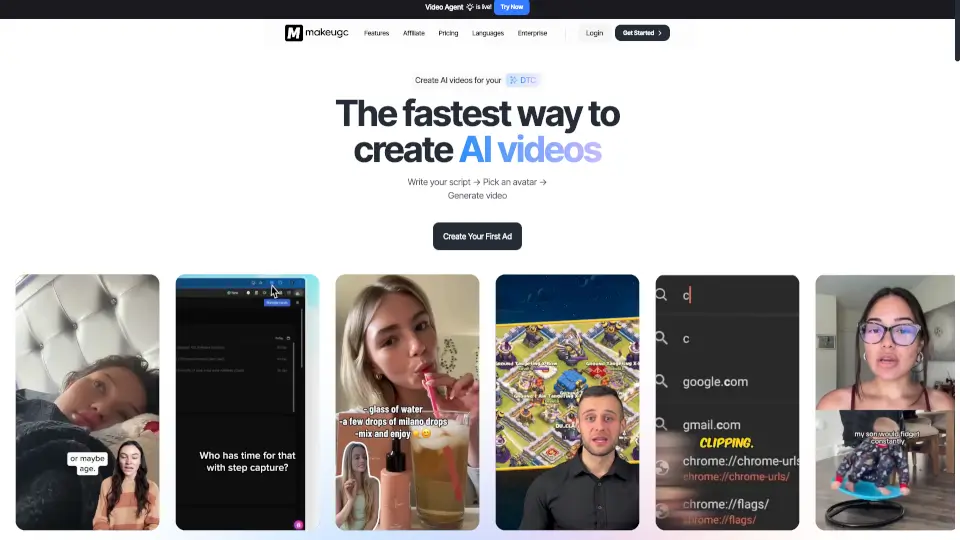
MakeUGC is the #1 platform for creating AI UGC (user-generated content) videos effortlessly. Whether you need a realistic avatar to hold your product, a script-to-video workflow, or a complete ad campaign for your mobile app, MakeUGC does it all in under 2 minutes. Just write your script, pick an actor, and hit generate. It's used by 10,000+ companies globally — from e-commerce brands and apps to agencies and SaaS teams. Start for just $1 and get fast results with no strings attached.
What are the features of MakeUGC?
- 1000+ Realistic AI Actors: Select from a huge library of diverse, lifelike AI avatars to represent your brand or message. No need to hire real actors.
- Product in Hand Video: Let any AI actor naturally hold and present your product on camera, as if they were a real creator.
- Video Agent: Upload a reference ad, and the AI analyzes its structure, pacing, and style to recreate a test-ready video using your product and creator images.
- AI Content Library: Browse hundreds of proven, high-performing UGC ads filtered by niche and style. Recreate any ad with one click — just add your product image and dialog.
- Custom AI Avatar & Clothing: Build your own AI actor or generate a face that wears your brand's clothing for a truly personalized touch.
- Full Motion Control & Source Re-creation: Re-create any avatar performing the exact same movements, giving you full control over gestures and video style.
- Built-in Video Editor: Add captions, music, B-roll, and trims directly inside the editor. No need for separate editing software.
What are the use cases of MakeUGC?
- E-commerce brands can create endless product demo videos featuring AI actors holding their items, perfect for social media ads.
- Mobile app companies can generate a UGC campaign for their app, showing real-looking users talking about app features.
- Agencies & marketing teams can scale ad creative testing with batch mode, testing multiple scripts and avatars at once.
- SaaS companies can produce explainer videos or affiliate content without hiring actors or renting studios.
- DTC brand owners can run AI ads on high-fatigue products using green screen avatars over B-roll footage, as seen in real user success stories.
- Content creators can build a personal AI avatar and repurpose their content for different languages or formats.
How to use MakeUGC?
- Step 1: Write your script. Describe the message you want your AI actor to deliver, or use the AI script generator for inspiration.
- Step 2: Pick an avatar. Browse the library of 1000+ realistic AI actors or upload your own custom avatar.
- Step 3: Choose your video style. Add B-roll, product-in-hand shots, or use the Video Agent to recreate a reference ad.
- Step 4: Generate your video. Click generate and get a complete, editable video in under 2 minutes.
- Step 5: Edit and export. Use the built-in editor to add captions, music, and trim. Export in HD, 2K, or 4K.