
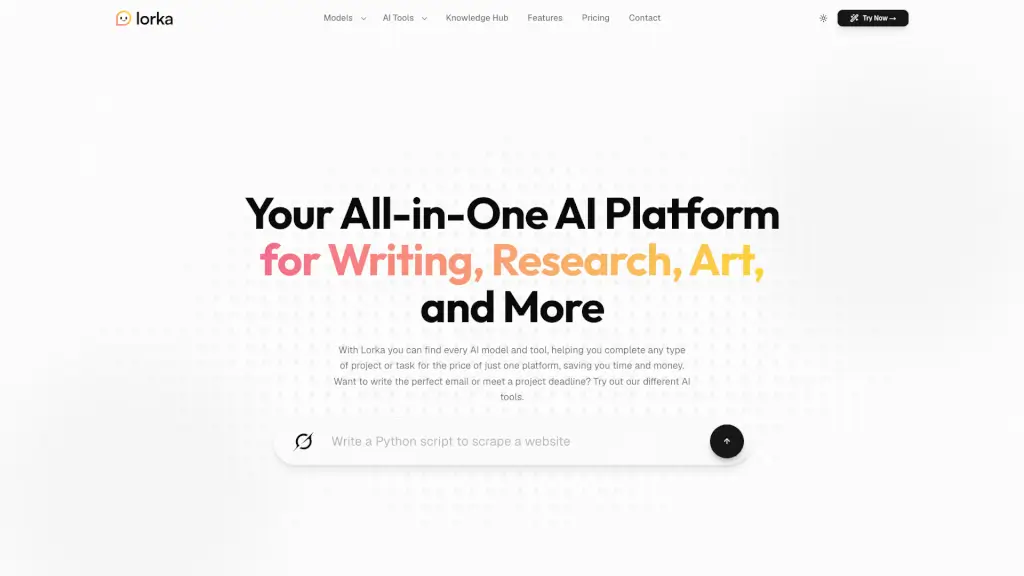
What is Lorka AI?
Tired of juggling multiple AI subscriptions just to get the right tool for each task? Meet Lorka AI—your all-in-one platform that brings together top models like GPT, Claude, Gemini, DeepSeek, Grok, Qwen, and more under a single, affordable plan. Instead of paying for 5+ separate services or constantly switching tabs, Lorka lets you access the best AI brains in one place, saving you both time and money.
Whether you're writing emails, debugging code, analyzing spreadsheets, translating documents, or generating images, Lorka adapts to your needs. It’s built for students, professionals, creators, and entrepreneurs who want flexibility without complexity—and results that actually help them get work done faster.
What are the features of Lorka AI?
- Multi-AI Chat Models: Instantly switch between Claude, GPT-5.5, Gemini 3.1, DeepSeek V3.2, Grok 4.1, and others—all in one interface.
- AI Web Search: Get fast, summarized answers from the live web, perfect for last-minute research or fact-checking.
- AI Image Editor: Generate or enhance visuals with simple text prompts—no design skills needed.
- Chat with PDFs: Upload documents and ask questions to extract key insights or summaries instantly.
- AI Translator & Humanizer: Translate content naturally across languages and refine AI text to sound authentically human.
- Voice Mode: Speak instead of type—ideal for brainstorming on the go or hands-free note-taking.
- Transparent Pricing: Access 7+ premium AI models for $19.99/month, compared to $142.98 if subscribed individually.
What are the use cases of Lorka AI?
- A PhD researcher cross-references Claude’s reasoning with GPT’s knowledge base in a single chat thread to validate academic arguments.
- A small business owner uses Lorka to draft Instagram captions, reply to customer emails, and manage inventory spreadsheets—all before opening her bakery.
- A software engineer pastes legacy code into DeepSeek to refactor it, then checks edge cases using Claude—without leaving the app.
- A grad student finds credible sources in seconds using AI-powered web search and summarizes competitor whitepapers via PDF chat.
- A creative director generates client-ready visual concepts from abstract prompts and tweaks them instantly based on feedback.
- A content strategist switches between Claude’s creativity and GPT’s structure to write for multiple niches in one workflow.
How to use Lorka AI?
- Sign up for Lorka and choose your preferred AI model from the dashboard (e.g., GPT, Claude, or Gemini).
- Type your request directly into the chat—whether it’s “Explain quantum computing simply” or “Write a friendly email to a client.”
- Use specialized tools like AI Web Search, PDF Chat, or Image Editor by selecting them from the sidebar or toolbar.
- Switch models mid-conversation if you need a different perspective—no need to start over.
- For voice input, click the mic icon and speak naturally; Lorka transcribes and processes your request instantly.
- Export, copy, or share your results with one click—perfect for reports, presentations, or team collaboration.