
What is Kapwing?
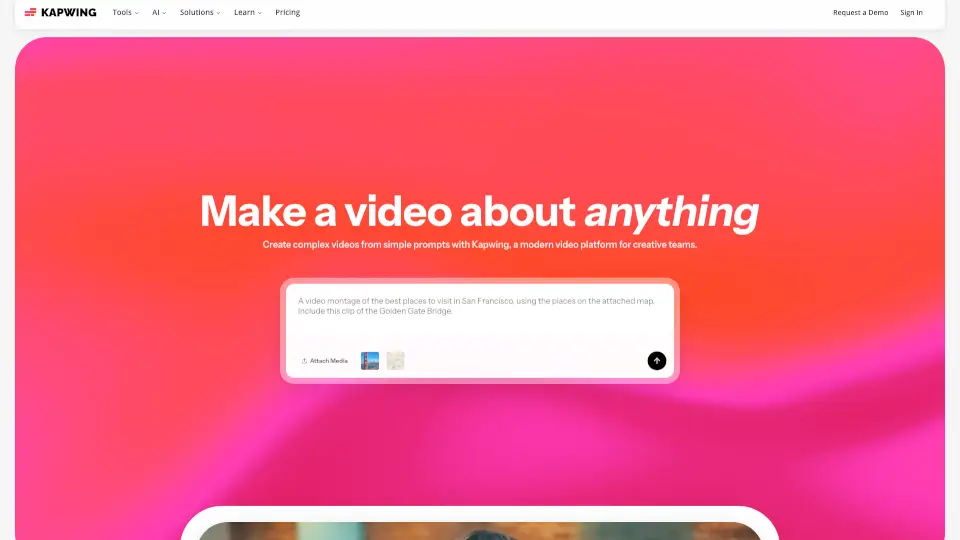
Kapwing is an AI video generator and editor built for creators, marketers, educators, and training teams who want to turn a simple text prompt into a full video project. Unlike traditional video editors that require uploading and manually arranging clips, Kapwing’s AI generates a timeline with voiceover, visuals, subtitles, music, and characters from a single prompt. The platform also includes a suite of editing tools—smart cut, audio cleanup, subtitle generator, video resizer, and dubbing—so teams can polish, localize, and repurpose content without switching apps. It’s designed for collaborative workflows, with a drag-and-drop timeline and cloud-based sharing.
What are the features of Kapwing?
- AI Video Generator: Turn a text prompt into an original video with voiceover, visuals, subtitles, music, and customizable characters. Ideal for marketers and educators who need quick drafts.
- Script Generator: Convert a rough idea into a tailored script in a few clicks, with control over tone and content. Helpful for content creators planning narratives.
- Smart Cut: Automatically remove silences and pauses from a video file. Saves editors time spent manually trimming audio gaps.
- Repurpose Studio: Resize and reformat a single video into multiple social-ready clips, optimized for different platforms like Instagram, TikTok, and YouTube.
- Clean Audio: Enhance audio quality and remove background noise from recordings. Useful for podcasters and training video creators who record in less-than-ideal environments.
- Dubbing & Translation: Translate dialogue into 40+ languages with synchronized audio and subtitles. Enables teams to localize content for global audiences.
What are the use cases of Kapwing?
- Marketing teams create consistent video ads and social posts from a single brand brief, using the AI video generator and repurpose studio.
- Internal comms teams publish video updates with translated subtitles and dubbing, making content accessible across international offices.
- Educators build multimedia lessons and assignments by combining screen recordings, text-to-speech voiceovers, and auto-generated subtitles.
- Content creators turn rough ideas into polished YouTube or TikTok videos using the script generator, AI video generator, and smart cut.
How to use Kapwing?
- Start by entering a text prompt describing the video you want—topic, tone, and length—into the AI Video Generator.
- Review and customize the generated script, visuals, and voiceover; adjust tone, add or remove scenes, and tweak timing.
- Use the timeline editor to fine‑tune layers, trim clips, add overlays, or apply effects before exporting.
- For localization, select the Dubbing tool to translate audio and subtitles into one of 40+ languages, then export the final video.