
What is Face26?
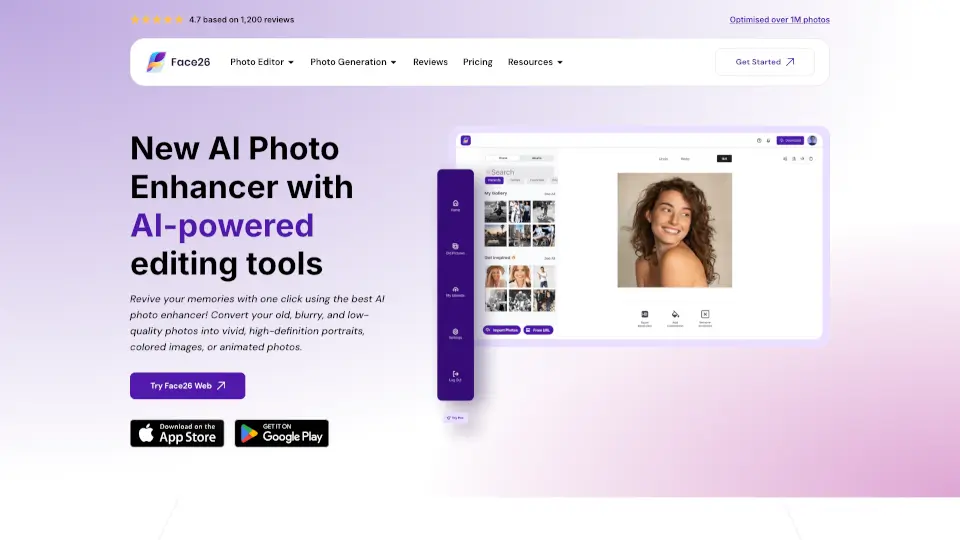
Tired of blurry, old, or low-quality photos? Face26 is a free online AI photo enhancer that brings your images back to life—no editing skills needed. Whether it’s a faded family snapshot, a pixelated selfie, or a black-and-white memory, Face26 uses advanced artificial intelligence to sharpen details, restore color, and upscale resolution in seconds.
Trained on over 2 million high-res images, Face26 delivers professional-looking results with just one click. It’s perfect for everyday users who want quick, reliable fixes without downloading software or wrestling with complicated tools. From unblurring faces to generating headshots, it’s designed to make photo enhancement simple, secure, and surprisingly powerful.
What are the features of Face26?
- AI Photo Enhancer: Automatically improves clarity, color, and sharpness of any image using smart algorithms.
- Unblur Images: Restores focus to blurry photos—especially effective for faces in motion or low-light shots.
- Colorize Black & White Photos: Adds realistic, natural-looking color to vintage or grayscale images.
- Upscale to HD (up to 4K): Enlarges small or low-resolution photos without losing quality or introducing artifacts.
- AI Face Retouch: Smooths skin, reduces wrinkles, and removes blemishes while keeping your look authentic.
- Background Remover: Instantly deletes backgrounds from photos of people, pets, or products.
- Restore Old Photos: Repairs scratches, discoloration, and damage in aged photographs.
- Animate Photos: Brings still images to life with subtle motion effects.
What are the use cases of Face26?
- Reviving old family photos or yearbook pictures for digital scrapbooks
- Creating professional LinkedIn or resume headshots without hiring a photographer
- Enhancing dating profile pictures to look natural yet polished
- Preparing e-commerce product photos from basic white-background shots
- Converting childhood black-and-white photos into vivid color memories
- Fixing blurry smartphone pics before sharing on social media
- Generating realistic avatars or AI-enhanced portraits for creative projects
How to use Face26?
- Go to Face26.com and open the Photo Editor in your web browser (works on desktop and mobile).
- Click Upload to select your photo—no account required for basic enhancements.
- Choose an enhancement mode (e.g., “Unblur,” “Colorize,” or “HD Upscale”) or let AI auto-enhance with one click.
- Preview your result and adjust if needed using available filters or retouch tools.
- Download the enhanced image directly to your device—no watermarks.
- For privacy, delete your photo from servers after download (Face26 encrypts all uploads).