
What is Enhancor.ai?
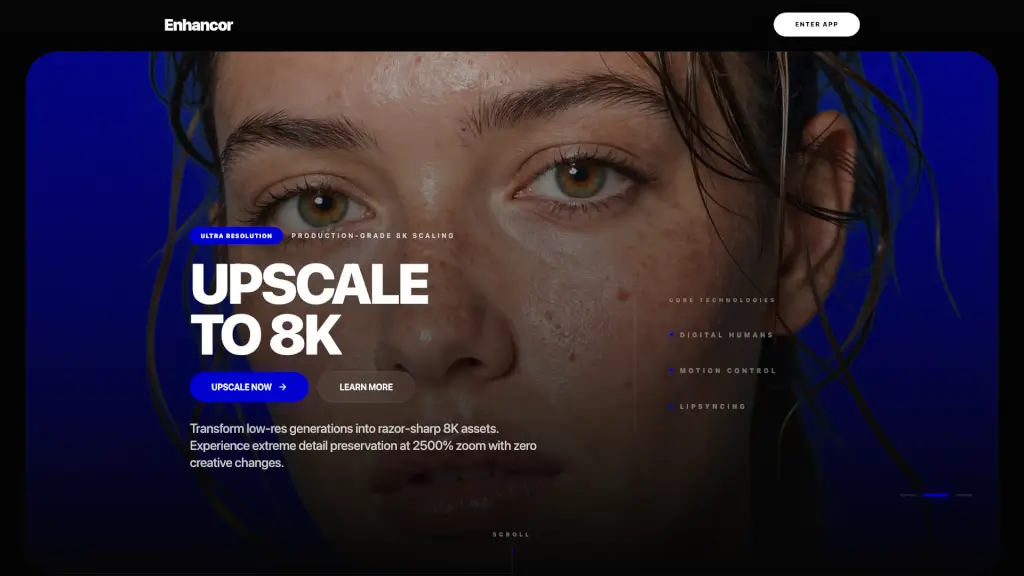
Enhancor is a cutting-edge AI tool designed to transform synthetic skin textures into photorealistic results. Whether you're a digital artist, game developer, or virtual reality creator, Enhancor helps you achieve the highest level of realism in your projects. By eliminating the plastic look often associated with AI-generated images, Enhancor ensures that every detail, from pores to freckles, looks natural and lifelike. This makes it an essential tool for anyone looking to create high-quality, professional-grade visuals.
What are the features of Enhancor.ai?
- AI Skin Texture Enhancement: Enhancor uses advanced AI technology to make synthetic skin indistinguishable from real human skin, perfect for digital art, gaming, and VR.
- Ultra-High Resolution (8K): Upscale your images to 8K resolution, ensuring crystal-clear textures and sharp details, ready for print, film, and digital production.
- Advanced Retouching: Remove blemishes, pimples, and unwanted shine while maintaining complete biological realism, making your portraits look flawless.
- Realistic Influencer Generation: Create hyper-realistic digital influencers with pore-level detail and natural human movement, ideal for social media and marketing.
- Motion Control and Lipsyncing: State-of-the-art motion transfer and lipsyncing capabilities for digital characters, ensuring smooth and natural expressions.
What are the use cases of Enhancor.ai?
- Digital Art and Illustration: Artists can use Enhancor to add realistic skin textures to their digital paintings and illustrations, making them more lifelike.
- Gaming and Virtual Reality: Game developers and VR creators can enhance the realism of their characters, making them more engaging and immersive.
- Photography and Film: Professional photographers and filmmakers can use Enhancor to retouch and upscale their images, achieving high-end, production-ready quality.
- Social Media and Marketing: Marketers can create hyper-realistic digital influencers and avatars for campaigns, ensuring they stand out and engage audiences.
- 3D Modeling and Animation: Animators can use Enhancor to add realistic skin textures and natural movements to their 3D models, enhancing the overall quality of their animations.
How to use Enhancor.ai?
- Upload Your Image: Start by uploading the AI-generated image you want to enhance.
- Select the Enhancement Mode: Choose the appropriate enhancement mode, such as "Skin Fix" or "Upscale."
- Adjust Settings: Fine-tune the settings to control the intensity of the enhancements, such as adding freckles or removing shine.
- Preview and Adjust: Preview the enhanced image and make any necessary adjustments to achieve the desired look.
- Download the Result: Once satisfied, download the enhanced image and use it in your project.