
What is Cal.com?
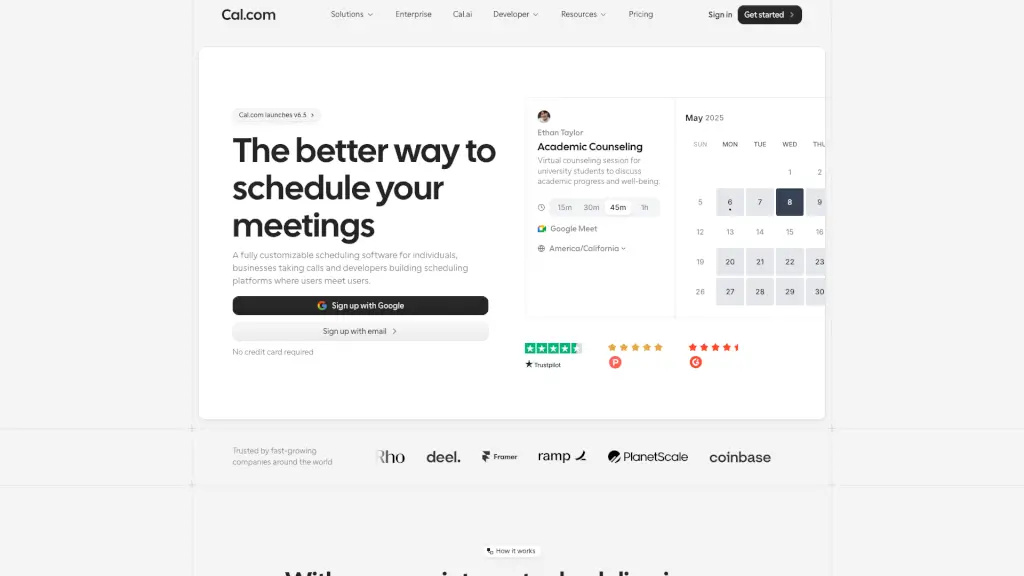
Cal.com is a free, open-source scheduling tool that helps individuals, businesses, and developers book meetings without the back-and-forth emails. Whether you're a solopreneur taking client calls, a recruiter scheduling interviews, or a developer building your own booking platform, Cal.com gives you full control over your availability, meeting types, and branding—all while keeping your data private.
Unlike many competitors, Cal.com puts customization and privacy first, offering features like built-in video, payment collection, and seamless calendar sync—without locking you into a walled garden. It’s designed to be simple for users but powerful enough for teams and apps that need flexibility.
What are the features of Cal.com?
- Fully customizable booking pages: Match your brand with colors, logos, and short, memorable links like cal.com/yourname.
- Built-in video conferencing (Cal Video): No need for third-party tools—start secure video calls directly from your booking.
- Stripe payments integration: Accept payments when someone books a paid session, perfect for coaches, consultants, and creators.
- Buffer times & booking limits: Prevent burnout by setting minimum notice, gaps between meetings, and daily booking caps.
- Calendar overlay for bookers: Let people see your availability alongside their own schedule for faster coordination.
- Automated reminders & follow-ups: Reduce no-shows with SMS or email alerts before meetings and collect info afterward.
- 65+ language support: Serve clients worldwide with multilingual booking pages.
- Open-source & self-hostable: Developers can embed, extend, or host Cal.com themselves for full data control.
What are the use cases of Cal.com?
- A freelance designer shares a clean booking link with clients to schedule 30-minute discovery calls with automatic Cal Video links.
- An HR team uses Cal.com to coordinate multi-stage interviews across time zones, with buffers between sessions and automated candidate reminders.
- A telehealth provider securely schedules patient appointments while collecting intake forms and payments upfront via Stripe.
- A SaaS founder embeds a Cal.com widget on their pricing page so prospects can instantly book demos.
- A developer agency builds a white-labeled scheduling experience for their clients using Cal.com’s API and open-source code.
- A university admissions office manages high-volume student consultations with recurring availability and team routing.
How to use Cal.com?
- Connect your Google, Outlook, or iCloud calendar during setup to avoid double bookings.
- Set your weekly availability and add buffer times before/after events to protect your focus.
- Customize your booking page URL (e.g., cal.com/yourname) and enable Cal Video or phone options.
- Share your personal booking link anywhere—email signature, social bio, website, or ads.
- Enable SMS/email reminders to cut down on missed meetings.
- For teams, use “Routing Forms” to let bookers choose the right person based on their needs.