
What is Audiotype?
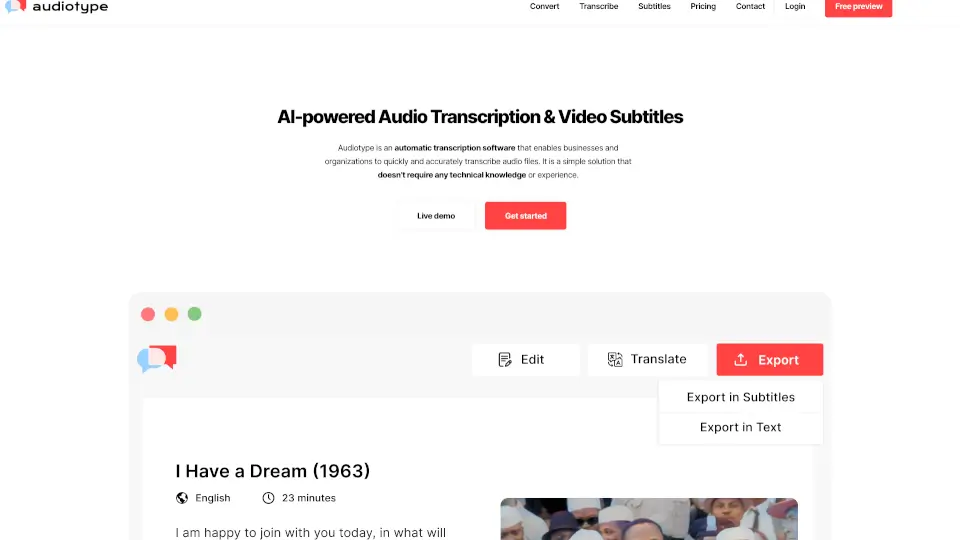
Audiotype is an AI-powered tool that turns your audio and video files into editable text. Think of it as your personal transcription assistant. It automatically converts MP3s, MP4s, YouTube links, and more into transcripts, subtitles, or documents in over 30 languages. The best part? You don't even need to create an account to try it out. Just upload your file, and you'll get a text version back in minutes. It's designed for anyone who needs fast, accurate transcriptions without the headache – from students and journalists to business pros.
What are the features of Audiotype?
- No Account Required: You can upload and transcribe files immediately without signing up or creating a profile. This makes it super easy to test the service.
- Supports 36+ Languages: Transcribe files in English, Spanish, French, German, Japanese, Arabic, and many more. The accuracy ranges from 80% to 95%, so you get reliable results.
- Works with Any File Type: Upload audio (MP3, WAV, M4A) or video (MP4, AVI, MOV) formats. It even handles YouTube links for quick web video transcriptions.
- Automatic & Fast: The transcription is 100% automated. No manual typing or waiting days. You usually receive your transcript via email within a few minutes.
- Smart Features: It includes speaker detection for interviews, time stamps, and smart punctuation. You can export your final text as a TXT, DOCX, PDF, or subtitle file (SRT, VTT).
- Privacy-First: Your files are automatically deleted from their servers after 15 days. Audiotype does not sell or share your data with third parties.
What are the use cases of Audiotype?
- Journalists & Reporters: Quickly turn a 30-minute interview recording into a searchable, quotable text document. No more listening to the whole thing on repeat.
- Students & Researchers: Convert a lecture recording or a video tutorial into notes. You can highlight key points and study more efficiently.
- Podcasters & Video Creators: Generate SRT subtitles or a full episode transcript to make your content searchable and accessible to a wider audience.
- Business Professionals: Transcribe a Zoom or Microsoft Teams meeting recording to get clear meeting minutes and action items without taking notes during the call.
- Content Marketers: Repurpose long-form video or audio content into blog posts, social media captions, or email newsletters.
- Freelancers & Remote Workers: Archive your client calls or create searchable records of your project meetings for future reference.
How to use Audiotype?
- Upload Your File: Go to the Audiotype website and drag and drop your audio or video file. You can also paste a YouTube link or choose a file from your computer, Dropbox, or Google Drive.
- Choose Your Language: Select the language spoken in your file. This helps the AI improve accuracy.
- Start the Transcription: Click the "Transcribe" button. No account needed for the first minute. For longer files, you'll enter a payment to process the full file.
- Wait for the Email: Your transcript will be processed automatically. You'll receive an email with a link to view and edit your transcript.
- Review & Export: Open the transcript, make any small edits, and export it. You can download it as a Word document, PDF, plain text, or subtitle file.