
What is ZOOOP?
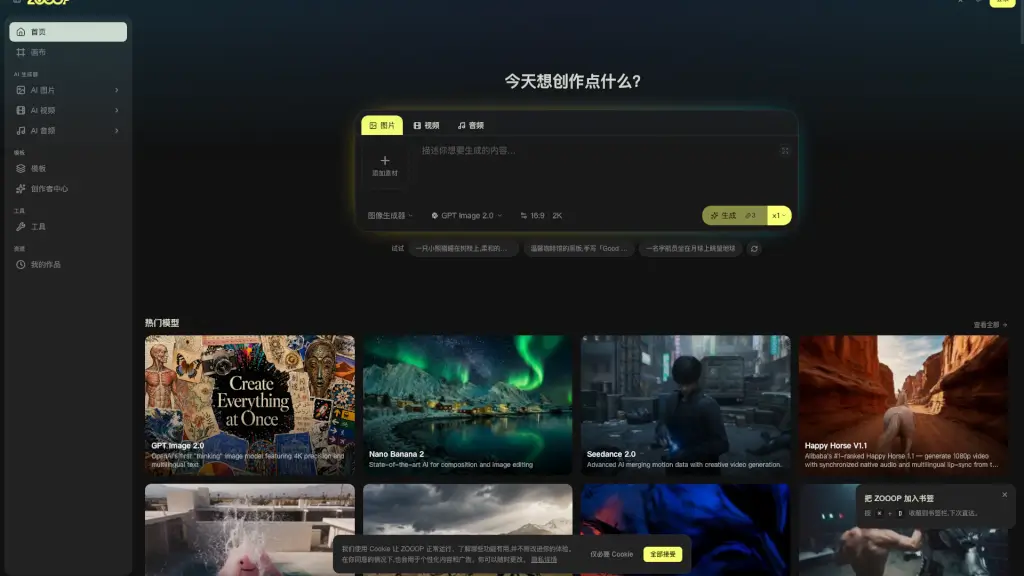
ZOOOP is an AI-native creation platform that brings top-tier image, video, and audio AI models together on a single, infinite canvas. Whether you want to quickly generate a single image or build a full multimedia project, ZOOOP lets you do it all in your browser. From storyboarding and iteration to publishing templates, it’s a complete creative workspace designed for both individual creators and teams.
What are the features of ZOOOP?
- Unified Infinite Canvas: Combine multiple AI models (images, videos, audio) in one scene for seamless, multi-modal storytelling.
- Independent AI Generators: Need just one image or video? Use the dedicated generator pages for a focused, distraction-free creation experience.
- Community & Creator Templates: Discover ready-to-use templates or publish your own prompts as templates to earn passive credits from community usage.
- Team Collaboration: Create a team space in seconds, collaborate on the same canvas in real-time, and share a common pool of credits with permission controls.
- Pay-as-You-Go Model: No monthly subscriptions required. Purchase credit packs that never expire, and only pay for what you use.
What are the use cases of ZOOOP?
- Multimedia Storyboarding: String together AI-generated images, video clips, and audio tracks on a single canvas to visualize a film or commercial scene.
- Social Media Content Creation: Quickly generate eye-catching images, short videos, and background music for platforms like YouTube, TikTok, and Instagram.
- Mood Board Assembly: Generate multiple variations of a concept across different AI models in one go, bypassing the lengthy manual mood board process.
- Team Brainstorming & Feedback: Invite team members to a shared canvas to review, edit, and iterate on creative assets in real-time, reducing feedback cycles.
- Monetizing Prompts: Convert your successful prompt recipes into publishable templates, allowing other creators to use them while you earn credits.
How to use ZOOOP?
- New Users: Register for a free account to receive starter credits and immediately explore the platform.
- Quick Creation: Go to the "AI Generator" page, select your desired model (e.g., GPT Image 2.0), enter a prompt, and hit "Generate".
- Complex Projects: Open the "Canvas" to work on a multi-scene project. Drag and drop generated assets, add audio, and link them together.
- Team Collaboration: Create a "Team Space" from your dashboard, invite members, and start working on a shared canvas together.
- Publish a Template: Go to the "Creator Center", save your favorite prompt, package it as a template, and set your earnings. It will be available for the community.