

What is Writingmate?
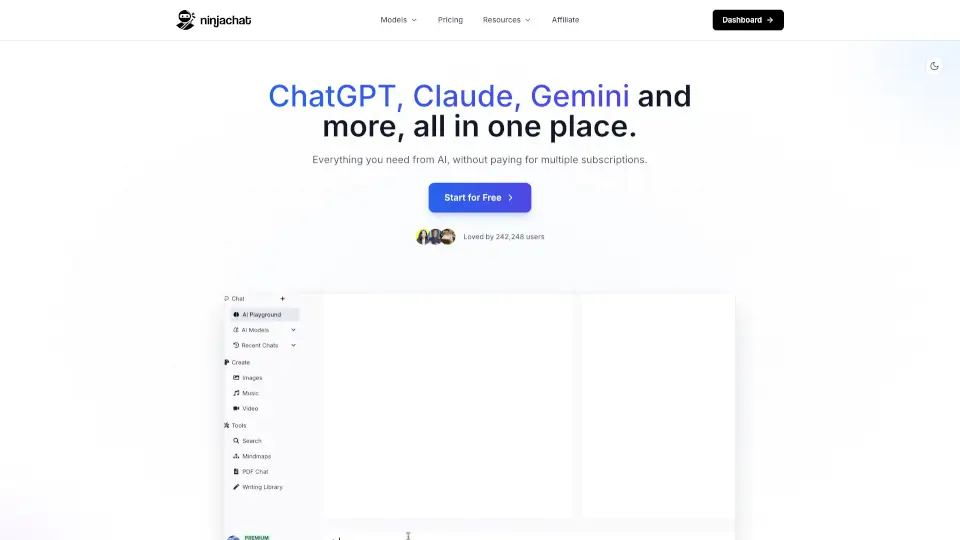
Tired of juggling five different AI subscriptions just to get your work done? Writingmate solves that headache by bringing top AI models like GPT, Claude, Gemini, Grok, Sora, and Veo—plus file analysis, web search, image and video generation—all into one simple $20/month app. No more switching tabs, managing multiple bills, or missing key features.
Instead of paying up to $76/month for separate services (ChatGPT Plus, Claude Pro, Google AI Pro, X Premium+, etc.), Writingmate gives you access to 600+ AI models and tools in a single workspace. Whether you're drafting emails, creating ad visuals, generating short videos, or researching with live web data, everything lives in one place—so you save time, money, and mental energy.
What are the features of Writingmate?
- All-in-One AI Access: Use GPT-5.5, Claude Opus 4.8, Gemini 3.5, Grok 4.3, Sora, Veo, FLUX, and more without switching apps.
- AI Image & Video Generation: Create campaign visuals with Nano Banana, FLUX.2 Pro, or GPT Image—and generate cinematic clips via Sora, Veo, Seedance, Kling, and PixVerse.
- Smart File & Web Interaction: Upload documents for summaries or analysis, and pull real-time info from the web with cited sources.
- Private by Design: Your chats aren’t sold or used to train AI—your work stays yours.
- Built-In Fallbacks: If one model is slow or down, instantly switch to another without losing your flow.
- Prompt Library & Builder: Save proven prompts and turn rough ideas into powerful instructions with guided structuring.
- Voice Chat & App Connections: Dictate prompts, listen to responses, and connect tools like Gmail or Slack for richer context.
What are the use cases of Writingmate?
- A marketer builds a full product launch: writes copy with Claude, designs ad images with FLUX, and creates an 8-second video using Veo—all in one session.
- A founder compares outputs from GPT, Gemini, and Grok on a business strategy question to get balanced insights fast.
- A student uploads a research PDF, asks for a summary with key takeaways, and uses web search to verify recent data.
- A freelancer generates social media content daily—text posts, custom graphics, and short reels—without subscribing to five different tools.
- A non-technical user creates a no-code lead-gen app using Writingmate’s Code Assistant, which writes and prototypes the code automatically.
- Teams collaborate securely on client projects knowing their chats and files remain private and never train public AI models.
How to use Writingmate?
- Start with the 3-day free trial—no credit card needed—to explore all features risk-free.
- Choose your preferred AI model (e.g., GPT-5.5 for deep reasoning, Gemini 3.5 for speed) directly from the chat interface.
- Upload files (PDFs, Word docs, etc.) and ask specific questions like “Summarize the key risks” or “Extract all dates and figures.”
- Use the Prompt Builder if you’re unsure how to phrase a request—it helps shape vague ideas into effective prompts.
- Generate images or videos by selecting the right tool (e.g., Sora for cinematic shots, Seedance for animated scenes) and describing your vision.
- Save helpful prompts or AI “Agents” for repeat tasks like email replies, sales outreach, or weekly reports.