
What is tl;dv?
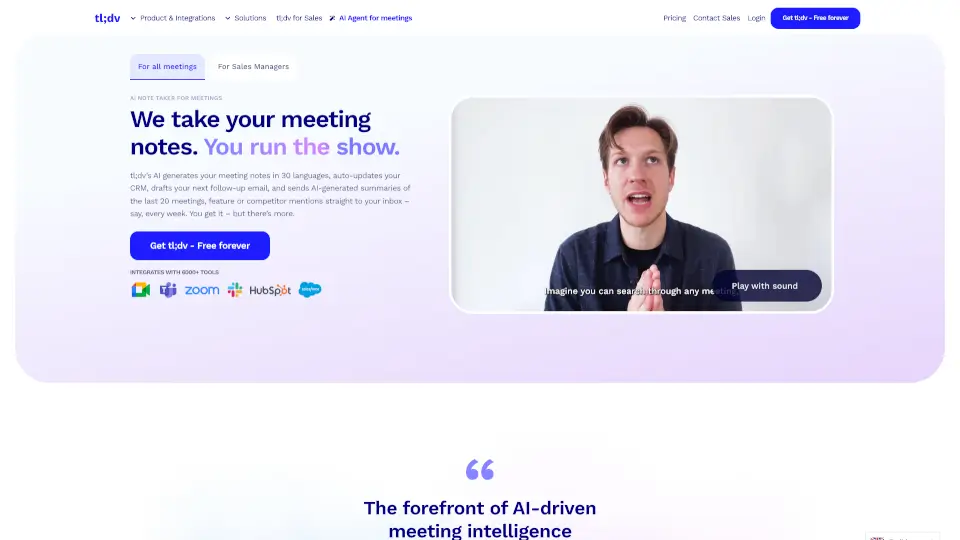
Tired of scrambling to take notes during every Zoom, Google Meet, or Microsoft Teams call? tl;dv is your AI-powered meeting sidekick that automatically records, transcribes, and summarizes your conversations—so you never miss a key detail again. Designed for teams who want to turn talk into action, it captures insights in real time and sends them straight to your favorite tools like CRMs, Slack, or Notion.
More than just a recorder, tl;dv uses smart AI to pull out action items, customer objections, product feedback, and even draft follow-up emails—all without you lifting a finger. Trusted by over 2 million users worldwide (including teams at Zapier), it’s built with privacy-first principles: your data stays yours, encrypted end-to-end, and never used to train public AI models.
What are the features of tl;dv?
- AI Meeting SummariesGet crisp, customizable summaries right after every call—with action items, decisions, and key topics highlighted.
- Works Across Zoom, Google Meet & TeamsSeamlessly integrates with all three major platforms—no bots, no extra invites, just automatic recording.
- CRM & Workflow AutomationAuto-log call notes, deals, and next steps into Salesforce, HubSpot, or 6,000+ other apps so your pipeline stays updated.
- Multi-Language SupportTranscribe and translate meetings in 30+ languages, including Spanish, Japanese, German, and French—with summaries in your preferred language.
- AI-Powered Insights & ReportsAsk questions like “What were common objections this week?” and get aggregated answers pulled from multiple meetings.
- Sales Coaching ToolsAnalyze rep performance, track playbook adherence, and share best-practice clips to help new hires ramp up faster.
- Enterprise-Grade SecurityGDPR & SOC 2 compliant, with end-to-end encryption, EU-hosted data, and private AI processing through Anthropic.
What are the use cases of tl;dv?
- A sales manager uses tl;dv to spot recurring prospect objections across 20+ discovery calls and adjusts pitch decks accordingly.
- A product owner scans customer success calls monthly to compile feature requests and bug reports—without watching hours of recordings.
- A marketing lead pulls authentic customer quotes from CS calls to use in website copy and ad campaigns.
- Remote engineering teams auto-generate summaries of sprint planning and standups, keeping async teammates in the loop.
- Customer success repsautomatically log outcomes and next steps into their CRM after every renewal call—zero manual entry.
- Global teams hold multilingual meetings and instantly share translated transcripts and summaries with stakeholders in different regions.
How to use tl;dv?
- Install the tl;dv browser extension for Chrome or Edge—it works silently in the background during your Zoom, Meet, or Teams calls.
- Start your meeting as usual—tl;dv auto-records and transcribes everything with no bot required and no extra steps.
- After the call ends, check your tl;dv dashboard for the AI-generated summary, transcript, and suggested action items.
- Customize your summary format (like MEDDIC for sales) or ask AI questions about your meeting history using natural language.
- Connect your CRM or project tool via integrations to auto-sync notes, contacts, and tasks—no copy-pasting needed.
- Share meeting highlights with colleagues via link, email, or direct push to Slack, Notion, or email drafts.