
What is Tactiq?
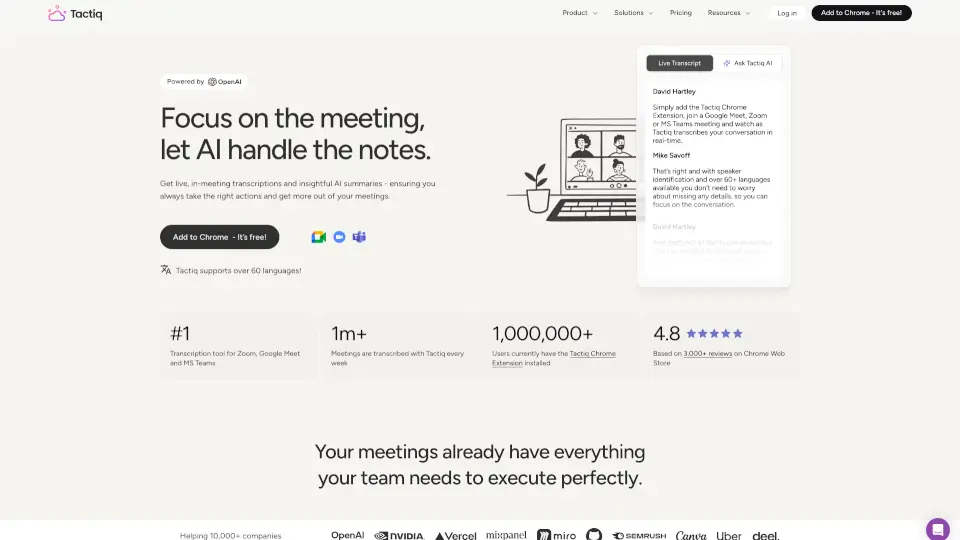
Tactiq is your AI-powered meeting assistant that transcribes, summarizes, and extracts action items from Google Meet, Zoom, and Microsoft Teams—all without a bot joining the call. It captures every word in real-time, so you walk out of the meeting with notes, summaries, and clear next steps already written. Trusted by over 1 million users and rated 4.8 stars on the Chrome Web Store, Tactiq helps you stay focused on the conversation while AI handles the paperwork.
What are the features of Tactiq?
- Live Transcription: Get real-time captions with speaker identification in over 60 languages, no bot invades your meeting.
- One-Click AI Summaries: Instantly turn any meeting transcript into a concise summary—grasp key points in seconds.
- Action Items Generator: Automatically extract who does what and create clear, actionable tasks from every meeting.
- Ask AI During Meetings: Ask custom questions to get real-time insights, previous meeting summaries, or follow-up ideas without leaving the call.
- Custom AI Prompts: Save your own reusable prompts to generate specific insights like follow-up emails or project updates.
- Workflow Automations: Automatically share meeting insights to Slack, Notion, Linear, HubSpot, and more—no manual copying.
- Enterprise Security: SOC 2 Type II attested, ISO 27001 certified, GDPR and HIPAA compliant—your data stays private.
What are the use cases of Tactiq?
- Customer Meetings: Focus entirely on the customer while Tactiq takes notes. After the call, get a summary and action items ready to share.
- Team Meetings: Ensure everyone stays aligned with accurate transcripts and instant recaps—no more “what did we decide last week?”
- Remote & Hybrid Work: Never miss a detail when you’re working across time zones; transcripts and summaries keep distributed teams in sync.
- Non-Native Speakers: Use live transcriptions in 60+ languages to follow conversations more easily and review key points later.
- Enterprise Compliance: Healthcare, finance, or legal teams can rely on HIPAA-compliant transcription and storage without recording audio.
How to use Tactiq?
- Install the Tactiq Chrome Extension from the Chrome Web Store (free to start).
- Open Google Meet, Zoom, or Microsoft Teams—the transcription starts automatically; no bot joins the meeting.
- During the meeting, use the Ask AI sidebar to ask questions like “What’s the next step?” or “Summarize what we just discussed.”
- After the meeting, open the transcript and click One-Click AI Summary to get a recap with action items instantly.
- Set up Workflow Automations (e.g., send meeting notes to Slack or create Linear issues) to streamline follow-ups.