
What is Speak AI?
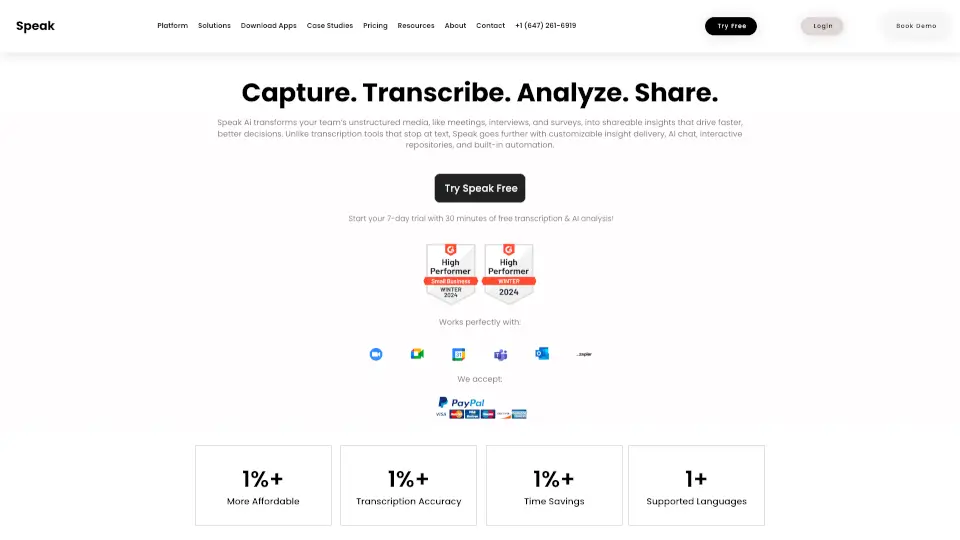
Speak AI is a powerful all-in-one platform that turns spoken conversations into structured, actionable insights. Whether you're recording meetings, customer interviews, or field research, Speak AI doesn’t just transcribe audio—it analyzes, organizes, and extracts key themes, quotes, and custom data fields so you can skip hours of manual review.
Trusted by over 250,000 teams since 2018, Speak AI works across virtual calls (Zoom, Teams, Meet), in-person recordings (via mobile apps), and uploaded files. It’s built for real-world workflows—helping researchers, sales teams, consultants, and educators turn voice into valuable, searchable knowledge without stitching together multiple tools.
What are the features of Speak AI?
- AI Meeting NotetakerAuto-joins Zoom, Teams, Meet, and Webex to transcribe, summarize, and extract action items.
- Custom Field ExtractionDefine your own tags, scores, or themes—Speak AI fills them in automatically across every conversation.
- MCP Server IntegrationConnects your data to Claude, ChatGPT, Cursor, and more with 85+ tools in under 60 seconds—no coding needed.
- Multilingual TranscriptionAccurate transcription and translation in 100+ languages with speaker identification.
- AI Voice & Phone AgentsDeploy white-labeled agents grounded in your knowledge base for inbound calls, surveys, or support.
- Embeddable RecorderAdd a voice/video recorder to any website, form, or client portal.
- Data VisualizationGenerate sentiment trends, word clouds, and dashboards from your structured conversation data.
- Unified Media LibraryStore, search, share, and export all recordings and transcripts in one secure workspace.
What are the use cases of Speak AI?
- Qualitative researchersanalyze 40+ interview transcripts in hours instead of weeks, auto-extracting pain points and themes.
- Sales and customer success teamsget automatic meeting notes, next steps, and deal insights from every call.
- Consultantsturn client sessions into branded, shareable reports with embedded highlight reels.
- HR and training teamscapture onboarding feedback or coaching sessions and tag key competencies.
- Podcasters and journalistsquickly transcribe and clip key moments from long-form audio or video.
- Market researchersrun audio/video surveys with richer responses than text forms—and auto-themize results.
- Legal or compliance teamsbuild searchable deposition or intake libraries with structured metadata.
How to use Speak AI?
- Sign up for a free account at app.speakai.co—no credit card required.
- Upload an audio/video file, join a meeting with the AI assistant, or embed a recorder on your site.
- Define custom fields (e.g., “pain point,” “buying stage”) once—Speak AI applies them across all future recordings.
- Use the MCP Server to connect your data to Claude or ChatGPT and ask questions across your entire conversation library.
- Share insights via embeddable players, export to CSV/JSON, or deploy a white-labeled AI agent for client interactions.
- Explore templates and case studies to adapt Speak AI to your role—researcher, marketer, consultant, or educator.