
What is Rimo?
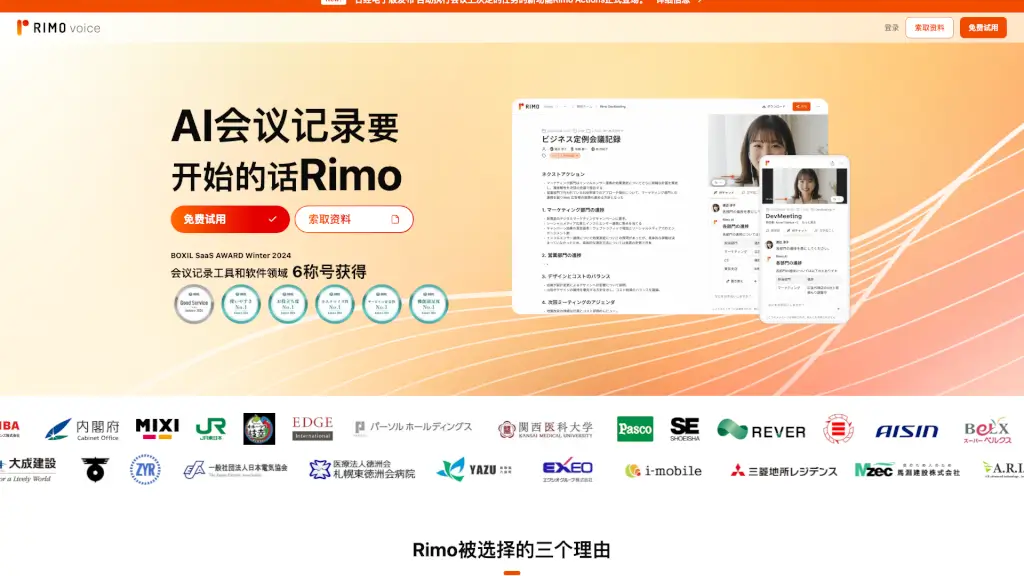
Rimo Voice is a cutting-edge AI tool designed to make your meetings more productive and organized. Whether you're having an in-person or online meeting, Rimo Voice can automatically transcribe and summarize the conversation, so you never miss a key point. This smart assistant not only captures every word but also helps in organizing the discussion, making it easier for you to focus on the meeting itself. With its high accuracy and user-friendly interface, Rimo Voice is a game-changer for anyone looking to streamline their meeting processes.
What are the features of Rimo?
- High-Precision Transcription: Rimo Voice uses advanced AI to accurately transcribe every word spoken during your meetings, ensuring that nothing important is missed.
- Automatic Summarization: The tool automatically generates a concise summary of the meeting, highlighting the main points and decisions made.
- Real-Time Support: Get real-time assistance with note-taking and agenda management, helping you stay on track and focused.
- Security and Compliance: Rimo Voice is certified with ISO27001 and ISO27017, ensuring that your data is handled securely and in compliance with international standards.
- User-Friendly Interface: The intuitive design makes it easy for anyone to use, regardless of their technical expertise.
What are the use cases of Rimo?
- Business Meetings: Keep track of all the discussions and decisions made during team meetings, board meetings, and client presentations.
- Remote Work: Ensure that remote team members are always up-to-date with detailed transcriptions and summaries of virtual meetings.
- Educational Settings: Record and summarize lectures, seminars, and study sessions, making it easier for students and educators to review and reference later.
- Legal and Medical Consultations: Accurately document consultations and case discussions, ensuring that all important details are captured and easily accessible.
- Event Planning: Organize and summarize planning meetings, ensuring that all tasks and responsibilities are clearly outlined and tracked.
How to use Rimo?
- Start a Meeting: Open Rimo Voice and start a new meeting by clicking the "New Meeting" button.
- Transcribe Automatically: As the meeting progresses, Rimo Voice will automatically transcribe the conversation in real-time.
- Generate Summary: Once the meeting is over, click the "Generate Summary" button to get a concise overview of the key points.
- Review and Edit: Review the transcription and summary, and make any necessary edits to ensure accuracy.
- Share and Save: Share the transcription and summary with team members or save it for future reference.