Qu'est-ce que Minutes AI ?
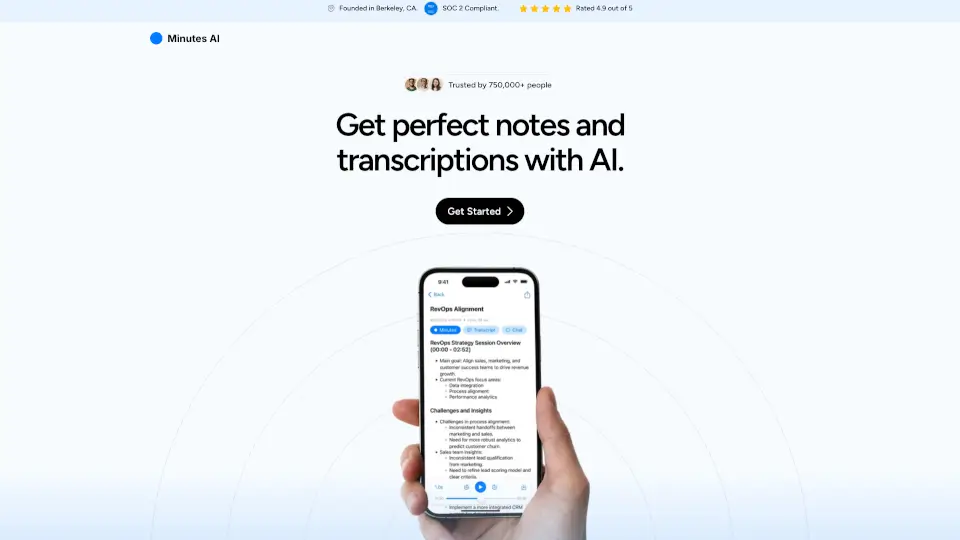
Minutes AI est votre assistant intelligent pour la prise de notes automatique et la transcription. Que ce soit pour des réunions, des cours ou des conférences, l'application transforme l'audio en direct, les fichiers audio importés ou les liens YouTube en notes formatées et transcriptions précises. Vous pouvez même dialoguer avec votre audio pour en extraire des points clés, des actions à mener et bien plus. Fondée à Berkeley, en Californie, Minutes AI est conforme SOC 2, bénéficie d'une note de 4,9/5 et fait confiance à plus de 750 000 utilisateurs.
Quelles sont les caractéristiques de Minutes AI ?
- Notes magnifiquement formatées : Créez automatiquement des titres et des listes à puces à partir des points importants de votre audio.
- Transcription et relecture : Lisez la transcription complète ou parcourez l'enregistrement audio.
- Chattez avec votre audio : Posez des questions, listez les actions à mener, extrayez des idées clés directement à partir de l'enregistrement.
- Export et partage simplifiés : Générez et partagez des notes en PDF, par e-mail ou par SMS en un clic.
- Options audio flexibles : Enregistrement en direct, import de fichiers audio (mp3, mp4, wav, etc.) ou import de vidéos YouTube. Support de plus de 50 langues.
- Sécurité et confidentialité : Conformité SOC 2, aucune vente de données, possibilité de supprimer définitivement vos données à tout moment.
Quels sont les cas d'utilisation de Minutes AI ?
- Réunions professionnelles : Ne manquez aucun détail et recevez des notes structurées sans lever le stylo.
- Cours et conférences : Restez concentré sur l'écoute, Minutes AI s'occupe de la prise de notes.
- Personnes avec TDAH : Un outil qui change la donne pour suivre les discussions sans se laisser distraire.
- Étudiants et chercheurs : Transcrivez des interviews ou des entretiens et interrogez l'audio pour retrouver des informations précises.
- Équipes et entreprises : Partagez facilement les comptes rendus avec vos collègues et gardez une trace de toutes vos réunions.
Comment utiliser Minutes AI ?
- Enregistrement en direct : Ouvrez l'application et appuyez sur le bouton d'enregistrement intégré pour capturer l'audio en temps réel.
- Import de fichier : Téléchargez un fichier audio depuis votre appareil (mp3, mp4, mpeg, mpga, m4a, wav, webm).
- Lien YouTube : Collez simplement l'URL d'une vidéo YouTube pour en obtenir la transcription et les notes.
- Chat avec l'audio : Une fois la transcription générée, posez des questions comme « Quelles sont les actions à mener ? » ou « Quelle était la décision finale ? ».
- Exportation : Choisissez le format (PDF, e-mail, texte) et partagez vos notes en un tap.