What is Poised?
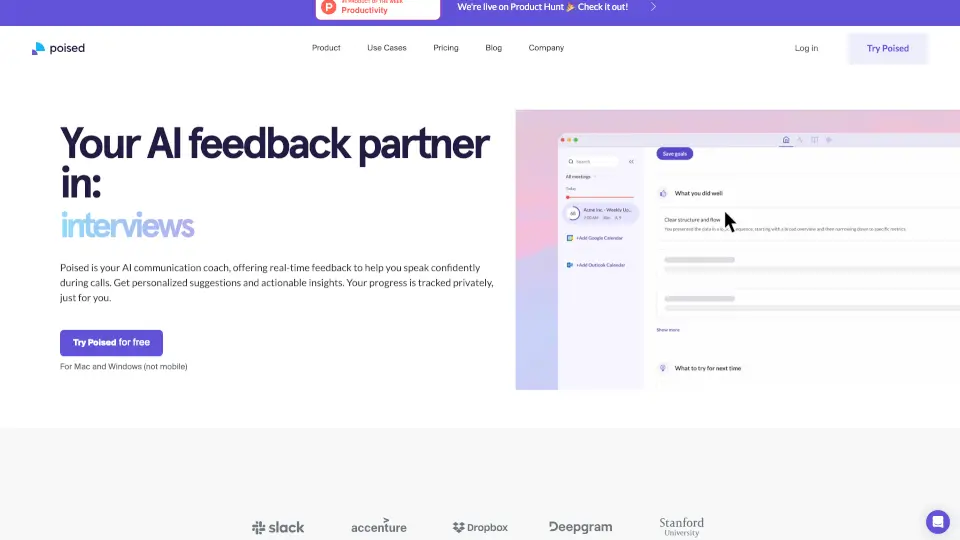
Poised is your personal AI-powered communication coach that helps you speak with more confidence, clarity, and impact—right during your live meetings. Whether you're in a job interview, leading a team call, or pitching to clients, Poised listens in the background and gives you real-time, actionable feedback without anyone else knowing it’s there. Think of it like having a speech coach sitting beside you, quietly nudging you to cut filler words, boost your energy, or stay on message.
Unlike tools that require bots to join your calls, Poised works privately on your Mac or Windows device, analyzing only your audio and video. It tracks your progress over time, helps you prep with smart speaker notes, and even auto-generates meeting summaries and action items—so you spend less time organizing and more time communicating effectively.
What are the features of Poised?
- Real-Time FeedbackGet instant, non-distracting suggestions during calls to reduce filler words, improve pace, and boost confidence.
- Private & SecureRuns locally on your device—no one else knows you’re using it, and your data stays yours.
- Live Speaker NotesAutomatically displays your meeting agenda and checks off topics as you cover them.
- AI-Powered Meeting SummariesGenerates clear recaps and action items after every call—no bot required.
- Personalized Coaching InsightsOffers tailored tips based on your goals for each specific meeting.
- Progress TrackingMonitor improvements in key areas like clarity, energy, empathy, and persuasion over time.
- Works with 800+ ToolsIntegrates seamlessly with Zoom, Google Meet, Microsoft Teams, Slack, and more.
What are the use cases of Poised?
- Job InterviewsPractice and refine answers with real-time cues to sound calm, confident, and concise.
- Sales CallsDeliver pitches with stronger persuasion and fewer verbal crutches to close more deals.
- Product ManagementClearly articulate product vision and updates without getting lost in jargon.
- Team LeadershipMotivate and align your team with clearer, more engaging communication.
- Client PresentationsAppear more credible and composed by managing pace, tone, and filler words.
- Remote Work MeetingsStay focused and ensure you cover all agenda items without going off track.
How to use Poised?
- Download and install Poised on your Mac or Windows computer (not available for mobile).
- Grant microphone and camera access so Poised can analyze your speech and nonverbal cues.
- Start any video call via Zoom, Teams, Google Meet, or other supported platforms—Poised runs silently in the background.
- Glance at subtle on-screen prompts during your call for quick adjustments (e.g., “Slow down” or “Fewer ‘ums’”).
- Review your post-meeting report to see metrics on clarity, confidence, energy, and more.
- Use the auto-generated summary and action items to follow up efficiently.