
What is ParseHub?
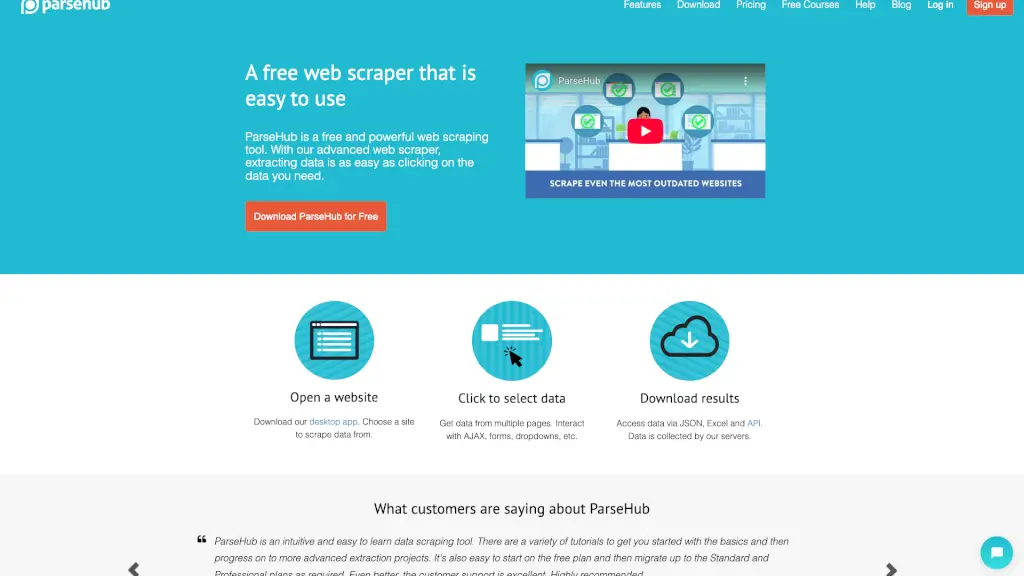
ParseHub is a free and powerful web scraping tool that makes it easy to extract data from any website. Whether you're a student, a small business owner, or a data analyst, ParseHub simplifies the process of turning complex web pages into useful data. With its intuitive interface, you can start extracting data by simply clicking on the information you need. No coding required! This makes it an ideal tool for anyone who needs to gather and analyze web data quickly and efficiently.
What are the features of ParseHub?
- Free and Easy to Use: ParseHub is completely free and designed to be user-friendly. You can start extracting data with just a few clicks.
- Advanced Web Scraper: It can handle complex websites with JavaScript, AJAX, forms, dropdowns, and more. No matter how tricky the site, ParseHub can scrape it.
- Data Export Options: Extracted data can be downloaded in various formats like Excel, JSON, or accessed via API, making it easy to integrate with other tools.
- Cloud-Based Data Collection: All your data is collected and stored on ParseHub's servers, so you don't have to worry about infrastructure.
- Scheduled Scraping: Set up automatic data collection at regular intervals—daily, weekly, or monthly—to keep your data fresh.
- IP Rotation: Use a fleet of proxies to avoid being blocked by websites while scraping, ensuring a smooth and uninterrupted data collection process.
What are the use cases of ParseHub?
- Market Research: Gather pricing and product information from e-commerce sites to stay competitive.
- Lead Generation: Collect contact details and company information from business directories.
- Content Aggregation: Compile news articles, blog posts, and other content from multiple sources.
- Real Estate Analysis: Extract property listings, prices, and other details from real estate websites.
- Social Media Monitoring: Track mentions, comments, and trends across social media platforms.
- Academic Research: Collect data for research projects, such as economic indicators, survey results, or public records.
How to use ParseHub?
- Download the Desktop App: Start by downloading the ParseHub desktop app from their website.
- Open a Website: Launch the app and enter the URL of the website you want to scrape.
- Select Data: Click on the data you want to extract. ParseHub will automatically detect and highlight the relevant elements.
- Set Up Navigation: If you need to scrape multiple pages, set up navigation rules to move through the site.
- Run the Scrape: Start the scraping process. You can monitor the progress in real-time.
- Export Data: Once the scrape is complete, download the data in your preferred format (Excel, JSON, or API).