
What is Otter.ai?
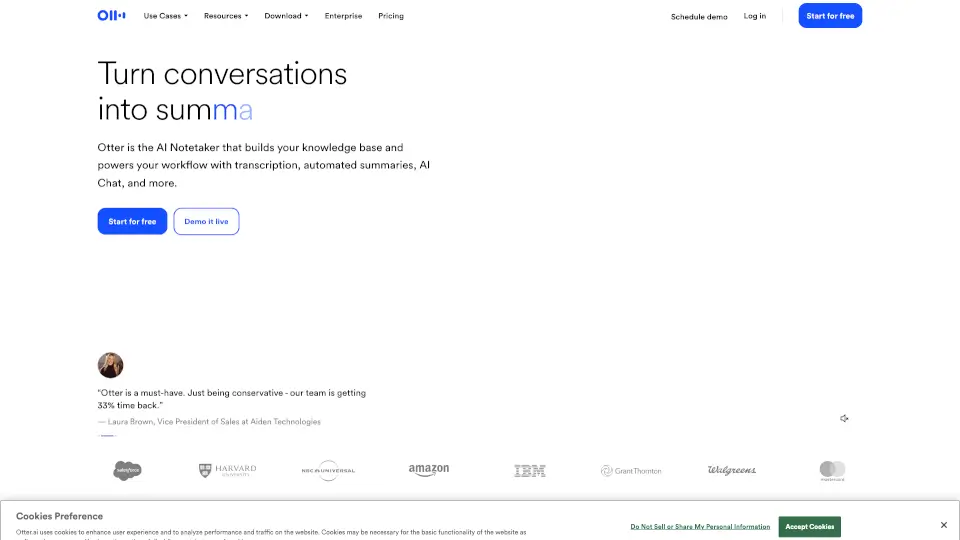
Think of Otter AI as your personal conversational knowledge engine that never sleeps. Instead of worrying about remembering every detail during a call, you can let this smart AI notetaker join your meetings, capture the full conversation, and track all the important takeaways. It completely changes how you handle meetings by turning spoken words into organized, searchable text.
Whether you are closing a big sales deal, attending a long lecture, or interviewing a candidate, Otter handles the heavy lifting. It automatically generates clear summaries, highlights key decisions, and even assigns action items so your team knows exactly what to do next. It is like having a highly efficient executive assistant dedicated entirely to your workflow.
Best of all, it fits right into the tools you already use every day. With seamless integrations and flexible recording options, Otter AI makes sure you never miss a beat, giving you back hours of your week to focus on the work that actually matters.
What are the features of Otter.ai?
- Real-Time Transcription: Captures words exactly as they are spoken, featuring multi-language support and smart speaker recognition.
- Automated Summaries: Instantly turns long, complex meetings into clear, trustworthy summaries highlighting key decisions and insights.
- AI Chat Search: Lets you ask natural questions across all your past meetings and connected apps to instantly find the exact information you need.
- Bot-Free Desktop Recording: Record conversations directly from your Mac or Windows desktop without an awkward AI bot joining the video call.
- Automated Action Items: Automatically captures and assigns clear next steps from every conversation so nothing falls through the cracks.
- Smart Channels: Groups your meetings by team, project, or topic, creating a shared space where everyone can easily find recordings and collaborate.
What are the use cases of Otter.ai?
- Sales Teams: Capture detailed call notes, get live coaching tips, and automatically sync customer insights directly to your CRM.
- Students and Educators: Record lectures and study sessions, turning hours of talking into organized, searchable notes and summaries.
- Media and Journalists: Transcribe interviews to easily pull key quotes, organize thoughts, and draft content without replaying audio.
- Recruiters: Get real-time assistance during interviews and turn conversations into structured, shareable candidate insights.
- SDR Teams: Automate lead qualification and book meetings directly from your website with personalized, 24/7 live AI demos.
How to use Otter.ai?
- Connect Your Calendar: Link your Google Calendar or Outlook so Otter automatically sends its AI agent to join your Zoom, Teams, and Google Meet calls.
- Choose Your Recording Style: Decide whether to let the AI join virtually, or use the desktop app to record bot-free directly from your computer.
- Review and Edit: Check your automated summaries and transcripts after the call, then easily tweak the notes or action items if needed.
- Ask Otter Anything: Use the AI Chat feature to search across past meetings and instantly generate follow-up emails, reports, or content.
- Sync with Your Apps: Connect tools like Slack, Salesforce, or Notion to automatically push your meeting notes exactly where your team needs them.