Numerous.ai logo

Numerous.ai

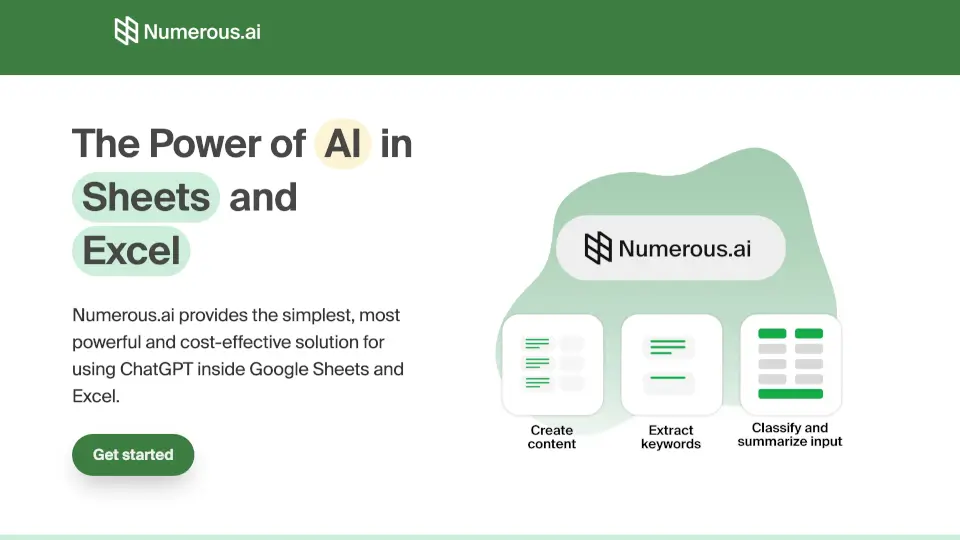
Numerous.ai is an AI-powered spreadsheet plugin that brings ChatGPT to Google Sheets and Excel, making it simple to automate content, clean data, and collaborate with your team.

Numerous.ai

Numerous.ai Product Information

What is Numerous.ai?

Numerous.ai brings the power of ChatGPT directly into your Google Sheets and Excel spreadsheets. No coding, no API keys, and no complicated setup. Just install the add-on, type a simple formula, and let AI handle the heavy lifting for your data, content, and research tasks. It's the simplest and most cost-effective way to supercharge your spreadsheets with AI.

What are the features of Numerous.ai?

  • No API Keys Required
    Skip the technical hassle. No need to manage or set up any API keys. Just install and start using AI immediately.
  • Simple =AI Function
    Use it in any cell with the straightforward =AI() formula. You don't need to be a developer to get started.
  • Cost-Efficient Caching
    Numerous.ai avoids duplicate queries. If you ask the same question twice, it uses the cached result, saving you money and characters.
  • Built for Team Collaboration
    Share a single plan across your entire organization. Everyone can collaborate on AI projects without needing individual accounts.
  • US-Based Support
    Our team is based in San Francisco, offering reliable support and priority email options when you need help.

What are the use cases of Numerous.ai?

  • Digital Marketing Campaigns
    Generate AdWords keywords, ad copy, Facebook campaign structures, SEO content, and ad titles. Reduce the grunt work of bulk content creation.
  • Data Cleaning & Categorization
    Have messy user input or large bodies of open-ended text? Let Numerous.ai clean, normalize, summarize, and categorize survey responses, articles, or social media content.
  • AI Prototyping & Testing
    Explore how ChatGPT can help your work. Test out different prompts in a structured spreadsheet and share the results with your team to find what works best.
  • Content Ideation & Creation
    Generate a list of possible topics from a single prompt, then have the AI create full content for each idea. Perfect for social media schedules and blog post outlines.

How to use Numerous.ai?

  1. Install the Add-on
    Go to the Google Workspace or Excel add-on store and install Numerous.ai.
  2. Write the Formula
    In any cell, type =AI("your prompt here"). For example, =AI("Write a Facebook ad for a new coffee shop").
  3. Drag to Fill
    Copy the formula down a column to generate multiple results at once, using different inputs or cells as part of your prompt.
  4. Use Caching to Save
    Don’t worry about wasting characters on repeated questions—Numerous.ai automatically caches results so you only pay once for the same prompt.
  5. Share with Your Team
    Invite colleagues to the same spreadsheet. They can use the same plan and see your AI-generated outputs in real time.


Do you like this tool?

Upvote to help others discover it!

Numerous.ai Alternatives

GPT For Work

GPT For Work

GPT for Work is the AI agent for Excel and Google Sheets that writes formulas, cleans data, and bulk-enriches thousands of rows in minutes.

US
10.32%
160.7K
0
AI Excel Tools & Google Sheets - AI Excel Formula Generator - Bot

AI Excel Tools & Google Sheets - AI Excel Formula Generator - Bot

AI Excel Tools & Google Sheets - AI Excel Formula Generator - Bot generates spreadsheet formulas, VBA scripts, and files from uploaded data within a persistent workspace.

US
19.70%
107.8K
0
AI Formula Wizard

AI Formula Wizard

AI Formula Wizard converts plain text instructions into Excel and Google Sheets formulas or VBA code and provides step-by-step explanations.

US
14.47%
28.2K
0
SheetAI.app

SheetAI.app

SheetAI.app executes text and media generation tasks across spreadsheet rows using formulas and external AI provider keys.

US
26.97%
33.7K
0
GPTExcel

GPTExcel

GPTExcel converts uploaded spreadsheets into formulas, pivot tables, charts, and PowerPoint decks through a browser-based conversational interface.

US
14.98%
120.9K
0
Excel Formula Bot

Excel Formula Bot

Excel Formula Bot converts plain-text descriptions into downloadable .xlsx workbooks containing headers, formulas, and formatting.

IN
43.55%
67.0K
0
Excelmatic

Excelmatic

Excelmatic makes Excel data analysis and visualization easy. Upload, chat, and get instant insights, charts, and reports—no technical skills required.

US
10.93%
80.1K
0
Rows AI

Rows AI

Rows AI applies natural language processing and computer vision inside a spreadsheet to extract, classify, and analyze data.

US
8.25%
186.6K
0

Numerous.ai Related Other Categories

Numerous.ai Traffic Analysis

Website traffic estimates for numerous.ai. Visits are not unique users or product usage.

Data month: 2026-10

💡 Insights

⭐
Medium Scale
Estimated monthly visits exceed 100,000 and are at most 1 million.
⚠️
Slight Decline
Estimated visits decreased 17.0% from the previous month.
👍
Bounce rate below 60%
The estimated bounce rate is 41%.
🔎
Search-led traffic
Search accounts for 60% of estimated visits.
  • Monthly Visits

    128.83K

  • Bounce Rate

    40.93%

  • Pages Per Visit

    2.27

  • Visit Duration

    00:00:30

  • Global Rank

    303118

  • Country Rank

    279160

Visits Over Time

Traffic Sources

Search Organic59.79%
Direct25.41%
Referrals5.62%
Search Paid4.23%
Social Organic3.37%
Gen Ai0.70%
Display Ads0.54%
Mail0.25%
Affiliate0.04%
Social Paid0.04%

Top Keywords

1
numerous ai
CPC$0.42
1.11KTraffic
2
best google sheet ai support
810Traffic
3
what ai is best for book summaries
560Traffic
4
data ai discovery free
330Traffic
5
most anilitical ai for creating better spreadsheets
330Traffic

Top Regions

RegionPercentage
United States
United States
20.10%
India
India
13.11%
Indonesia
Indonesia
3.21%
Uzbekistan
Uzbekistan
2.99%
Philippines
Philippines
2.64%
Low
High

Powered by SimilarWeb

Numerous.ai FAQ

Do I need an API key to use Numerous.ai?

No, you do not need an API key. Simply install the add-on and you can start using it immediately. It’s designed to be easy and hassle-free.

How easy is it to use in a spreadsheet?

It’s very easy. You just use the =AI() function in any cell, just like using a normal spreadsheet formula. There’s no programming knowledge required.

Can my whole team use it?

Yes, Numerous.ai is built for teams. You can share your plan with everyone on your team so you can collaborate on AI projects together.

Is the support team based in the US?

Yes, our team is based in San Francisco, and we offer email and priority support options to help you get the most out of the tool.

How do you make it cost-efficient?

Numerous.ai uses long-term caching. If you ask the same prompt twice, it doesn’t use up your characters again. This makes it one of the most cost-effective ways to use AI in spreadsheets.

Can everyone on my team use the same plan?

Yes, you can purchase a team plan and everyone in your organization can use the same subscription. This makes it simple to manage billing and access.

Numerous.ai Reviews

0
0 Reviews
Sign Into leave a review

Recent Reviews

No reviews yet

Numerous.ai Embed

Use website badges to drive community support for SeekTool.ai. They are easy to embed in your homepage or footer.

Light
Dark
Numerous.ai - Featured on SeekTool.aiNumerous.ai - Featured on SeekTool.ai
How to install?

Category Rankings

Ranked by monthly traffic