
What is Excelmatic?
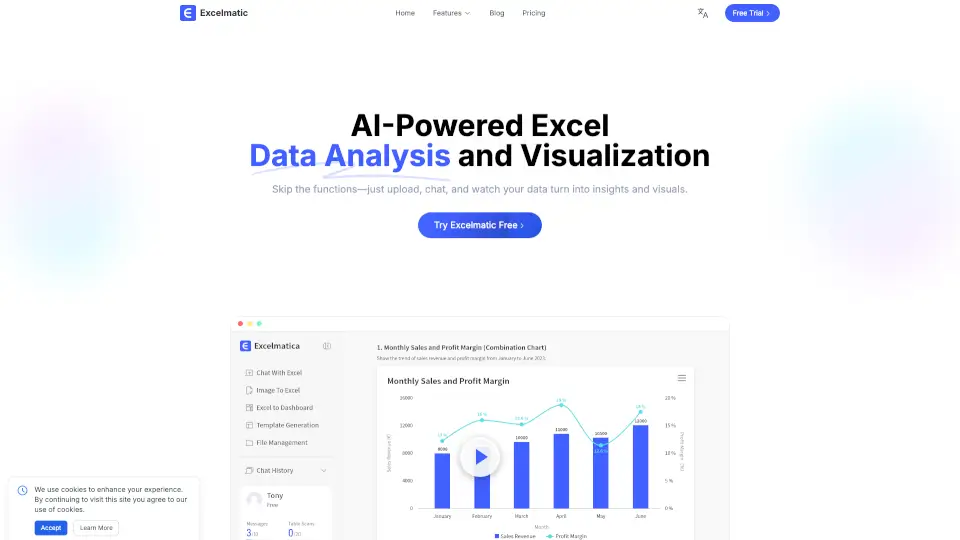
Excelmatic is your go-to tool for easy Excel data analysis and visualization. Just upload your spreadsheet, ask questions in plain English, and get instant answers, charts, and insights. No need to memorize formulas or spend hours making reports—Excelmatic does the heavy lifting for you. Whether you’re a student, business professional, or just want to make sense of your data, Excelmatic makes Excel simple and smart.
What are the features of Excelmatic?
- AI Spreadsheet Assistant: Handle Excel tasks with natural language—no technical skills needed.
- AI Data Analysis: Get advanced statistical insights and summaries in seconds.
- AI Data Visualization: Instantly create professional charts and graphics.
- AI Business Intelligence: Turn raw data into actionable business insights.
- Image to Excel: Convert table images to editable Excel files with one click.
- PDF to Excel: Transform PDF tables into Excel spreadsheets easily.
- Automated Data Cleaning: Clean up messy data and avoid formatting errors.
- Batch Processing: Work with multiple tables at once for better efficiency.
- Intelligent Formula Assistant: Generate and fix formulas using plain language.
- Dynamic Chart Updates: Charts refresh automatically when your data changes.
What are the use cases of Excelmatic?
- Students: Quickly analyze grades or survey results without learning complex Excel functions.
- Business Analysts: Save time on reports, trend analysis, and KPI tracking.
- Marketers: Visualize campaign performance and user engagement in real time.
- Managers: Get instant insights for decision-making without waiting for data teams.
- Anyone with Data: Make sense of any spreadsheet, from budgets to inventories.
How to use Excelmatic?
- Upload your Excel or CSV file to Excelmatic.
- Type your questions or requests in plain English.
- Instantly receive answers, charts, and downloadable reports.
- Customize chart styles and analysis as needed.
- Download your results or share them with your team.