What is Mobicip Parental Control App?
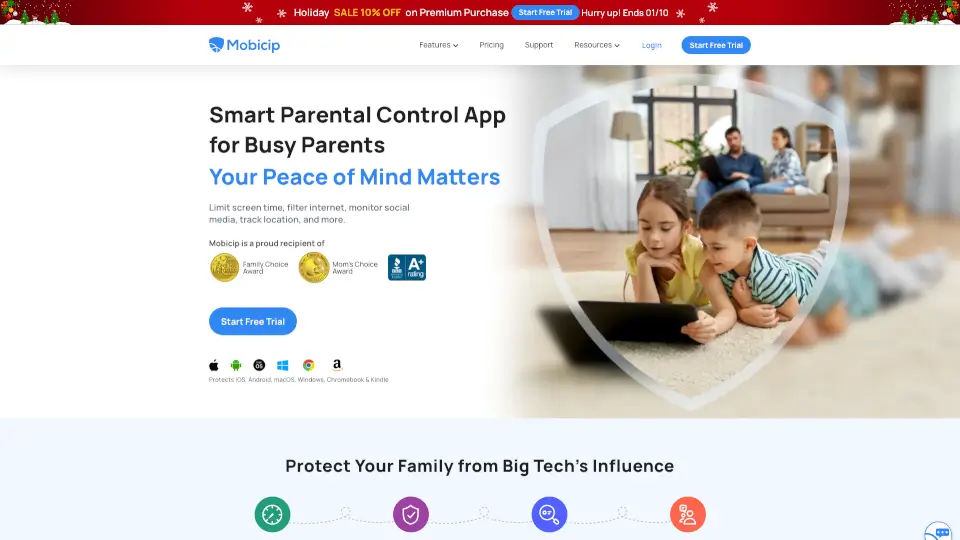
Mobicip is a smart parental control app trusted by over 3 million families to keep kids safe online. It helps busy parents manage screen time, block harmful content, monitor social media, and track location across all devices—all from one dashboard. Whether you're worried about big tech influence or just want healthier digital habits, Mobicip gives you the tools to protect your kids without hovering over their shoulders.
What are the features of Mobicip Parental Control App?
- Screen Time Scheduler: Set daily and weekly limits, create custom schedules for school, sleep, and free time, and restrict specific apps or app categories.
- Social Media Monitor: Automatically monitor conversations on top social media platforms for risky behavior, bullying, or harmful content.
- App Blocker: Block distracting games, social apps, or any app categories with a few taps.
- Website Blocker: Filter out adult sites and inappropriate web content using one of the most powerful internet filters.
- Family Locator: View your child’s live location and set geo-fences to get alerts when they enter or leave safe zones.
- Activity Summary: Get detailed reports on how your children spend time online, including app usage and browsing history.
- Collaboration Dashboard: Let your child see their own screen time stats and set achievable goals with rewards. Share parenting duties with co-guardians.
- AI-Based Protection: Proactively block harmful content and provide an SOS button so kids can instantly alert you in emergencies.
What are the use cases of Mobicip Parental Control App?
- Busy parent at work: Keep an eye on your kid’s social media and location even when you're in the office or cooking dinner.
- Teen with screen addiction: Set healthy daily screen limits and block YouTube or gaming apps after 10 PM.
- Young child on a tablet: Filter all web browsers and block adult content, plus get alerts if they try to change settings.
- Shared parenting: Two parents or guardians can both monitor and manage the same child’s device settings seamlessly.
- Remote school device: Apply the same parental controls across a Chromebook at school and an iPhone at home.
How to use Mobicip Parental Control App?
- Step 1: Sign up for a free 7-day trial on the Mobicip website or app store.
- Step 2: Install the Mobicip app on your child’s device (iOS, Android, Windows, Mac, Chromebook, or Kindle).
- Step 3: Log in to your parent dashboard and create a profile for each child.
- Step 4: Set daily screen time limits, block specific apps, and turn on website filtering.
- Step 5: Enable location tracking and set geo-fences around home and school.
- Step 6: Review weekly activity reports and adjust limits as your child grows.