
What is PDF2Anki?
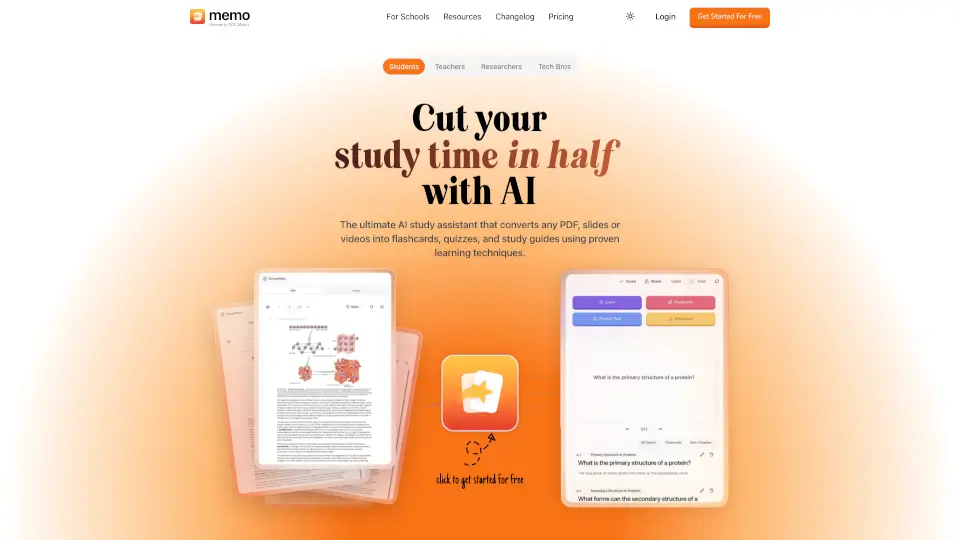
Memo AI is your personal study space designed to turn messy documents into organized, actually-remembered knowledge. If you are juggling thick PDFs, long YouTube lectures, or scattered web articles, this tool brings everything into one connected workspace. You upload your material, ask direct questions, and let the platform generate flashcards, practice tests, and structured notes instead of wasting hours highlighting by hand. Built by former med students who tired of losing insights buried in dense reading, Memo focuses on real retention rather than just moving information around. It replaces app-switching fatigue with a single dashboard that learns alongside you.
What are the features of PDF2Anki?
- Grounded Q&A with Citations: Ask questions about your uploads and receive direct answers tied to exact page numbers or video timestamps, so you can always verify claims against your original sources.
- Flashcard Generator & Study Modes: Automatically creates cited flashcards with column, toggle, typing, and spaced-repetition workflows to match how your brain actually retains information.
- Notes, Tests & Mind Maps: Instantly transform dense sources into block-formatted notes, multiple-choice exams, and visual concept maps tailored to your preferred study method.
- AI Professor & Track Mode: Enables an expert-style AI to narrate documents page-by-page while flipping slides, answering follow-ups, and running comprehension checks in real time.
- Multi-Language Audio Support: Speaks, listens, and translates content across 32+ languages, letting you practice pronunciation or absorb foreign research without switching tools.
- Adaptive Reasoning Levels: Choose Standard for fast everyday answers, Thinking for deeper breakdowns, or Pro when you need frontier-model reasoning for highly complex topics.
What are the use cases of PDF2Anki?
- Medical and pre-health students rapidly converting hundreds of lecture pages into review-friendly flashcards and self-tests before exams.
- Graduate researchers extracting core arguments and data points from academic PDFs and recorded conferences to build citation-backed literature maps.
- High school and college instructors creating ready-made practice quizzes and guided study walks directly from textbook chapters or assigned readings.
- Professionals digesting quarterly earnings calls, industry webinars, and technical blog posts without drowning in tab overload or missed details.
How to use PDF2Anki?
- Drop PDFs, DOCX files, plain text, YouTube links, or website URLs into the upload panel—Memo parses visuals, tables, and transcripts automatically.
- Open a chat window with your material and ask targeted questions, request simplifications, or drill into niche subtopics until the concepts click.
- Click the generate button to produce flashcards, practice exams, or AI notes; preview the results and adjust depth, difficulty, or card coverage before saving.
- Launch Flashcard Mode or Track Mode to study actively, using voice pacing, typing drills, or narrated walkthroughs that adapt to your progress.
- Swap between Standard, Thinking, and Pro modes as needed; pick quicker responses for routine reviews and reserve heavier reasoning for dense technical passages.