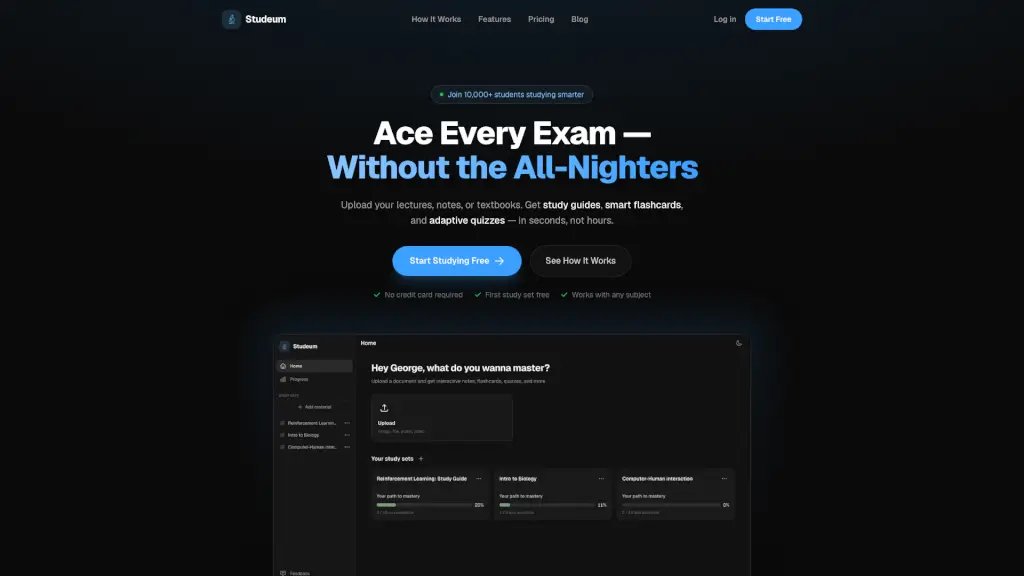
What is Studeum?
Studeum is an AI-powered study tool built for students who are tired of wasting hours re-reading notes or making flashcards by hand. Instead of guessing what’s important, you simply upload your actual course materials—like lecture slides, textbook PDFs, or even YouTube links—and Studeum instantly turns them into smart study guides, flashcards, and adaptive quizzes tailored to your class.
Whether you’re cramming for finals, prepping for a licensing exam, or reviewing weekly material, Studeum cuts through the noise. It focuses only on your content, so you study smarter, not harder—and walk into every exam actually knowing what you know (and what you don’t).
What are the features of Studeum?
- AI Study Guides: Automatically distills dense readings or lectures into clear, structured summaries with key concepts highlighted.
- Smart Flashcards: Generates flashcards directly from your uploaded notes—no more mismatched decks from generic apps.
- Adaptive Quizzes: Creates personalized questions from your material, explains wrong answers, and helps you target knowledge gaps.
- Chat with Your Guide: Ask follow-up questions about tough topics, grounded in your source material—not random internet results.
- Built-in PDF Viewer: Keep your original notes and study tools side by side without switching tabs or losing your place.
- Works with Any Subject: From organic chemistry to constitutional law to machine learning—Studeum handles all academic levels and formats.
What are the use cases of Studeum?
- A pre-med student uploads 50 pages of biochemistry notes and gets a concise study guide plus flashcards in under 10 minutes.
- A working college student uses Studeum to quickly prep for midterms between shifts, skipping manual note-taking entirely.
- A law student feeds case briefs into Studeum to generate quiz questions that test nuanced legal reasoning, not just memorization.
- A grad student studying machine learning uses the chat feature to unpack complex proofs step by step from their lecture PDF.
- A high schooler preparing for AP exams uploads textbook chapters and uses adaptive quizzes to identify weak spots before test day.
How to use Studeum?
- Upload your study material—PDFs, PowerPoint slides, text files, or YouTube links—all work seamlessly.
- Review your AI-generated study guide to grasp the big picture and key takeaways fast.
- Drill core concepts using auto-created flashcards designed for active recall.
- Take adaptive quizzes to test understanding and get instant feedback on mistakes.
- Use the built-in chat to ask clarifying questions about confusing sections—context stays tied to your document.
- Revisit your study set anytime; your first one stays free forever, even if you cancel later.