
What is Matterport?
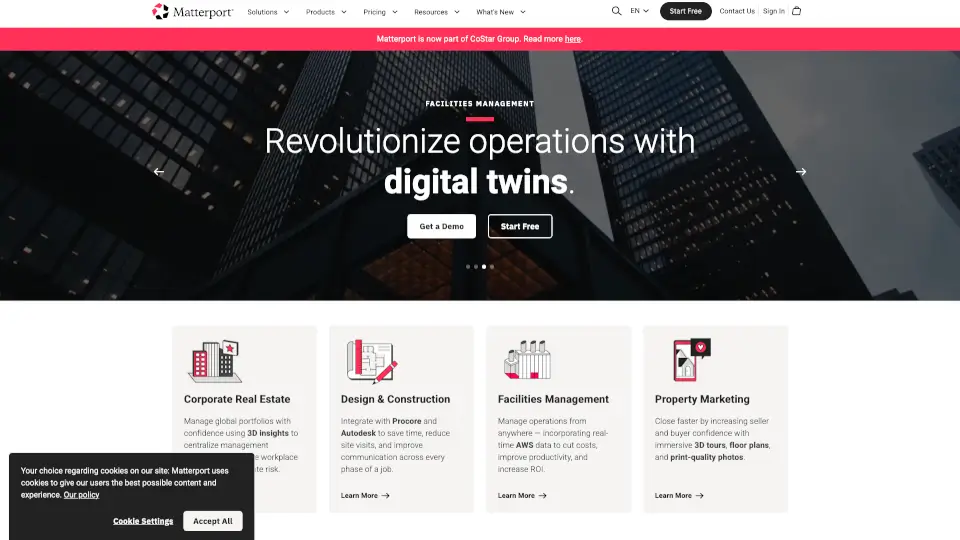
Matterport is a cutting-edge 3D camera and virtual tour software platform that helps you bring your spaces to life. Whether you're managing real estate, designing buildings, or just want to share a space with others, Matterport makes it easy to create immersive 3D tours, high-quality photos, and detailed floor plans. With its user-friendly tools and powerful features, you can digitize any building and share it with the world, making collaboration and decision-making a breeze.
What are the features of Matterport?
- 3D Cameras: Capture your space in stunning 3D with Matterport's advanced cameras.
- Virtual Tour Software: Automatically generate immersive 3D tours that can be shared online.
- 4K Print Quality Photos: Get high-resolution images that are perfect for print and digital use.
- Schematic Floor Plans: Generate accurate and detailed floor plans directly from your 3D scans.
- Integration with Procore and Autodesk: Seamlessly integrate with popular construction and design tools.
- Real-Time Data Integration: Incorporate real-time AWS data to improve operations and cut costs.
- Sketch File Export: Quickly export insurance-ready sketches for claims and estimates.
What are the use cases of Matterport?
- Real Estate Marketing: Create engaging 3D tours to increase buyer and seller confidence.
- Corporate Real Estate Management: Centralize management decisions and accelerate workplace planning.
- Facilities Management: Manage operations from anywhere, improving productivity and ROI.
- Design and Construction: Save time and reduce site visits by integrating with Procore and Autodesk.
- Property Inspections: Conduct detailed inspections and generate reports with ease.
- Event Planning: Plan and visualize event setups in 3D to ensure everything is perfect.
How to use Matterport?
- Capture Your Space: Use a Matterport 3D camera to scan your space.
- Upload the Scan: Upload the captured data to the Matterport platform.
- Generate the 3D Tour: The platform will automatically create an immersive 3D tour.
- Customize and Share: Add tags, notes, and other details, then share the tour via a link.
- Integrate with Other Tools: Connect with Procore, Autodesk, and other platforms for seamless workflows.
- Monitor and Update: Keep your 3D models up to date with regular scans and updates.