What is Elephas?
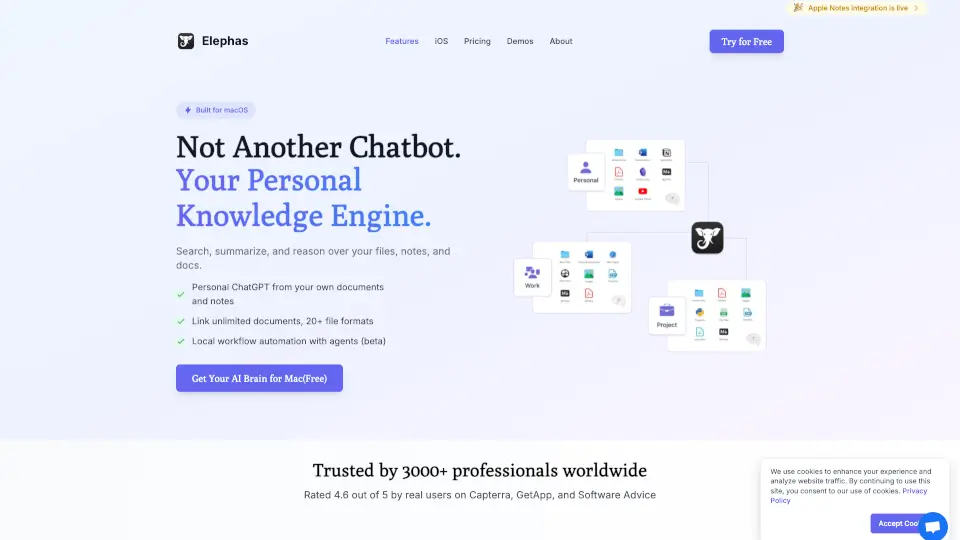
If you work with confidential client files—like contracts, tax documents, or legal research—you know you can’t just paste them into ChatGPT. That’s where Elephas Private AI for Mac comes in. Built specifically for lawyers, consultants, accountants, and other professionals handling sensitive data, Elephas lets you use powerful AI without risking privacy breaches.
Unlike general-purpose chatbots, Elephas keeps your documents indexed locally on your Mac, automatically redacts 28 types of sensitive information (like names, SSNs, and bank details), and gives you full control over whether AI runs offline or in the cloud. It’s designed so you never have to choose between productivity and confidentiality.
What are the features of Elephas?
- 100% Local Indexing: Your files stay on your Mac—never uploaded or shared.
- Automatic PII Redaction: Detects and masks 28 types of sensitive data before any cloud request.
- Offline Mode: Run AI entirely on-device with no internet needed.
- Super Brain Workspaces: Create project- or client-specific knowledge bases from PDFs, notes, emails, and more.
- Super Command: Use AI writing tools (summarize, rewrite, translate) in any Mac app with a keyboard shortcut.
- Multi-Model Support: Works with GPT-5, Claude, Gemini, and 15+ providers—or bring your own API key.
- Grounded Answers with Citations: Every response references your actual documents, not generic web info.
What are the use cases of Elephas?
- A lawyer quickly finds key clauses in 50 client contracts without exposing privileged information.
- An accountant summarizes audit workpapers while keeping SSNs and account numbers redacted.
- A consultant drafts a client proposal using internal meeting notes—all processed offline during a flight.
- A financial advisor reviews suitability memos and portfolio notes without sending data to the cloud.
- A researcher analyzes unpublished papers and peer-review comments securely on their MacBook.
- A solo professional uses Super Command to clean up emails in Mail or Slack while protecting client identities.
How to use Elephas?
- Download Elephas and create a “Super Brain” for each client or project by adding PDFs, notes, or documents.
- Toggle Offline Mode in settings if you want zero data to leave your device.
- Use Super Command (keyboard shortcut) to summarize or rewrite text in any app—redaction happens automatically.
- Choose your AI backend: use built-in cloud models (with zero data retention) or connect your own API key.
- Review redacted previews in the app to confirm sensitive info stays protected before processing.
- Sync across Apple devices using the same Apple ID for seamless access on iPhone or iPad.