
What is Dezgo?
Dezgo is a free online AI image and video generator that turns your words into stunning visuals—no design skills needed. Whether you want photorealistic scenes, anime art, cartoon illustrations, or custom logos, Dezgo’s powerful AI models handle it all with just a text prompt. It’s fast, easy to use, and completely web-based, so you can create high-quality content from any device.
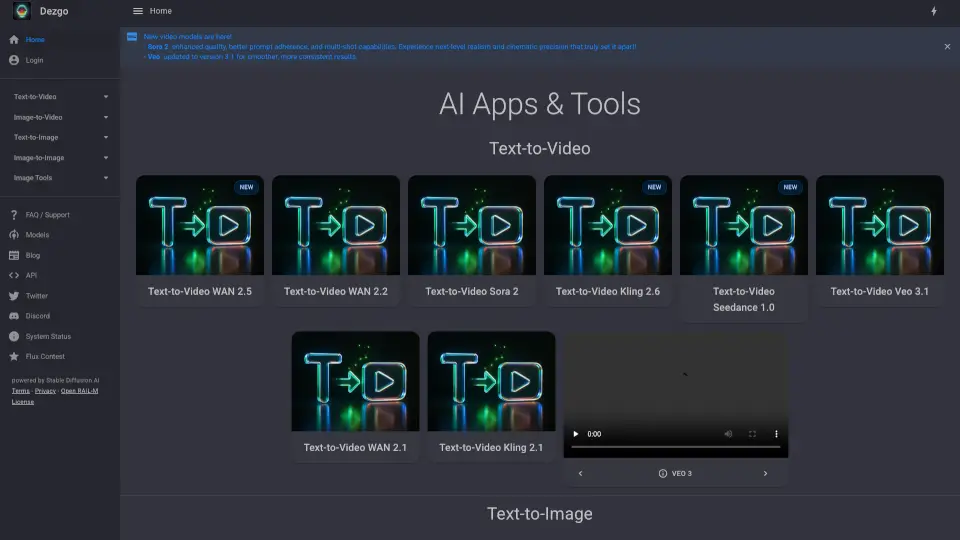
What sets Dezgo apart is its wide range of cutting-edge AI models, including Happy Horse 1.0 (Alibaba’s top video model), Flux, Nano Banana, and WAN series—all available at no cost. From generating 3–15 second cinematic clips with synchronized audio to upscaling or editing existing images, Dezgo empowers creators, marketers, students, and hobbyists to bring their ideas to life instantly.
What are the features of Dezgo?
- Text-to-Image Generation: Create realistic, anime, cartoon, or illustrative images from simple text prompts using models like Flux 2 Pro, Nano Banana, and SD1 XL.
- Text-to-Video & Image-to-Video: Turn prompts or still images into short videos (3–15 seconds) in 720p or 1080p with motion, audio, and even multilingual lip-sync via Happy Horse, Seedance, and WAN models.
- Free Image Editing Tools: Remove backgrounds, upscale resolution, edit images with text prompts, or perform inpainting—all without leaving the platform.
- Multiple AI Models: Choose from over a dozen specialized models optimized for different styles and tasks, including Grok Imagine, Veo 3.1, and Kling 2.6.
- No Cost, No Login Required: Access most core features for free without mandatory sign-ups or hidden paywalls.
What are the use cases of Dezgo?
- A social media manager creates eye-catching promotional graphics for Instagram using text prompts like “vibrant coffee shop in Tokyo, anime style.”
- An indie filmmaker generates storyboard clips by turning concept descriptions into short video scenes with Happy Horse.
- A student designs a custom logo for a school project using the Flux 1 XL model and refines it with inpainting.
- An e-commerce seller removes product photo backgrounds automatically to create clean white-background listings.
- A content creator experiments with different artistic styles—realistic, cartoon, cyberpunk—without hiring an artist.
- A teacher generates illustrated flashcards for language lessons using themed text prompts.
How to use Dezgo?
- Go to dezgo.com and select your tool (e.g., Text-to-Image or Text-to-Video).
- Choose an AI model based on your desired output (e.g., Flux 2 Pro for detailed images or Happy Horse for cinematic video).
- Enter a clear, descriptive text prompt—specific details like “sunset over mountains, oil painting style” yield better results.
- Adjust settings like resolution, aspect ratio, or number of outputs if available.
- Click “Generate” and wait a few seconds—your result appears instantly.
- Download, share, or further edit your creation using built-in tools like Upscale or Remove Background.