
What is assistant-ui?
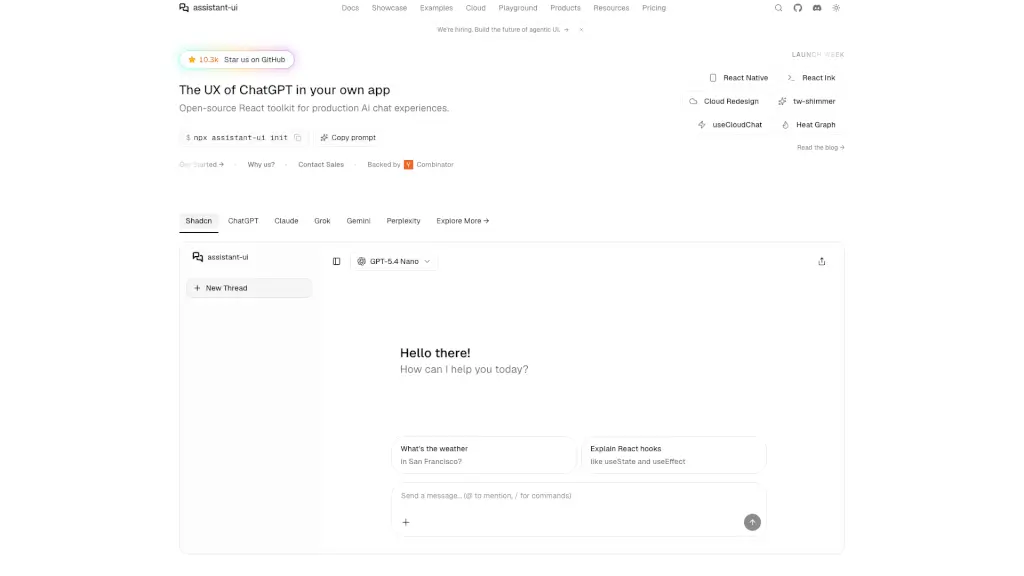
assistant-ui is an open-source React toolkit that lets developers quickly build ChatGPT-style chat interfaces for AI applications—without reinventing the wheel. Built in TypeScript, it handles all the complex parts of AI chat: streaming responses, tool calling, conversation history, and user interactions—so you can focus on your agent logic instead of UI plumbing.
Whether you're adding a copilot to your SaaS app, building an agentic workflow, or prototyping an AI assistant, assistant-ui gives you a polished, production-ready foundation. It works seamlessly with popular frameworks like LangChain, Vercel AI SDK, and LangGraph, and supports persistence so conversations stay intact across sessions.
What are the features of assistant-ui?
- Instant ChatGPT-like UI: Drop-in components with sensible defaults, theming support, and responsive design.
- Streaming & Interruptions: Real-time message streaming with support for user interruptions and retries.
- Tool Calling UI: Built-in interface for function/tool use, including visual feedback during execution.
- Conversation Persistence: Save and restore chat threads across page reloads using Assistant UI Cloud or your own backend.
- Framework Agnostic: Works with any LLM provider—LangChain, Vercel AI SDK, custom APIs, and more.
- Optimized Performance: Lightweight bundle and efficient rendering for smooth user experiences.
- React Native Support: Build cross-platform mobile AI apps using the same core logic.
- Human-in-the-Loop Ready: Designed for agentic workflows where users approve or guide AI actions.
What are the use cases of assistant-ui?
- Add a smart customer support chatbot to your web app with full conversation memory.
- Build internal AI copilots for productivity tools (e.g., document summarization, data analysis).
- Prototype multi-agent systems with LangGraph and visualize interactions via a clean UI.
- Create personalized financial or health assistants that remember user context over time.
- Develop mobile AI apps using React Native with consistent behavior across platforms.
- Integrate AI into enterprise workflows where human review of tool calls is required.
- Launch MVP AI products faster by skipping weeks of UI development.
How to use assistant-ui?
- Start by running
npx assistant-ui initto scaffold a new project with best practices. - Choose your backend: connect to LangChain, Vercel AI SDK, or your custom LLM API.
- Customize the theme and layout using standard React props—no CSS required.
- Enable persistence by linking to Assistant UI Cloud or implementing your own storage adapter.
- Add tool definitions to automatically get interactive UI elements (like buttons or forms) during conversations.
- Deploy anywhere—Vercel, Netlify, or your own server—with zero vendor lock-in.