What is Memos AI?
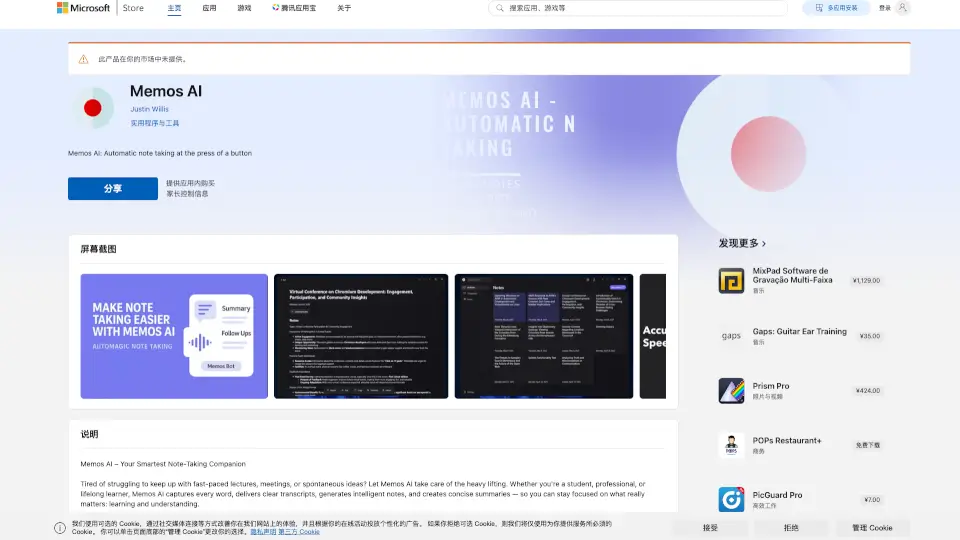
Struggling to keep up with fast-talking professors, back-to-back meetings, or sudden bursts of inspiration? Memos AI is your smart, hands-free note-taking sidekick built for Windows. It listens while you focus—capturing every word, turning speech into clear text, and distilling hours of talk into sharp, readable notes and summaries.
Whether you're a student racing through lectures, a professional juggling client calls, or just someone who hates losing great ideas, Memos AI removes the stress of manual note-taking. Think of it as your always-on, never-tired assistant that ensures nothing important slips through the cracks.
What are the features of Memos AI?
- Hands-Free Recording & Note-Taking: Just hit record—Memos AI transcribes and structures your spoken content automatically.
- High-Accuracy Transcripts: Converts speech to precise, searchable text so you can review exactly what was said.
- Instant AI Summaries: Get concise overviews of key points from any session in seconds.
- Smart Organization Tools: Tag, search, and sort your notes so everything stays tidy and easy to find.
- Focus-First Design: Lets you stay fully present in conversations instead of scrambling to write things down.
What are the use cases of Memos AI?
- A college student records a 90-minute biology lecture and gets a clean transcript plus a bullet-point summary before class ends.
- A remote worker captures a team brainstorming call and instantly shares summarized action items with colleagues.
- An entrepreneur jots down voice memos during a commute and later retrieves organized notes with relevant tags.
- A researcher interviews a subject and uses Memos AI to generate an accurate, editable transcript for analysis.
- Someone attending a conference uses the app to log speaker insights without missing a single detail.
How to use Memos AI?
- Open Memos AI from the Microsoft Store on your Windows device.
- Tap the record button during any conversation, lecture, or solo idea session.
- Let the app run in the background while you listen or speak—no need to type.
- After recording, review your auto-generated transcript and AI-crafted summary.
- Use tags or keywords to organize notes for quick retrieval later.
- Search your entire note library using natural language (e.g., “marketing meeting notes from Tuesday”).