
What is Amped Studio?
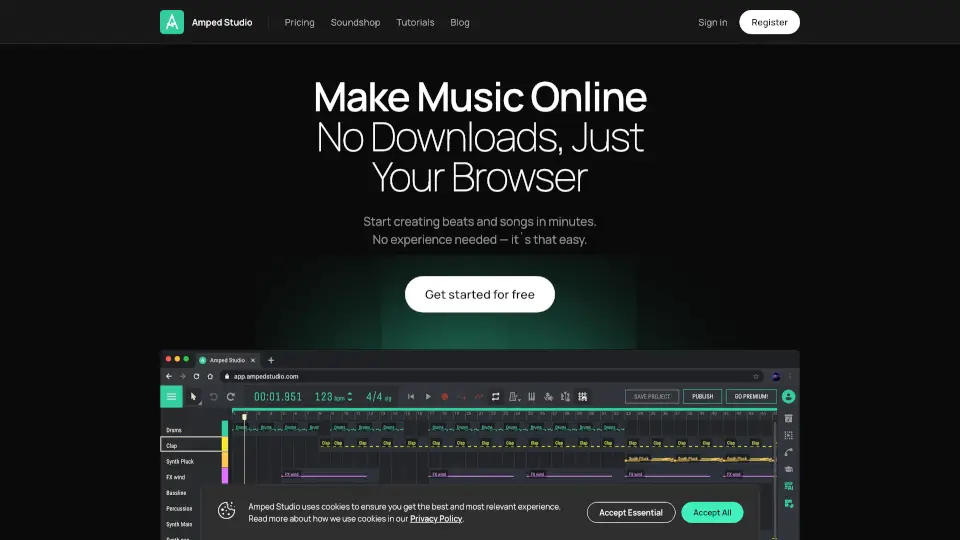
Amped Studio is a free online music maker and AI song creator that runs entirely in your browser. No downloads, no installations — just open it up and start producing beats, recording vocals, and mixing full tracks. Whether you're a complete beginner or a seasoned producer, this browser-based DAW with built-in AI music generator tools makes song creation fast and fun. You can generate compositions in any style, split any song into stems, or transform your voice with AI. It's your all-in-one song maker designed for creativity on the go.
What are the features of Amped Studio?
- AI Assistant: Generate a complete composition in any style (Hip-Hop, Jazz, Techno, and more). Set the tempo and get instant results to build upon.
- Virtual Instruments & VST 3 Support: Access a wide set of instruments from bass to lead, connect an external MIDI controller, or expand your sound library with third-party VST 3 plugins installed on your computer.
- AI Stem Splitter & Voice Changer: Upload any song and get separate instrumental and vocal tracks. Record your voice and convert it into famous tones for unique content.
- Audio Editing Tools: Convert audio to MIDI, reverse, edit pitch and gain, stretch, and cut samples without quality loss.
- Drumpler & Effects: Use a dedicated drum machine for every task with your own one-shots. Apply 20+ audio effects including reverb, delay, and compression.
- Automation & MIDI Editing: Automate any parameter (volume, pan, effects, filters) with precise curves. Edit MIDI notes, change pitch, length, and velocity for full control.
- Collaboration: Generate a link and send it to a musician friend to record a hit together in real-time.
- Sample Packs: Access a wide variety of original samples from Amped Studio, ranging from House to Reggae styles.
What are the use cases of Amped Studio?
- For beginners and vocalists: Create a first project, write simple melodies, learn music theory with built-in lessons, and share your music with friends.
- For content creators: Record your voice, transform it with AI, add effects, and use the resulting audio in videos, reels, or shorts.
- For music education: Explore lessons covering creation, theory, and practice — everything needed for self-learning and structured study.
- For advanced users: Use VST plugins, mix arrangements with any instruments, apply automation, and do quick mastering for polished, professional tracks.
- For beatmakers: Create rap beats and trap rhythms quickly using the powerful online sequencer, Drumpler, and sample editing tools.
- For songwriters: Arrange chord progressions, edit MIDI, and record vocals directly in the browser to build full songs from scratch.
How to use Amped Studio?
- Get started instantly: Go to Amped Studio's website and click "Get started for free" — no downloads or sign-up required to begin.
- Generate a composition with AI: Select a music style (like Hip-Hop or 90’s House), set the BPM, and let the AI assistant create a base track. Edit the resulting stems with effects for added depth.
- Split any song: Upload an existing track and use the AI Stem Splitter to separate instrumental and vocal stems for remixing or sampling.
- Record and transform vocals: Record directly onto a track with your microphone, then use the AI voice changer to convert your voice into different famous tones.
- Collaborate with friends: Generate a sharing link and send it to another musician so they can record or add parts to your project.
- Explore demo projects: Check out full song projects included in the studio to understand how tracks are structured and learn new production techniques.